.svg)
 Healthcare
 Finance
 Retail
 SaaS & Digital
 eCommerce
 Education
 Salesforce
  HubSpot
 Pipedrive
 Mailchimp
 Zendesk
  Intercom
 Freshdesk
 HelpScout
  Front
Front Jira
Jira Slack
Slack  MS Teams
 Zoom
Zoom Google Sheets
  Zapier
  Integrately
 Make
Make  Webhooks




 MS Teams
.svg)


TL;DR
- GetFeedback Direct shuts down December 31, 2026 (the Salesforce-integrated product). GetFeedback Digital, the separate website and in-app feedback tool, is not affected and continues to operate.
- All historical data will be permanently deleted. If you've been using GetFeedback for Salesforce CX programs, you need to find a replacement before that date.
- This guide covers top GetFeedback alternatives based on what came up in our migration conversations: Zonka Feedback (Salesforce + AI + multi-location), SurveyMonkey Enterprise (official migration path), SurveyVista (100% Salesforce-native), Qualtrics (enterprise-scale), and Refiner (in-app SaaS feedback).
- Key comparison factors: Salesforce integration depth, survey editing workflow without admin dependency, AI feedback analysis, multi-location consolidated reporting, and distribution controls for compliance.
- Migration takes 2-6 weeks for most teams, starting early avoids last-minute scrambling.
The official GetFeedback-to-SurveyMonkey migration path wasn't built for Salesforce-first CX programs. Survey editing still requires admin involvement. Salesforce integration runs through external middleware, not native architecture. And the CX-specific features GetFeedback had—unique submission links, dynamic expiration, SMS distribution—didn't make the cut.
Over the last six months, I've been on calls with teams actively evaluating what to move to. Some want continuity—GetFeedback worked, they just need it to keep working. Others are treating this as an upgrade opportunity: adding AI analysis, eliminating the admin bottleneck, building multi-location dashboards that go beyond GetFeedback's capabilities.
This guide evaluates Getfeedback alternatives based on what came up in those conversations and our research: Salesforce integration depth, survey editing workflow without admin dependency, AI feedback analysis, multi-location consolidated reporting, and distribution controls for compliance. Zonka Feedback is one of them, it's our platform. I'll compare what each tool does well and where the trade-offs are. Let's get started!
Quick Verdict: Best GetFeedback Alternatives to Consider
Here's my verdict based on what each tool does best:
- For Salesforce CX without admin bottleneck + AI + multi-location → Zonka Feedback
- For default SurveyMonkey migration path → SurveyMonkey Enterprise
- For 100% Salesforce-native with no external dependencies → SurveyVista
- For enterprise-scale CX with predictive analytics → Qualtrics
- For in-app product feedback only → Refiner
- For enterprise research teams needing compliance → Alchemer
Three Types of GetFeedback Users Migrating
From conversations with teams evaluating alternatives, three patterns emerged. Here's what drives each group and what they're looking for in a replacement:
- Continuity seekers - GetFeedback's Salesforce integration worked. You spent months building OAuth, Flow triggers, custom object mapping. You want the same architecture with a new tool, not a rebuild from scratch.
- Full-feature migrators - You need what GetFeedback actually offered. Unique submission links for compliance workflows. Dynamic expiration for staffing surveys. SMS and WhatsApp for international teams. Survey edits without admin involvement. The official migration path doesn't include these capabilities. You need an alternative that does.
- Growth seekers - GetFeedback gave you score dashboards but no action layer. You want AI thematic analysis for 40K+ responses/year, multi-location consolidated dashboards for 15 portfolio companies or 14 countries, and closed-loop automation to route feedback without manual follow-up. You're building a CX program, not just replacing a survey tool.
Which GetFeedback Alternative Fits Your Migration Need?
Now if you fit into any of the above mentioned migration category, here's what will suit your needs the best:
If you're a continuity seeker or full-feature migrator (Salesforce architecture + GetFeedback capabilities):
- Zonka Feedback - same OAuth + Flow setup, plus unique links, dynamic expiration, SMS/WhatsApp, survey edits without admin
- SurveyVista - 100% Salesforce-native, no admin dependency for survey edits, data never leaves Salesforce
If you want AI and multi-location capabilities and looking to scale up:
- Zonka Feedback - pre-trained AI, multi-location dashboards, closed-loop automation at mid-market pricing
- Qualtrics - enterprise-scale AI and predictive analytics at enterprise pricing
If you're following the official migration path:
- SurveyMonkey Enterprise - data migration support included, multi-department platform
GetFeedback Alternatives Compared
| GetFeedback Alternative | Best For | Salesforce Integration | AI Features | Key Limitation | Starting Price | G2 Rating (Out of 5) |
| Zonka Feedback | Salesforce CX + AI + omnichannel | Strong (bidirectional) | Pre-trained AI (themes, sentiment, entities) | AI only in Growth+ | ~$167/mo | 4.7 |
| SurveyMonkey Enterprise | Default migration path | Available (not native) | Basic text analytics | Admin bottleneck persists | Custom | 4.4 |
| SurveyVista | 100% Salesforce-native | Native | Salesforce automation-dependent | No omnichannel beyond Salesforce | $2,999/yr | 4.9 |
| Qualtrics | Enterprise analytics + research | Available | Predictive analytics, text iQ | High cost, long implementation | $50K+ annually | 4.3 |
| Refiner | In-app product feedback only | Via integrations | Limited | No email/SMS/offline | $99/mo | 4.6 |
| Alchemer | Enterprise research + compliance | Strong (bidirectional) | Advanced logic, text analytics | Steeper learning curve | ~$55/user/mo | 4.5 |
| Usersnap | Visual feedback + bug reports | Via integrations | Basic | DOM Size Limitation, SPA issues | $69/mo | 4.6 |
What are the Best GetFeedback Alternatives?
For each tool, I'll cover how it compares to GetFeedback, when it makes sense, and what the trade-offs are.
1. Zonka Feedback: For Salesforce Teams Needing AI Feedback Analysis & Signals
-
GetFeedback vs. Zonka Feedback – Key Differentiator: GetFeedback focused on Salesforce-native NPS and CSAT collection. Zonka Feedback extends that foundation with pre-trained AI feedback intelligence, omnichannel distribution (SMS, WhatsApp, kiosks, offline), multi-location consolidated dashboards, and closed-loop automation that GetFeedback never offered.
-
G2 Rating: 4.7/5 (80+ reviews)
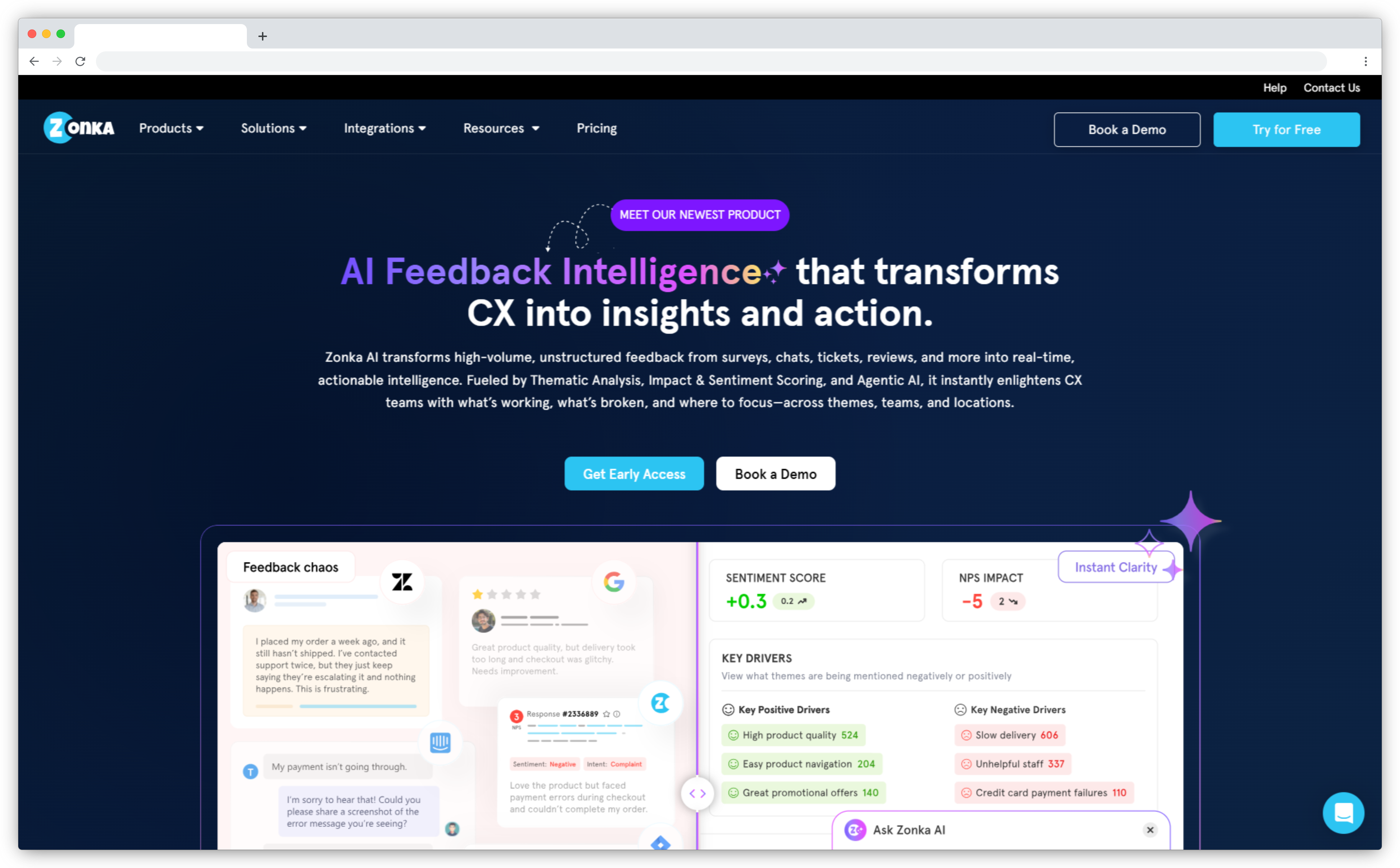
We built Zonka Feedback to match GetFeedback's Salesforce integration depth while adding capabilities GetFeedback never developed: pre-trained AI feedback intelligence, survey edits without admin redeployment, and multi-location consolidated dashboards. For teams migrating from GetFeedback, the Salesforce setup is the same OAuth + Flow model your team already knows.
Migration from GetFeedback typically takes 2-6 weeks. Our team has done it in as little as two weeks. The surveys are straightforward to recreate. Rebuilding Salesforce automation and validating field mappings takes the real time. We offer historical data import and dedicated migration support to minimize disruption.
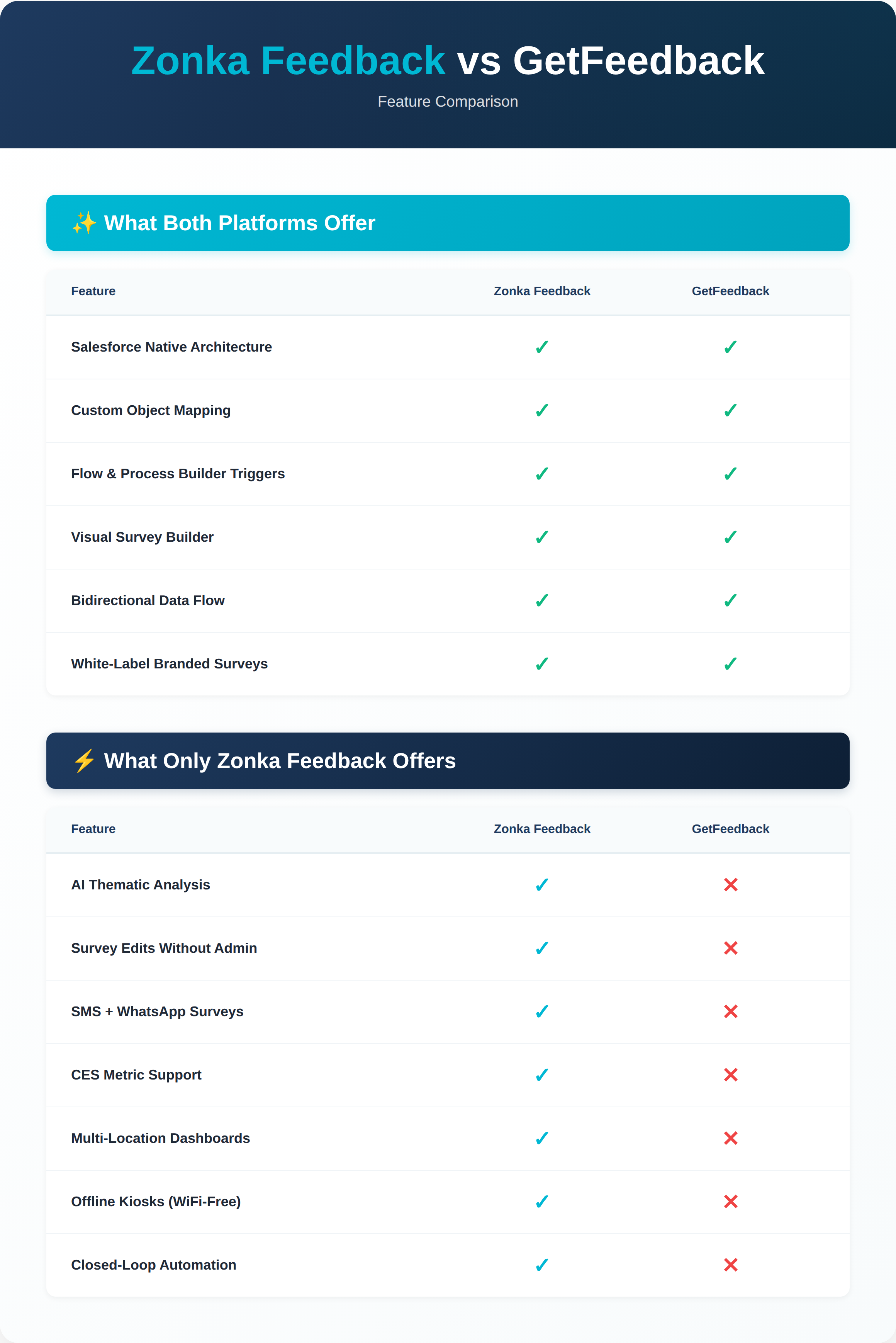
Zonka Feedback vs. GetFeedback: Feature Comparison
SurveyMonkey Enterprise is the official migration path from GetFeedback, but it wasn't built for Salesforce-first CX programs. Below we compare what GetFeedback supported and how Zonka preserves those capabilities while adding what GetFeedback never built.
1. Survey Editing Workflow
GetFeedback: CX managers made survey changes directly. Edit a question, update custom CSS, adjust logic, changes went live without Salesforce admin involvement. Mappings stayed connected.
Zonka Feedback: Same direct editing workflow. Survey edits happen in the platform without admin tickets. Change questions, update branching logic, adjust CSS, mapping stays connected automatically. Custom CSS applies across all surveys once configured. No redeployment step. No Salesforce admin dependency for routine changes. Visual editor matches GetFeedback's design quality.
2. Salesforce Integration Architecture
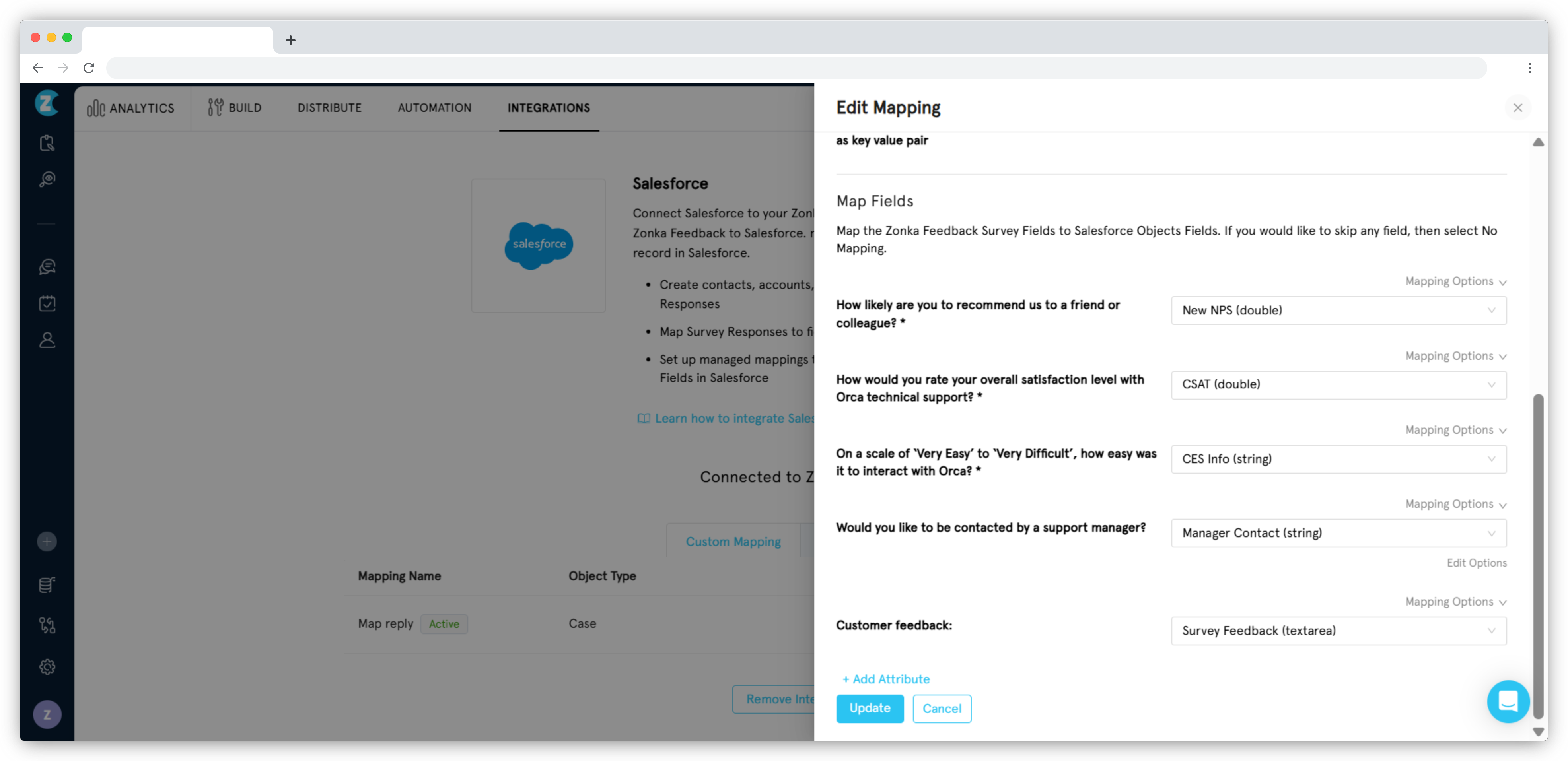
GetFeedback: Native Salesforce app. Bidirectional sync to Contacts, Cases, Accounts, Opportunities, and custom objects. Flow-triggered surveys. Field-level mapping. Teams spent months building these integrations and they worked reliably.
Zonka Feedback: Bidirectional sync to Contacts, Cases, Accounts, Opportunities, and any custom object with field-level control. Flow-triggered surveys using the same OAuth + outbound message setup your Salesforce team already knows. Survey responses write back to Salesforce automatically. Your team's existing integration knowledge transfers, same process, same architecture.
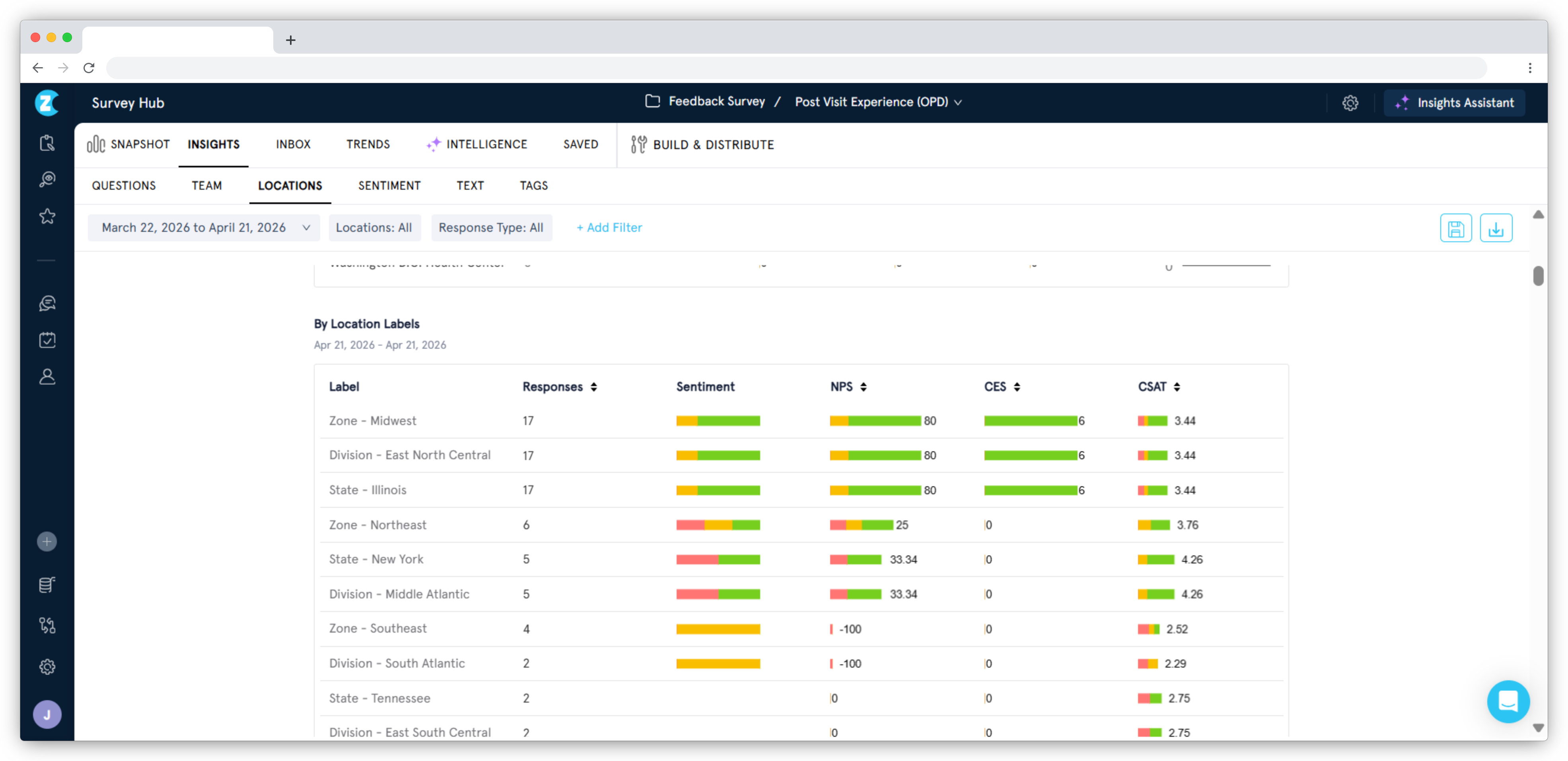
3. Multi-Location Reporting & Consolidated Dashboards
GetFeedback: No consolidated multi-brand or multi-location reporting. Teams managing 15 portfolio companies or 800 employees across 14 countries did reporting manually in spreadsheets.
Zonka Feedback: Location-level dashboards with department breakdown, wave-over-wave trend comparison, and drill-down by region. Role-based access means regional teams see only their region, executives see everything. Supports multiple Salesforce instances connected to one Zonka account, critical for multinational operations.
4. AI Feedback Intelligence & Actionability
GetFeedback: Introduced Smart Trends in 2020 for basic text analysis. Keyword pattern detection. No sentiment classification, entity recognition, or impact scoring. Teams processing 40-60K NPS survey responses/year were still doing manual comment analysis.
Zonka Feedback: Pre-trained AI analyzes every response for sentiment, themes, entities (products, locations, team members), emotion, and impact. No model training required. The platform flags mixed signals automatically, high NPS score combined with negative comment surfaces for immediate follow-up. Available in Growth and higher plans.
5. Distribution Controls & Compliance Features
GetFeedback: Supported unique submission links so each contact could only complete a survey once. Expiration was dynamic and tied to the trigger date (not fixed calendar dates) — admins could set how many days a survey stayed active after sending, or set a custom expiry datetime for individual recipients.
Zonka Feedback: Single-response enforcement supported through a per-link toggle (note: Zonka allows multiple responses by default — opposite of GetFeedback, so this needs to be flipped during migration). Dynamic expiration supported with custom start and end dates per link. Link-level access controls and response limits match what GetFeedback admins already know.
Additional Capabilities Zonka Feedback Provides
Beyond preserving what GetFeedback offered, Zonka provides capabilities GetFeedback never built:
-
Closed-Loop Automation: GetFeedback gave you score dashboards. Follow-up was manual. Zonka automates routing, detractor feedback goes to the right person or team automatically. Create tickets in Zendesk, Intercom, or Freshdesk based on scores or keywords. Slack alerts notify teams when scores drop below thresholds. Workflow triggers and task assignment close the feedback loop without leaving the platform.
-
Offline & Kiosk Mode: GetFeedback didn't support offline tablet surveys. iPad and Android kiosk mode with offline sync works for retail, healthcare, hospitality, and field service teams. Surveys collect responses even without internet, then sync when connectivity returns. QR codes trigger surveys at physical locations.
-
Anonymous Surveys with Single-Submission Enforcement: From evaluation conversations, PE-backed groups managing 15 portfolio companies run eNPS surveys where responses must be anonymous but single-submission enforced (eNPS scores link to MD compensation, so fabrication is a concern). GetFeedback couldn't do this. Zonka supports anonymous surveys with token-based single-submission locks.
-
ISO Certification & HIPAA Compliance: Healthcare and regulated industry teams frequently ask about compliance during migration evaluations. Zonka is ISO 27001 certified and HIPAA compliant. Signed Business Associate Agreements (BAA) included in enterprise plans. GetFeedback didn't offer this level of compliance certification.
-
Multi-Language & Global Support: Surveys available in 70+ languages with automatic language detection based on respondent location or browser settings. GetFeedback supported 37 languages. Teams operating in 14 countries with 10+ European languages get native support without workarounds. From evaluation conversations, multilingual teams noted that even small improvements in language comfort significantly increase response rates.
-
White-Label Email Domains: GetFeedback sent surveys from the customer's domain with proper sender authentication. Zonka supports full white-label email domain with sender authentication, surveys come from your domain, not ours. Available on Growth plan and above.
"For us, it's definitely how easy to use it is. Zonka Feedback helped us turn in different types of surveys with our organization's flavor, for different settings, all very easily. Can be used by anybody!" , Verified G2 Review
When Zonka Feedback Makes Sense
Zonka fits if you need GetFeedback's Salesforce integration depth without workflow compromises. It makes sense for teams running 10K+ responses/year who need AI to surface patterns in open-text feedback, for multi-location operations (retail, healthcare, PE portfolio companies) needing consolidated dashboards with location-based permissions, for teams requiring distribution controls like unique links and dynamic expiration for compliance workflows, and for regulated industries requiring HIPAA/BAA compliance.
Zonka Feedback Pros
- Matches GetFeedback's Salesforce depth with same OAuth + Flow setup
- Survey edits don't require Salesforce admin redeployment
- Pre-trained AI reduces manual comment analysis effort
- Multi-location consolidated dashboards with role-based access
- Distribution controls (unique links, dynamic expiration, SMS, WhatsApp)
- Historical data import and dedicated migration support included
Zonka Feedback Cons
- AI features available in Growth tier and above
- Voice feedback analysis not yet available
- Dynamic expiration links supported but self-service UI coming soon (currently backend configuration)
Pricing: Custom pricing based on response volume and features. Typically at or below GetFeedback pricing for comparable volume. Migration support and historical data import included. 14-day trial available on request.
2. SurveyMonkey Enterprise: Official GetFeedback Migration Path
-
GetFeedback vs. SurveyMonkey Enterprise – Key Differentiator: GetFeedback was purpose-built for Salesforce CX workflows. SurveyMonkey Enterprise is a general-purpose survey platform designed for multi-department use (HR, marketing, product, CX) with broader template coverage but less native Salesforce integration depth.
-
G2 Rating: 4.4/5 (20,000+ reviews)
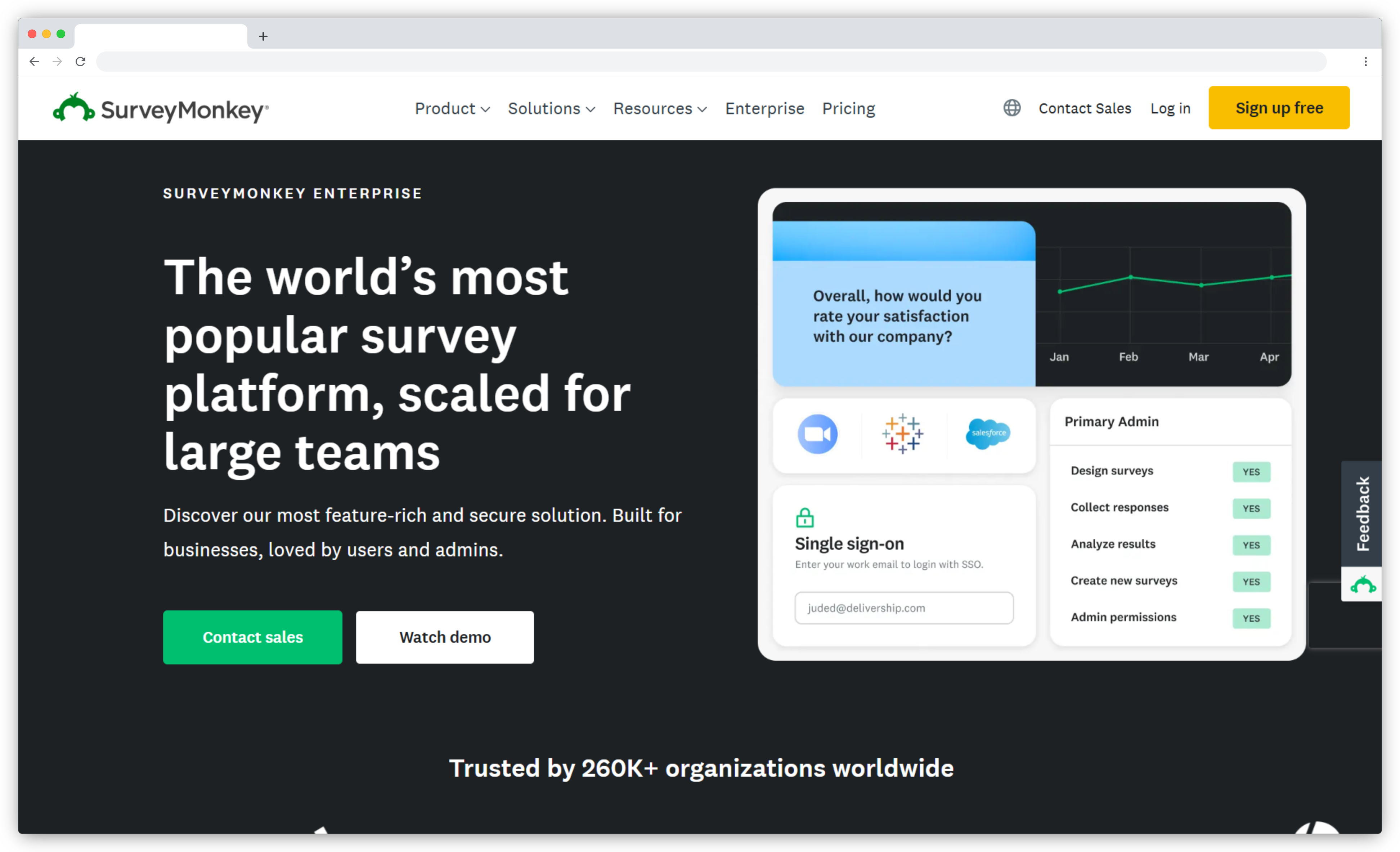 SurveyMonkey owns GetFeedback and officially announced that all GetFeedback Direct customers should migrate to SurveyMonkey Enterprise before December 31, 2026. It's a general-purpose survey platform designed for market research, internal polls, employee engagement, and feedback collection across multiple departments. Unlike GetFeedback's Salesforce-native architecture, SurveyMonkey Enterprise connects to Salesforce through external integrations.
The migration path preserves your GetFeedback historical data. SurveyMonkey provides data transfer support and migration documentation. However, Salesforce field mappings, workflow triggers, and custom object integrations don't automatically port over. Teams need to rebuild these connections in SurveyMonkey's integration layer.
Multiple GetFeedback users in migration conversations described trade-offs: survey editing workflow still requires Salesforce admin involvement for redeployment, visual design described as "basic" and "dated," and CX-specific features (unique links, dynamic expiration, SMS) not included in the migration path.
What SurveyMonkey Delivers
- Multi-Department Templates: 200+ expert-designed templates covering HR surveys, academic research, market analysis, product feedback, event planning, and customer satisfaction. Each template includes recommended question types and logic branching. Broader use case coverage than GetFeedback's CX-focused templates.
- Advanced Survey Logic: Complex branching, question piping, randomization, A/B testing, and quota controls. Create sophisticated survey flows that adapt based on previous answers. Capabilities exceed GetFeedback's simple NPS survey logic.
- AI Survey Builder: "Build with AI" generates complete surveys from natural language prompts in under 60 seconds. Describe your goal, and AI creates questions, logic, and response options automatically. Faster than manual survey building.
- Analytics and Reporting: Real-time dashboards, cross-tabulation, trend analysis, sentiment detection, and text analytics. Export to Excel, SPSS, Tableau, or Power BI. SurveyMonkey's reporting depth exceeds what GetFeedback offered for NPS tracking.
- Salesforce Integration: Connect surveys to Salesforce via external integration. Trigger surveys from Salesforce events, push responses to CRM records. However, integration requires middleware setup and isn't native to Salesforce like GetFeedback was.
- 183 Integration Ecosystem: Connect with HubSpot, Marketo, Mailchimp, Slack, Microsoft Teams, Google Workspace, Zapier, and 170+ other tools. Broader integration coverage than GetFeedback's 22 integrations.
"What I like most about SurveyMonkey is how simple it makes creating, sharing, and analyzing surveys, even without technical expertise. The wide range of ready-made templates and question types helps you get started quickly." — G2 verified review
When SurveyMonkey Enterprise Makes Sense
SurveyMonkey Enterprise makes sense if you need general-purpose surveys beyond CX (employee engagement, market research, product testing), already have SurveyMonkey elsewhere in your organization, or want to follow the official migration path with data transfer support included. The platform serves multiple departments from one system.
For GetFeedback users, SurveyMonkey fits if your CX program is expanding beyond Salesforce-triggered surveys into broader feedback collection. Teams heavily dependent on GetFeedback's Salesforce-native architecture (OAuth, Flow triggers, custom object mapping) should evaluate whether the external integration layer meets workflow needs. The admin bottleneck for survey edits persists in the migration.
SurveyMonkey Pros
- Official migration path with data transfer support
- Serves multiple departments beyond CX (HR, marketing, product, operations)
- 200+ templates reduce setup time for common use cases
- Advanced logic branching and question piping for sophisticated surveys
- AI-powered survey creation and sentiment analysis
- Brand recognition makes adoption easier across teams
- Extensive integration ecosystem (183 connections vs. GetFeedback's 22)
SurveyMonkey Cons
- Not purpose-built for Salesforce CX workflows specifically
- Survey editing workflow requires admin involvement for Salesforce redeployment
- Integration through external connectors rather than native Salesforce architecture
- Visual design described as "basic" and "dated" by migrating users
- Pricing per-user model increases cost for larger teams
- Lacks CX-specific features GetFeedback had (unique links, dynamic expiration)
Pricing: Custom enterprise pricing based on user count, features, and support level. Typically starts around $25-$50 per user/month for basic plans, scaling to $75+ per user/month for enterprise features. GetFeedback data migration support included in enterprise packages. Contact SurveyMonkey for specific quote.
3. SurveyVista: Best GetFeedback Alternative for 100% Salesforce-Native CX
-
GetFeedback vs. SurveyVista – Key Differentiator: Both are Salesforce-native. GetFeedback focused on CX feedback surveys with external design capabilities. SurveyVista delivers a broader native survey ecosystem (forms, assessments, checklists, analytics) entirely within Salesforce with zero data leaving your organization.
-
G2 Rating: 4.9/5 (35 reviews)
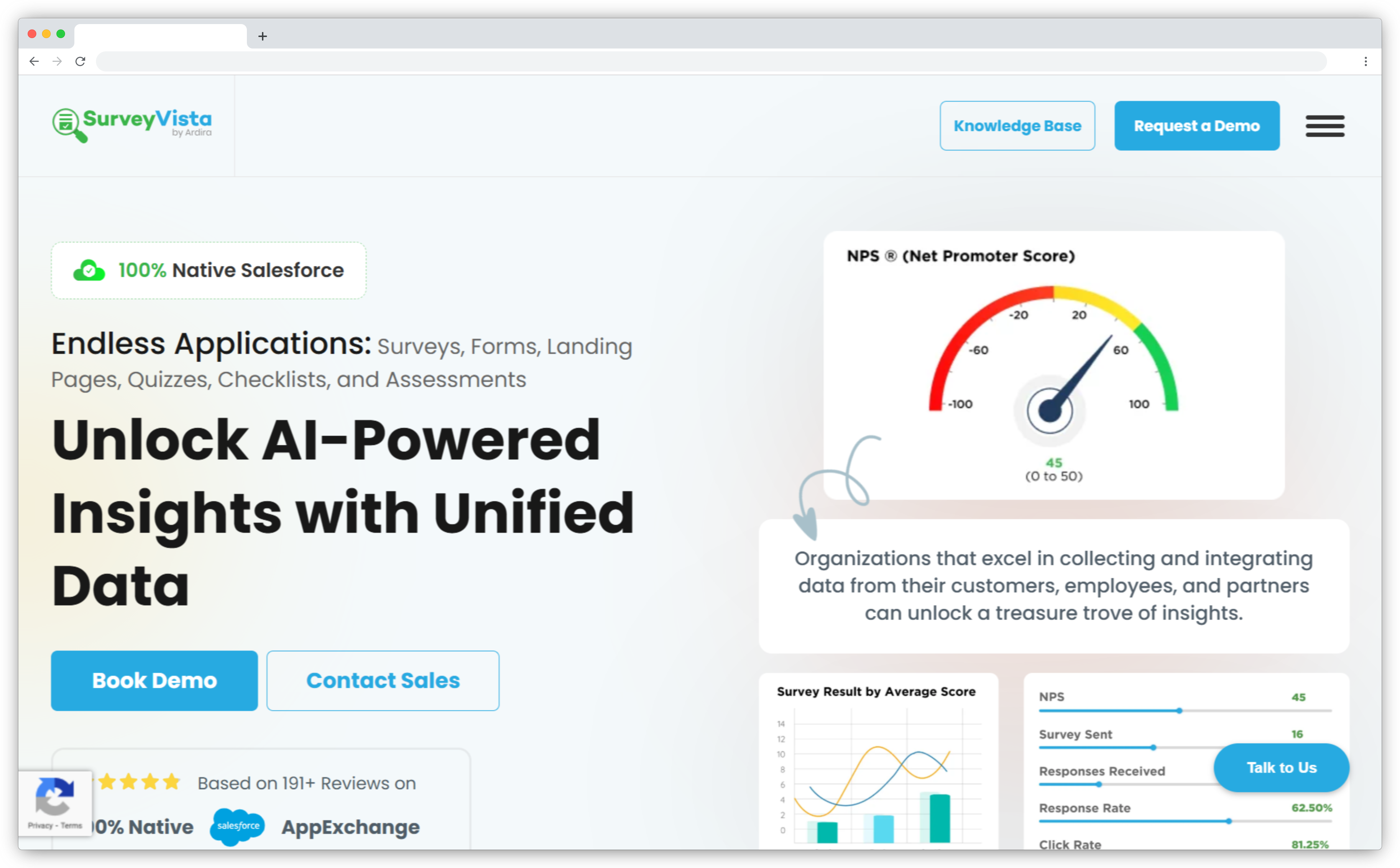
SurveyVista is 100% Salesforce-native. Not "integrated with Salesforce" but built inside Salesforce as a managed package. Every survey, response, and dashboard lives in your Salesforce survey org. No external authentication, no middleware, no data leaving your Salesforce environment.
For GetFeedback users who valued the Salesforce-native architecture, SurveyVista preserves that model. Survey builder lives in Salesforce Setup. Responses write directly to custom objects. Reporting happens in Salesforce Reports and Dashboards. If your team's workflow was "everything happens in Salesforce," SurveyVista maintains that continuity.
The trade-off is channel flexibility. SurveyVista focuses on email and web distribution from within Salesforce. Teams needing SMS, WhatsApp, kiosks, or offline surveys will need to supplement with other tools or accept channel limitations.
What SurveyVista Delivers
- Salesforce-Native Architecture: Installed as managed package. Survey builder in Salesforce Setup. No external login, no separate platform to learn. Your Salesforce admin controls access. Security and governance policies apply automatically.
- Direct Object Mapping: Responses write to any Salesforce object. Contacts, Accounts, Cases, Opportunities, custom objects. No API calls, no sync delays. Data is immediately available for reports, workflows, and Process Builder automation.
- Survey Builder Inside Salesforce: Create surveys without leaving Salesforce. Question types include NPS, CSAT, rating scales, multiple choice, text fields. Logic branching supported. Templates available for common CX use cases.
- Email Distribution from Salesforce: Send surveys from Salesforce email templates. Pre-populate survey fields with merge data from contact records. Trigger surveys from Process Builder or Flow based on case status, opportunity stage, or custom criteria.
- Salesforce Reporting: Build reports combining survey responses with CRM data. Create dashboards showing NPS by Account, CSAT by Support Agent, response trends over time. All standard Salesforce reporting capabilities apply.
- Multi-Language Support: Surveys available in 40+ languages. Language auto-detection based on contact's language preference field in Salesforce.
"SurveyVista's Salesforce-native approach means our data never leaves our org. For compliance and security teams, this eliminates a huge layer of risk and review." — Verified G2 Review
When SurveyVista Makes Sense
SurveyVista works best for Salesforce-first organizations where all customer data, workflows, and reporting happen inside Salesforce. If your team's daily workflow is "login to Salesforce, never leave," SurveyVista maintains that continuity. Security teams appreciate that survey data never leaves the Salesforce org, reducing compliance review and data governance concerns.
The platform fits GetFeedback users who primarily used email surveys triggered from Salesforce events and viewed responses in Salesforce reports. Teams needing multi-channel distribution (SMS, WhatsApp, kiosks) or offline survey collection should evaluate whether email-only distribution meets their needs.
SurveyVista Pros
- Zero middleware — data never leaves Salesforce org
- Salesforce governance and security policies apply automatically
- Fast deployment for teams already on Salesforce
- No per-user licensing fees beyond Salesforce licenses
- Native reporting using Salesforce Reports and Dashboards
- Admin-friendly for Salesforce administrators
SurveyVista Cons
- Requires Salesforce (not standalone)
- Limited to email and web distribution channels
- No SMS, WhatsApp, kiosk, or offline survey support
- Basic AI features compared to dedicated CX platforms
- Smaller user community and ecosystem vs. larger platforms
Pricing: Custom pricing based on Salesforce edition and number of survey responses. Typically ranges from $3,000-$10,000 annually for mid-market deployments. Pricing structure similar to GetFeedback's Salesforce-native tiers. Contact SurveyVista for specific quote based on your Salesforce org size.
4. Qualtrics XM: Best GetFeedback Alternative for Enterprise-Scale CX
-
GetFeedback vs. Qualtrics – Key Differentiator: GetFeedback was a single-purpose tool for transactional NPS, CSAT, and CES surveys. Qualtrics is a multi-module experience management platform covering customer, employee, product, and brand research with predictive analytics, statistical modeling, and research-grade survey design.
-
G2 Rating: 4.4/5 (10,000+ reviews)
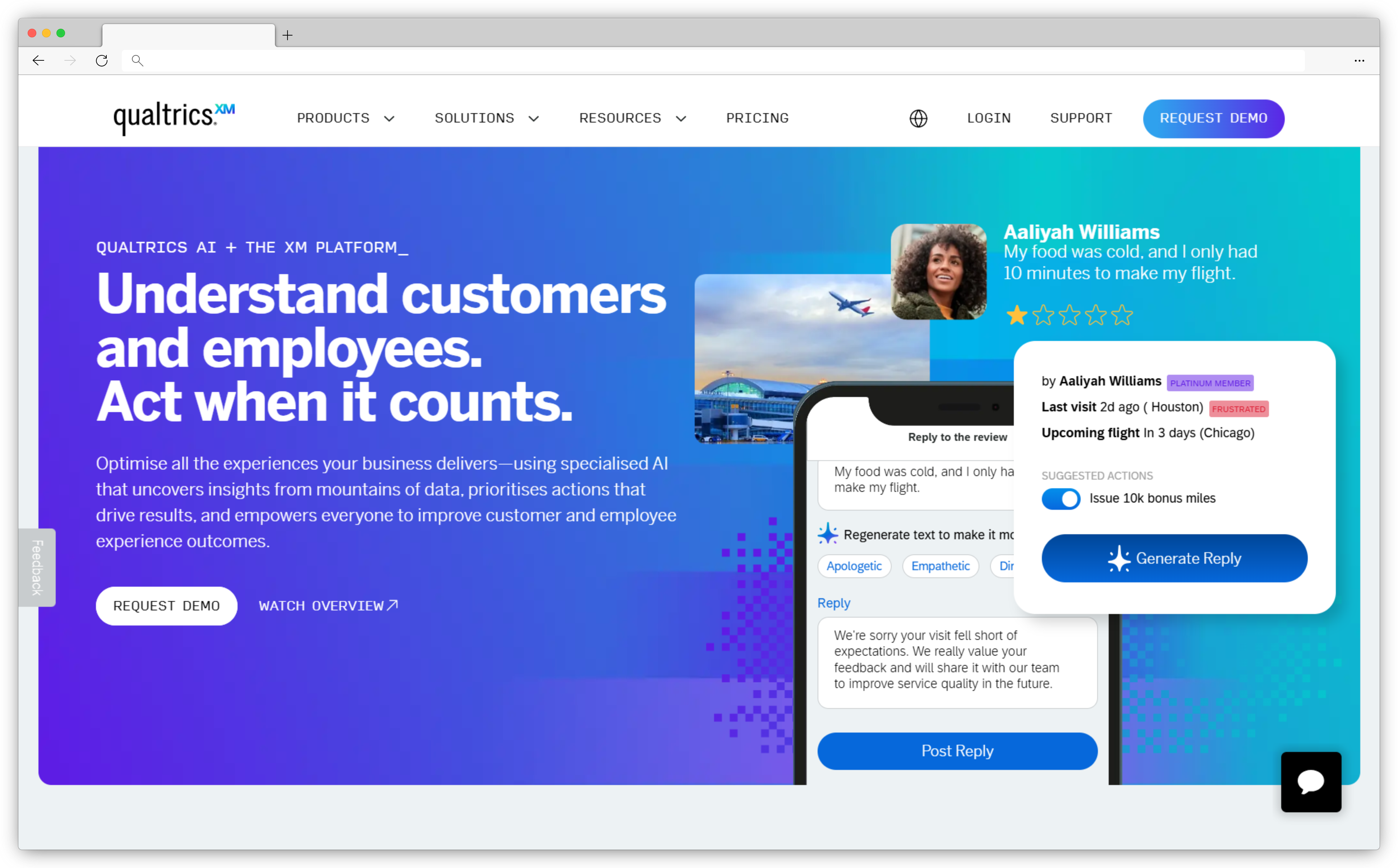
Qualtrics XM is an enterprise experience management platform designed for organizations with 1,000+ employees, multi-region operations, and dedicated CX teams. Where GetFeedback focused on Salesforce-native CX surveys, Qualtrics covers customer experience, employee experience, product research, and brand studies from a single platform.
Qualtrics is GetFeedback's parent company, acquired by the same parent as SurveyMonkey (both now under Vista Equity Partners). Despite this relationship, Qualtrics operates as a separate enterprise platform with different pricing, implementation timelines, and target customers.
Migration from GetFeedback to Qualtrics means moving from a focused Salesforce-native CX tool to a multi-module research platform. Setup takes months, not weeks. Implementation typically requires Qualtrics consultants or professional services. Pricing starts around $50,000 annually, significantly higher than GetFeedback's typical $50-75/user/month model.
Multiple GetFeedback users in our migration conversations were quoted $400,000+ annually by Qualtrics. For mid-market teams (50-500 employees) previously spending $3,000-$9,000/year on GetFeedback, this represents a 10-20x price increase.
What Qualtrics Delivers
- Multi-Module Experience Management: Customer Experience (CX) module for feedback collection and analysis. Employee Experience (EX) module for engagement and pulse surveys. Product Experience module for concept testing. Brand Experience module for market research. All modules share data and reporting infrastructure.
- Research-Grade Survey Design: 100+ question types including advanced formats like MaxDiff, conjoint analysis, heat maps, and slider scales. Complex logic branching, quota management, randomization, A/B testing. Survey design capabilities exceed what GetFeedback offered for transactional CX surveys.
- Predictive Analytics and Driver Analysis: Statistical modeling identifies which factors drive NPS or CSAT scores. Predictive models forecast future behavior based on current feedback patterns. Driver analysis shows which improvements would have largest impact on key metrics. StatsiQ provides research-grade statistical tools.
- Text iQ for Unstructured Data: AI analyzes open-ended responses at scale. Sentiment classification, topic extraction, theme identification across thousands of comments. Supports 50+ languages. More sophisticated than GetFeedback's basic sentiment analysis.
- Journey Mapping and Dashboards: Visualize customer journeys across touchpoints. Executive dashboards with real-time KPIs. Role-based views for different teams. Custom dashboards for C-level, department heads, frontline managers.
- Enterprise Integrations: Deep integrations with Salesforce, Microsoft Dynamics, Adobe Experience Cloud, Tableau, Power BI, Snowflake. API for custom integrations. SSO, advanced security, audit logs, data residency controls.
"The biggest strength of Qualtrics Customer Experience is how well it combines structured survey data with unstructured customer feedback at scale. The text analytics capabilities, especially Text iQ, make it possible to turn open-ended responses into meaningful insights rather than just anecdotal quotes." — G2 verified review
When Qualtrics Makes Sense
Qualtrics fits organizations operating at enterprise scale: 1,000+ employees, multi-region programs, dedicated CX research teams, budget for $50,000-$400,000 annually. The platform serves teams running sophisticated experience management programs that span customer, employee, product, and brand research, not just transactional NPS/CSAT surveys.
For GetFeedback users, Qualtrics makes sense if you've outgrown simple Salesforce-native surveys and need enterprise analytics, predictive modeling, and multi-module research capabilities. The platform requires dedicated CX analysts to manage. Teams looking for like-for-like GetFeedback replacement at similar pricing should evaluate other alternatives first.
Qualtrics Pros
- Enterprise-scale analytics and reporting infrastructure
- AI-powered text analysis for large-scale feedback processing
- Multi-module platform (CX + EX + Product + Brand)
- Research-grade survey design and statistical tools
- Global deployment with multi-region support
- Deep integrations with enterprise CRM, CS, and analytics platforms
- Predictive analytics identify highest-impact improvements
Qualtrics Cons
- Pricing 10-20x higher than GetFeedback ($50K-$400K annually)
- Implementation takes 3-6 months, requires consultants
- Platform complexity requires dedicated CX team to manage
- Overkill for simple NPS/CSAT programs
- Learning curve significantly steeper than GetFeedback
- May require additional training and change management
Pricing: Strategic Research tier: $5,040/year ($420/month) for 1,000 responses annually. Customer Experience (CX) Suite: Custom pricing starting at $50,000-$100,000 annually for enterprise deployments. Pricing scales with response volume, user count, and modules included. GetFeedback teams previously paying $3,000-$9,000/year will see significant price increases. Request custom quote from Qualtrics for specific needs.
Qualtrics has become too complex with a lengthy onboarding process, even for certain enterprises. Check out the top Qualtrics alternatives for quicker implementation.
5. Refiner: Best GetFeedback Alternative for In-App SaaS Feedback
-
GetFeedback vs. Refiner – Key Differentiator: GetFeedback sent email surveys triggered by Salesforce events after customer interactions. Refiner captures in-app microsurveys during active product engagement with behavioral targeting based on user actions, plan tier, feature usage, and lifecycle stage.
-
G2 Rating: 4.6/5 (110+ reviews)
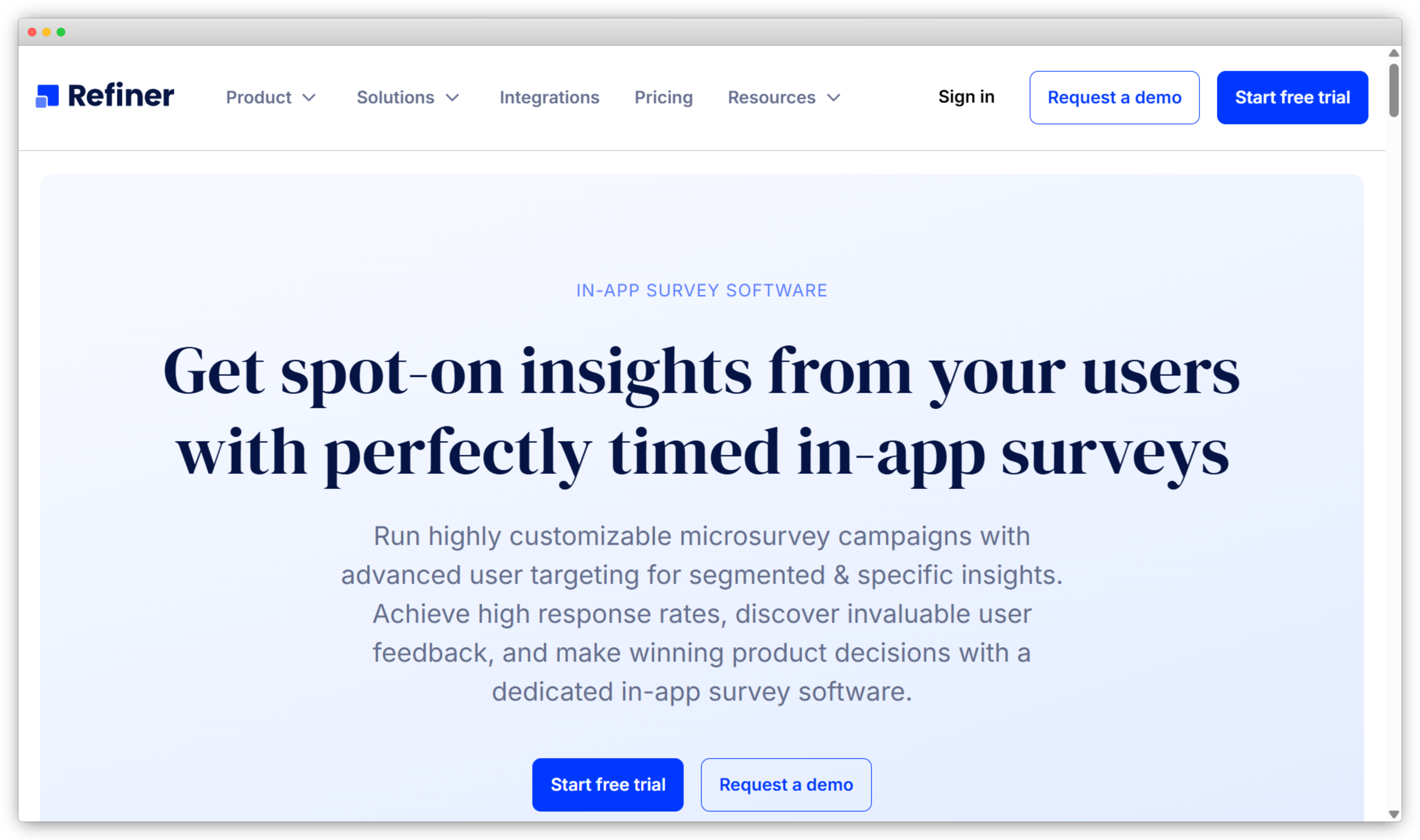
Refiner is a microsurvey platform built specifically for SaaS products. Where GetFeedback sent surveys via email after Salesforce events, Refiner captures feedback inside your product while users are actively engaged, delivering higher response rates and more contextual insights tied to actual product behavior.
The platform's core strength is behavioral targeting. Trigger surveys based on user actions, plan tier, lifecycle stage, feature usage, or any event tracked in your product analytics. For product-led growth teams, this means measuring SaaS NPS the moment users complete onboarding, asking for feedback right after someone uses a new feature, or catching churn signals before cancellation.
For GetFeedback users who primarily collected feedback via email, Refiner represents a channel shift. Surveys happen in-app, not via external email links. The trade-off: higher response rates and better context vs. inability to reach users outside your product.
What Refiner Delivers
- In-App Microsurveys: Clean, customizable survey widgets appear inside web or mobile apps. Surveys feel native to your product with no external page redirects, no context loss. Support for slide-in, modal, banner, and popover formats. Custom CSS available for pixel-perfect brand matching.
- Behavioral Targeting: Segment users by traits (plan type, signup date, company size, role), behaviors (feature usage, session count, time in product, last login), and events (completed milestone, upgraded plan, invited teammate, reached limit). Show surveys to exactly the right users at exactly the right moment.
- Response Context: Users answer while the experience is fresh. You're asking about a feature they just used, not one they touched three days ago. Timing precision improves feedback quality significantly compared to delayed email surveys.
- 12 Question Types: NPS, CSAT, rating scales, multiple choice, single choice, CTAs, rating matrix, checkboxes, dropdowns, and more. Branching logic creates personalized paths based on previous answers. Skip logic ensures users only see relevant questions.
- Native Analytics Integrations: Deep integrations with Segment, Rudderstack, Amplitude, Mixpanel, Heap. Survey responses sync to user profiles automatically. Combine feedback data with product usage metrics. Trigger surveys from analytics events without custom code.
- Marketing Automation Sync: Connect with Customer.io, Braze, Iterable, HubSpot, Salesforce, Intercom. Use NPS scores to branch email campaigns, trigger automations, or update CRM records. Close the loop without manual exports.
"I really appreciate that Refiner allows me to track a variety of crucial indicators specific to SaaS, which is invaluable for gaining detailed insights into our business metrics." — G2 verified review
When Refiner Makes Sense
Refiner works best for product-led growth SaaS products where users spend most of their time inside the application. If your product has active daily/weekly users and you need contextual feedback tied to product usage, Refiner's behavioral targeting drives better response rates than email surveys sent after the fact.
For GetFeedback users, Refiner fits if your feedback program is shifting from support-triggered email surveys to product-embedded microsurveys. Teams needing multi-channel feedback (retail kiosks, field service, healthcare) or primarily email-based distribution should evaluate whether in-app-only coverage meets their needs.
Refiner Pros
- Behavioral targeting drives contextual, high-quality feedback
- Native Segment/Rudderstack integration syncs product data automatically
- Fast implementation for PLG and self-serve SaaS teams
- Higher response rates vs. email surveys (in-context timing)
- Clean microsurvey UI feels native to your product
- No code required for basic survey setup
Refiner Cons
- Limited to web/mobile app environments (no email backup surveys)
- No SMS, WhatsApp, kiosk, or offline survey channels
- Complex targeting rules have steep learning curve
- Mobile SDK integration requires developer involvement
- Not built for multi-location retail or field service use cases
Pricing: Starts at $99/month for up to 2,000 identified users. Scales with user count. Growth plan ($249/month) includes advanced targeting and integrations. Enterprise plan includes custom volume pricing. 14-day free trial available. Pricing structure different from GetFeedback's per-user model.
6. Alchemer: Best for Enterprise Research Teams & Regulatory Compliance
- GetFeedback vs. Alchemer – Key Differentiator: GetFeedback focused on Salesforce-native transactional surveys (NPS, CSAT, CES). Alchemer (formerly SurveyGizmo) is a research-grade platform built for complex survey logic, regulatory compliance (HIPAA, FedRAMP), and advanced question types used by enterprise research teams, government agencies, and healthcare organizations.
- G2 Rating: 4.5/5 (1,500+ reviews)
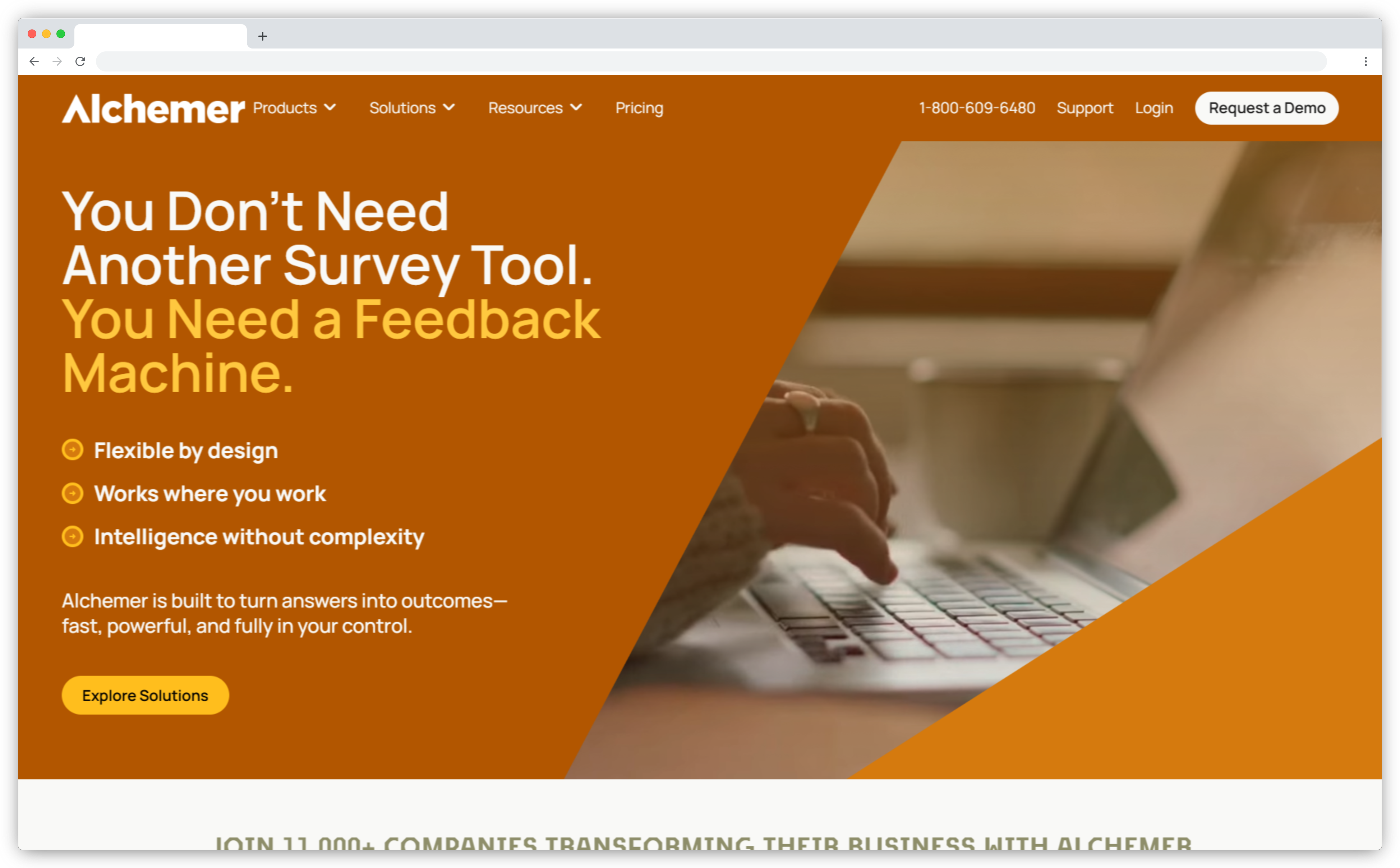
Alchemer serves enterprise teams running sophisticated research programs that GetFeedback's transactional survey model couldn't support. Where GetFeedback focused on simple NPS/CSAT collection triggered by Salesforce events, Alchemer handles complex multi-phase research studies, government compliance requirements, and healthcare data governance that regulated industries demand.
The platform's strength is flexibility without sacrificing compliance. Teams in healthcare, finance, government, and education use Alchemer because it supports HIPAA Business Associate Agreements, FedRAMP authorization for federal agencies, and custom data residency requirements that GetFeedback never offered.
For GetFeedback users in regulated industries or enterprise research roles, Alchemer provides the compliance certifications and advanced survey capabilities that simple CX tools can't deliver. The platform integrates with Salesforce through bidirectional sync, maintaining workflow continuity for CRM-dependent teams while adding research depth GetFeedback lacked.
What Alchemer Delivers
- Regulatory Compliance Certifications: HIPAA compliance with signed BAAs for healthcare. FedRAMP authorized for government agencies. SOC 2 Type II certified. Custom data residency options for international compliance. GetFeedback offered none of these certifications, making Alchemer essential for regulated industries.
- Advanced Survey Logic: Complex branching with nested conditions. Question randomization and rotation. Quota management for research validity. Loop and merge for repeated question sets. Display logic based on previous responses. Survey design capabilities exceed what GetFeedback supported.
- Research-Grade Question Types: Matrix questions with multiple scales. Conjoint analysis for preference research. MaxDiff for prioritization studies. Slider scales with custom ranges. Heat map questions. File upload questions. 50+ question types vs. GetFeedback's basic set.
- Salesforce Integration: Bidirectional sync to Contacts, Accounts, Cases, Opportunities, and custom objects. Trigger surveys from Salesforce workflows. Push responses back with field-level mapping. Not as native as GetFeedback was, but functional depth matches for most CX programs.
- Multi-Channel Distribution: Email, web embed, SMS, API, kiosk mode, offline surveys. QR codes for physical locations. White-label domains. Anonymous and authenticated survey modes. Distribution flexibility exceeds GetFeedback's email-focused approach.
- Enterprise Reporting: Real-time dashboards with role-based access. Cross-tabulation and statistical analysis. Text analytics for open-ended responses. Export to SPSS, Excel, Tableau. API access for custom reporting. Reporting depth serves research teams GetFeedback couldn't support.
"Alchemer's flexibility is unmatched. We run complex research studies with conditional logic that other platforms can't handle, and the HIPAA compliance gives us confidence with patient data that we never had before." — G2 verified review
When Alchemer Makes Sense
For GetFeedback users, Alchemer fits if you operate in healthcare, finance, government, or education sectors requiring compliance certifications GetFeedback didn't offer. Teams running research programs beyond simple NPS/CSAT tracking benefit from Alchemer's advanced logic and question types. Organizations with complex Salesforce integration needs can maintain bidirectional sync while gaining research capabilities.
Alchemer Pros
- HIPAA, FedRAMP, SOC 2 compliance for regulated industries
- Advanced survey logic supports complex research studies
- 50+ question types exceed GetFeedback's basic options
- Salesforce bidirectional sync with field-level mapping
- Multi-channel distribution (email, SMS, web, kiosk, offline)
- Established platform since 2006 (stability for risk-averse enterprises)
- Strong in government, healthcare, education sectors
Alchemer Cons
- Steeper learning curve than GetFeedback's simple interface
- Higher per-user pricing than mid-market alternatives (~$55/user/month)
- Interface feels dated compared to modern survey tools
- Salesforce integration requires configuration (not native like GetFeedback)
- Overkill for simple transactional NPS/CSAT programs
Pricing: Custom pricing but based on our research collaborator plan starts at $55/user/month (billed annually). Professional plan $165/user/month adds advanced features. Enterprise plan custom pricing for compliance certifications and custom data residency. HIPAA and FedRAMP available on Enterprise tier only.
Additional GetFeedback Alternatives Worth Considering
Beyond the seven primary Getfeedback alternatives above, I would like to mention three additional tools deserve mention for specific use cases and budgets.
7. Survicate: Conversational Surveys with Multi-Channel Distribution

Survicate's conversational survey approach (one-question-at-a-time) delivers higher completion rates than GetFeedback's traditional forms. The platform covers NPS, CSAT, and CES across email, web, and in-app channels with Salesforce integration via connector (not native like GetFeedback, but functional for basic sync). For GetFeedback teams willing to trade Salesforce depth for better response rates, Survicate's chat-like UI increases engagement while maintaining familiar CX metrics.
Best for: Teams where survey completion rates matter more than deep Salesforce workflows.
Pricing: Starts at $79/month. G2 Rating: 4.6/5 (110+ reviews)
8. SurveySparrow: Budget-Friendly Conversational Surveys
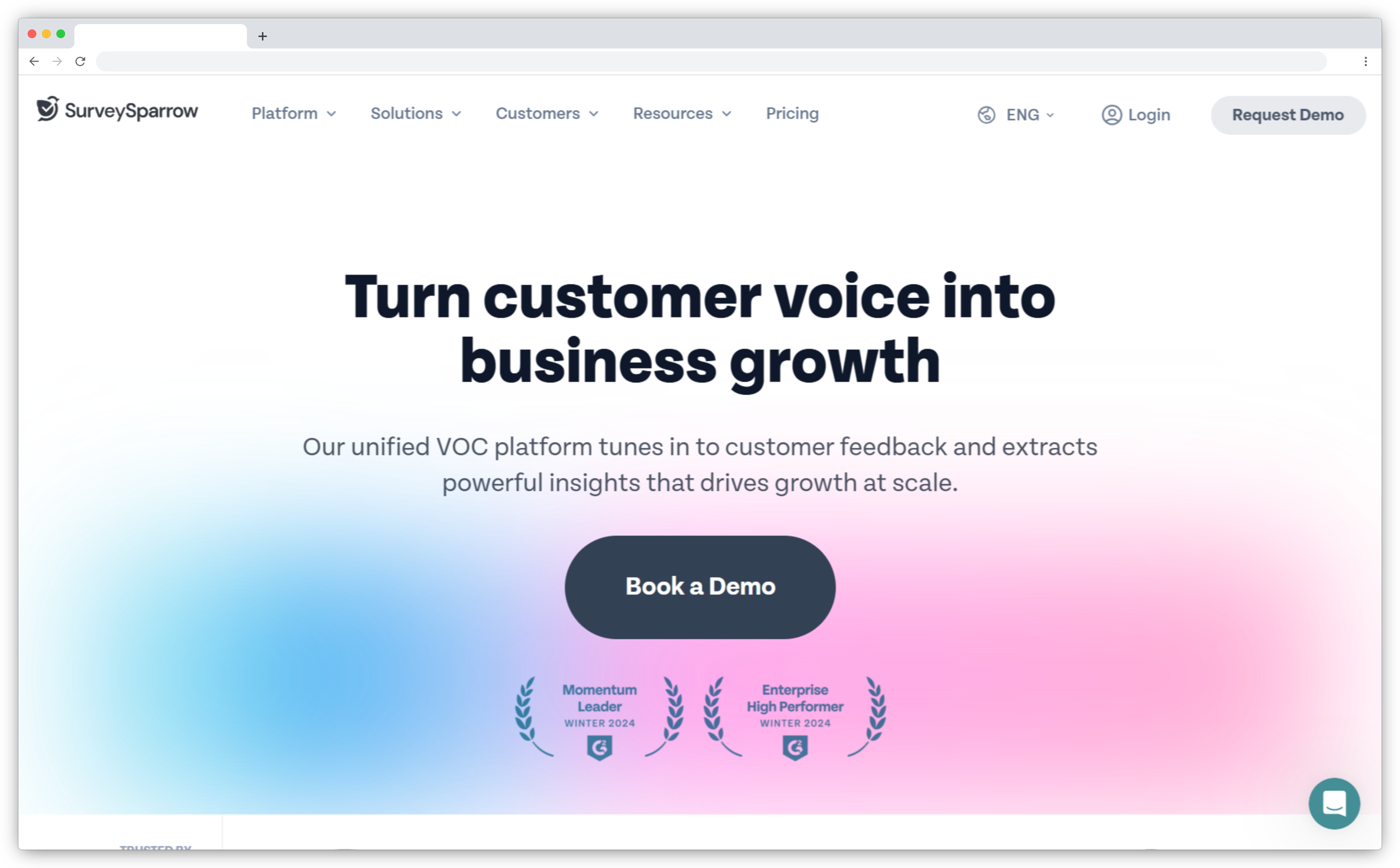
SurveySparrow delivers conversational surveys at $19/month with multi-channel coverage (email, web, SMS, offline kiosk) GetFeedback charged enterprise rates for. Salesforce integration works via Zapier—not GetFeedback's native depth, but adequate for basic survey-to-CRM workflows. White-label branding included even on lower tiers. For teams facing budget cuts post-GetFeedback shutdown, SurveySparrow maintains multi-channel distribution at fraction of the cost.
Best for: Budget-conscious teams accepting Zapier-based Salesforce integration over native depth.
Pricing: $19/month (100 responses). G2 Rating: 4.4/5 (1,800+ reviews).
How to Choose the Right GetFeedback Alternative
After watching teams migrate successfully (and unsuccessfully), the difference comes down to three questions most teams skip.
1. What's Your Salesforce Dependency?
If Salesforce is your system of record for customer data, look for tools that integrate deeply without forcing all CX workflows to live inside Salesforce. Some teams benefit from native Salesforce deployment (SurveyVista), while others need flexibility beyond Salesforce-centric setups (Zonka Feedback).
Ask: Does your CX team need to collect feedback outside Salesforce's reach? SMS surveys for field service? Kiosk surveys in retail stores? WhatsApp surveys for international customers? If yes, a Salesforce-only tool won't work.
2. What's Your Feedback-to-Action Timeline?
This varies by industry and determines which features actually matter.
- Same-day action required (hospitality, healthcare, retail): Real-time alerts, mobile dashboards, offline capability. Tools with kiosk mode or mobile app work here.
- Week-to-week action (B2B SaaS, professional services): You review feedback in team meetings. Batch workflows work fine. Focus on integration depth, not real-time alerts.
- Monthly or quarterly (enterprise sales, long cycles): You track trends, not individual responses. You don't need expensive automation. Simpler tools can handle this.
The mismatch I see most: teams with same-day needs buying tools built for quarterly trends. Or teams doing quarterly reviews paying for real-time automation they'll never use.
3. Who Actually Uses the Feedback in Your Organization?
Most teams answer "our CX team." That's not specific enough.
Ask instead: Does your VP of Sales check NPS before renewal calls? Does your support manager review CSAT scores daily? Does finance track feedback against churn?
If no one looks at feedback regularly, you don't need a better tool. You need adoption first. Start with something light until you've proven people use it. If three different teams pull feedback for different reasons, you need a platform that serves multiple users with role-based dashboards.
What a GetFeedback Migration Actually Looks Like
We've supported multiple GetFeedback-to-Zonka migrations. The pattern is consistent enough to share. Most teams that plan well complete the transition in 60-90 days.
Step 1: Export your data now. Don't wait for Q4 2026. Export all historical response data, NPS/CSAT trends, survey templates, and reports you rely on. GetFeedback's post-shutdown data retention policy hasn't been publicly detailed.
Step 2: Map your Salesforce integrations. Document which Salesforce objects GetFeedback writes to, which fields are mapped, which Flows trigger surveys, and which reports pull from survey data. This inventory is the blueprint for rebuilding.
Step 3: Evaluate 2-3 tools in parallel. Budget 2-3 weeks for this. Set up trials, recreate one survey in each tool, test the Salesforce mapping. The survey recreation is the easy part. The Salesforce mapping rebuild is where the real time goes.
Step 4: Rebuild and validate. 3-4 weeks for setup: recreate surveys, rebuild Salesforce field mappings, configure triggers and automation. Then 2-4 weeks of parallel running where the new tool operates alongside GetFeedback to validate data accuracy.
Switch from GetFeedback Before December 31, 2026
The shutdown forces a decision, but it doesn't have to be a rushed one. December 2026 is close enough to act on and far enough to plan properly.
The best replacement depends on where Salesforce sits in your stack, how mature your CX program is, and what you wish GetFeedback could do that it couldn't. For Salesforce-first teams wanting AI feedback intelligence and omnichannel reach, Zonka Feedback is the closest functional replacement. For teams that need 100% Salesforce-native with no external sync, SurveyVista is the answer. For enterprise programs ready to scale up with predictive analytics, Qualtrics is the established option.
The CX tools available today are meaningfully better than what existed when GetFeedback was at its peak. Migration is the moment to stop replacing and start upgrading.
Similar shutdown migrations are happening across the industry. Teams migrating from other platforms can explore our guides on Delighted alternatives for comparable evaluation frameworks.
Zonka Feedback offers free migration, AI analysis, and closed-loop automation. Schedule a demo to see how it can work for your specific needs.





.svg)
%20Features%2c%20Pricing%20%26%20Which%20One%20Fits%20Your%20Team.svg)