.svg)
 Healthcare
 Finance
 Retail
 SaaS & Digital
 eCommerce
 Education
 Salesforce
  HubSpot
 Pipedrive
 Mailchimp
 Zendesk
  Intercom
 Freshdesk
 HelpScout
  Front
Front Jira
Jira Slack
Slack  MS Teams
 Zoom
Zoom Google Sheets
  Zapier
  Integrately
 Make
Make  Webhooks




 MS Teams
.svg)


TL;DR
- Product survey questions work best when matched to lifecycle stage (ideation, beta, launch, post-release, or churn) because each stage requires different types of feedback.
- Structured questions (NPS, CSAT, CES) give you benchmarkable scores. Open-ended questions reveal the reasons behind those scores.
- Survey length directly affects completion rates. Five-question surveys outperform twelve-question surveys by roughly 3x.
- In-app surveys triggered within two minutes of feature use reach 40% response rates. Email surveys sent 24 hours later average closer to 12%.
- Question wording matters more than most teams realize. Research shows that phrasing alone can shift responses by up to 30%.
Your product team just shipped a major update. The analytics look fine: DAUs are steady, support tickets haven't spiked. But three weeks later, renewals start dropping, and nobody can explain why.
The gap between what metrics show and what users actually think is where products fail quietly. And the only way to close that gap is to ask the right questions, at the right stage, in the right format.
This isn't a generic list of survey templates. It's a working question bank organized by where your product actually is (ideation, development, launch, post-release, churn) and by the type of question that gets you usable answers. Whether you're validating a concept, diagnosing feature friction, or figuring out why users leave, you'll find the exact questions that fit.
What Makes a Product Survey Question Actually Work?
Most product surveys fail before the first response comes in. Not because of distribution or timing, but because the questions themselves don't generate usable answers.
A good product survey question does three things: it targets a specific decision you need to make, it avoids leading the respondent toward a particular answer, and it fits the cognitive load of the moment. Asking someone to rate eight different product attributes right after they hit a bug in your checkout flow? That's not a survey. That's an obstacle.
The research backs this up. Pew Research Center's survey methodology studies have shown that seemingly minor changes in question wording can shift responses by up to 30%. Asking "How satisfied are you with this feature?" versus "Did this feature help you accomplish your goal?" produces genuinely different data, and the second version is almost always more useful.
Here's what we've seen across hundreds of product survey deployments: the teams that get signal from their surveys obsess over question design before they think about distribution. They ask: What will I do differently if 60% of respondents answer yes versus no? If the answer is "nothing changes," the question doesn't belong in the survey.
The 5-question rule matters more than most teams realize. We ran an A/B test with two versions of an onboarding survey: one with 5 questions, one with 12. Same audience, same timing, same incentive structure. The 5-question version had a 3x higher completion rate. And here's what surprised us: the quality of open-ended responses was also higher. Fewer questions meant users spent more effort on each one.
The mechanics are simple. The discipline is hard.
Here's a product survey template you can use to start collecting feedback. Embed it in-app, share via email, or deploy on your website.

Product Survey Questions by Lifecycle Stage
This is the anchor section. Not every question works at every moment. A concept validation question makes no sense post-launch. A churn question is useless during ideation. Match the question to where you actually are.
Ideation Stage: Validating the Problem
Before you build anything, you need to know if the problem you're solving actually matters to the people you're building for. These questions surface whether your hypothesis holds, or whether you're about to spend six months building something nobody asked for.
Problem validation questions:
- What's the most frustrating part of [specific workflow] for you today?
- How are you currently solving [problem your product addresses]?
- If a product existed that could [your value proposition], how interested would you be in trying it?
- What would make you switch from your current solution to something new?
- When you imagine the ideal solution for [problem], what does it do that nothing else does today?
Prioritization questions:
- Of these potential features, which three would be most valuable to you? (Use a ranking or multi-select)
- What's the one thing you wish [category of product] did better?
How to interpret ideation responses: Look for patterns in workarounds. If respondents describe elaborate hacks to solve the problem, you've found real pain. If they shrug and say "it's fine," the problem isn't urgent enough. Also watch for language intensity. "It's annoying" is different from "I lose hours every week to this." The second signals a problem worth building for.
The Superhuman team made concept validation famous with their product-market fit survey, built around the question Sean Ellis originally designed to measure whether a product has crossed the threshold from nice-to-have to must-have. Their core question ("How would you feel if you could no longer use this product?") identifies whether you've hit the 40% "very disappointed" mark that correlates with organic growth. But that question works best post-launch. During ideation, focus on problem severity and current workarounds. Our guide on product idea validation with feedback covers how to structure this phase. If users have no workaround, you might not have a real problem.
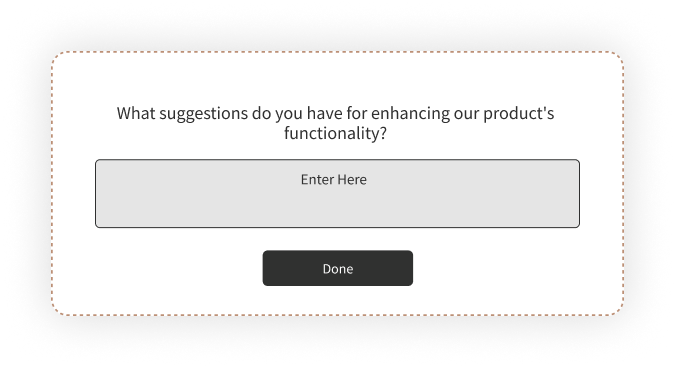
Development and Beta Stage: Finding What's Broken
Beta testing exists to break things before your full user base does. Your survey questions should hunt for friction, confusion, and missing pieces. Not validate that everything feels great.
Usability questions:
- What part of the product was hardest to figure out?
- Did anything confuse you during your first session?
- Were there any moments where you weren't sure what to do next?
- How easy was it to complete [specific task]? (CES-style scale)
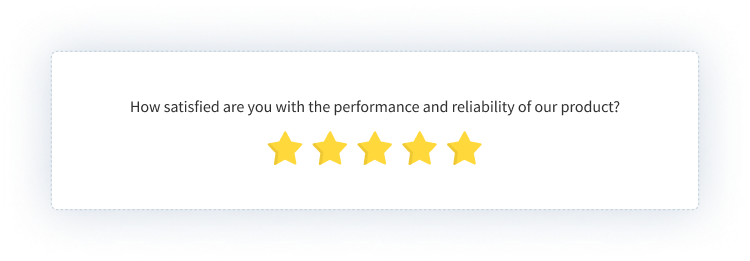
Performance and reliability questions:
- Did you encounter any bugs, crashes, or errors? If yes, describe what happened.
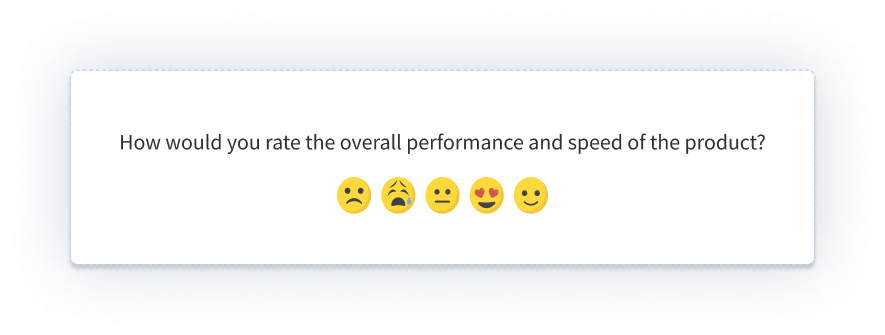
- How would you rate the product's speed and responsiveness?
- Were there any points where the product didn't behave as you expected?
Feature gap questions:
- What's missing from this product that you expected to find?
- Is there anything you wanted to do that you couldn't?
- Which existing feature needs the most improvement?
How to interpret beta responses: Frequency matters more than severity in beta. A bug that five users mention is more important than a "critical" bug one user found once. Also distinguish between "confusing" and "broken." Confusing means your UX needs work. Broken means your code does. Both need fixing, but on different timelines.
For beta-specific guidance, see our beta testing survey questions breakdown. The short version: beta surveys should be more frequent and more pointed than production surveys. You're not measuring satisfaction. You're hunting bugs.
Beta Testing Survey Template: Use this template to collect structured feedback from beta users on interface, features, usability, and bugs before launch. Get the template →
Launch Stage: Measuring First Impressions
The launch window is when users form lasting impressions. These questions capture initial reactions before habituation sets in. You won't get this data later.
First impression questions:
- What was your first reaction when you started using the product?
- How well does the product match what you expected based on our marketing?
- How likely are you to continue using this product after today? Why or why not?
- What almost stopped you from signing up or completing onboarding?
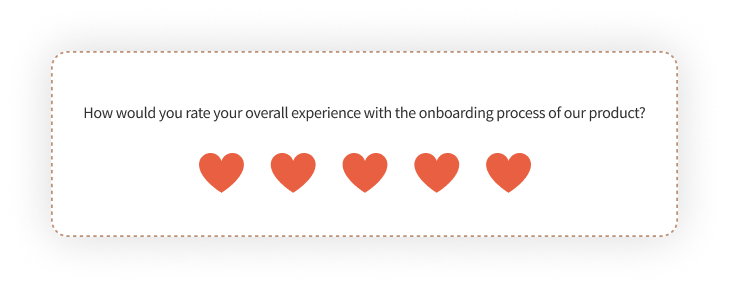
Onboarding questions:
- How clear were the setup instructions?
- What took longer than you expected during onboarding?
- Did you feel confident using the product after completing onboarding?
Value clarity questions:
- Do you understand what this product helps you accomplish?
- Which benefit matters most to you right now?
How to interpret launch responses: Watch for gaps between expectation and reality. If users say the product "doesn't match what I expected," you have a marketing-product alignment problem. If they say onboarding "took longer than expected," you have a friction problem. Both are fixable, but they require different interventions. Also pay attention to "almost stopped" responses. These reveal the friction points that didn't quite kill the signup but might kill retention.
For building open-ended follow-ups into your launch surveys, see our product feedback questions guide, which covers qualitative question design in depth.
Post-Release Stage: Ongoing Product Health
After launch, your survey cadence shifts from "what's broken?" to "what's working, what's not, and what do users need next?" These questions monitor ongoing satisfaction and identify improvement opportunities.
Satisfaction questions:
- How satisfied are you with [specific feature or product overall]? (CSAT scale)
- How would you rate your experience with [recent interaction or update]?
- What's the best part of using this product?
- What's the most frustrating part of using this product right now?
Loyalty and relationship questions:
- How likely are you to recommend this product to a colleague? (NPS scale)
- How would you feel if you could no longer use this product?
- What would make you more likely to recommend us?
Feature feedback questions:
- Which features do you use most frequently?
- Which features do you never use? Why not?
- Is there a feature you expected us to have that we don't?
- How satisfied are you with [specific feature]?
How to interpret post-release responses: Segment your analysis. NPS from power users tells you something different than NPS from casual users. Also track trends over time, not just snapshots. A declining satisfaction score is signal even if the absolute number still looks acceptable.
This stage is where product feedback becomes an ongoing system rather than a one-time data collection exercise. Building that system requires a product feedback strategy that defines cadence, ownership, and escalation paths. Teams that embed feedback loops into their product development cycle catch issues earlier and ship better updates.
Product Feedback Survey Template: A ready-to-use template for collecting ongoing product feedback on usability, features, satisfaction, and improvement suggestions. Get the template →
For tracking feature-level adoption and satisfaction, see our guide on measuring product feature feedback.
Churn Stage: Understanding Why Users Leave
By the time someone cancels, they've decided. Your survey job isn't to save the account. It's to understand what broke so you can prevent the next one.
Exit survey questions:
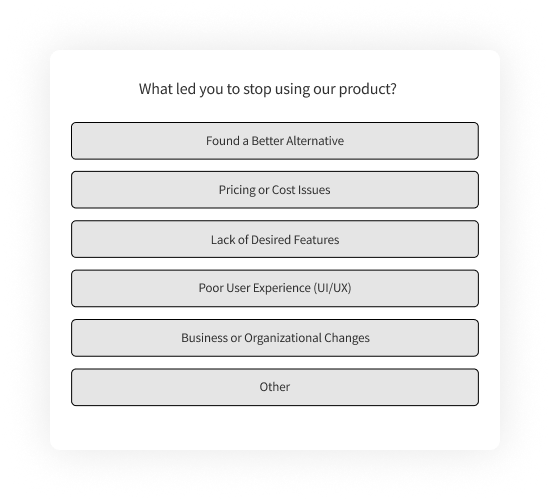
- What's the primary reason you're canceling?
- Was there a specific moment or experience that led to this decision?
- What would we have needed to do differently to keep you?
- How likely are you to consider returning in the future?
- What will you use instead?
Win-back questions:
- Would anything change your mind about leaving?
- Is there a feature or improvement that would bring you back?
How to interpret churn responses: Look for patterns across churned users, not individual responses. If ten users cite "too complicated" but describe different features, the issue is overall complexity. If they all mention the same feature, it's localized. Also note what they're switching to. If everyone leaves for the same competitor, study what that competitor does differently.
Churn surveys should be short. Someone who's leaving doesn't want to spend ten minutes explaining why. One multiple-choice reason plus one optional open-ended follow-up is often enough. For a deeper bank of exit and retention questions, see our churn survey questions guide.
Product Churn Survey Template: Use this exit survey template to understand why users cancel and identify patterns to reduce future churn. Get the template →
Product Survey Questions by Question Type
The format of your question shapes the data you get. Here's when to use each type.
Rating Scale Questions
Rating scales (1-5, 1-7, 1-10) give you quantifiable data you can trend over time. The 1-5 format, often called a Likert scale, is the most common for product surveys because it balances granularity with speed. They're efficient to answer and easy to analyze.
Examples:
- On a scale of 1-5, how satisfied are you with [feature]?
- How would you rate the ease of completing [task]? (1 = Very Difficult, 5 = Very Easy)
- How well does this product meet your needs? (1 = Not at all, 5 = Completely)
When to use: When you need benchmarks, want to track changes over time, or need to compare satisfaction across segments. Always include a follow-up option for low scores so you understand the "why."
NPS Questions
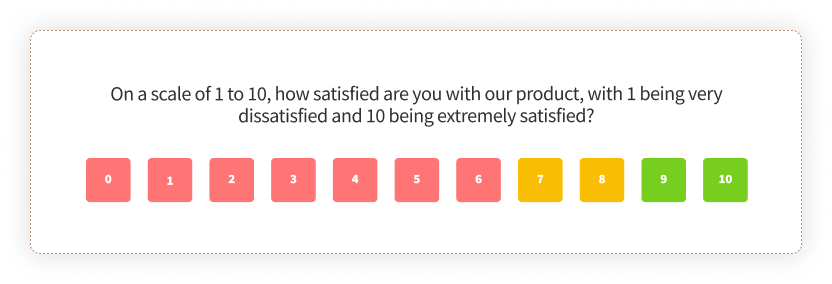
Net Promoter Score uses a single 0-10 scale question to measure relationship loyalty. Bain & Company's original NPS methodology research found it correlates with growth when deployed correctly.
The standard NPS question:
- How likely are you to recommend [product] to a colleague or friend? (0 = Not at all likely, 10 = Extremely likely)
Essential follow-ups:
- What's the primary reason for your score?
- What would we need to do to earn a higher score from you?
When to use: At relationship milestones (post-onboarding, quarterly, pre-renewal), not after individual transactions. NPS measures the relationship, not the interaction. For a full walkthrough, see our NPS guide.
NPS Survey Template: A ready-to-deploy Net Promoter Score survey with follow-up questions and segment routing. Get the template →
CSAT Questions
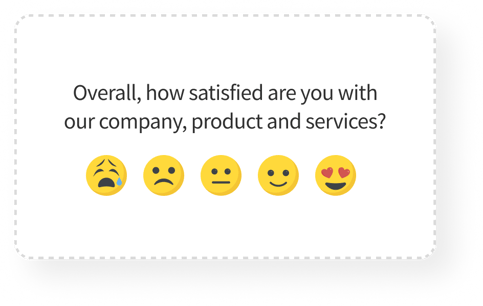
Customer Satisfaction Score measures satisfaction with a specific interaction or experience. More granular than NPS, better for transactional moments.
Examples:
- How satisfied are you with your experience today? (1-5 or emoji scale)
- How would you rate the quality of [specific feature or service]?
- Did we meet your expectations? (Yes/No with optional comment)
When to use: Immediately after specific interactions (support ticket closure, feature use, purchase completion). CSAT shines when tied to specific touchpoints. For setup details, see our CSAT guide.
CES Questions
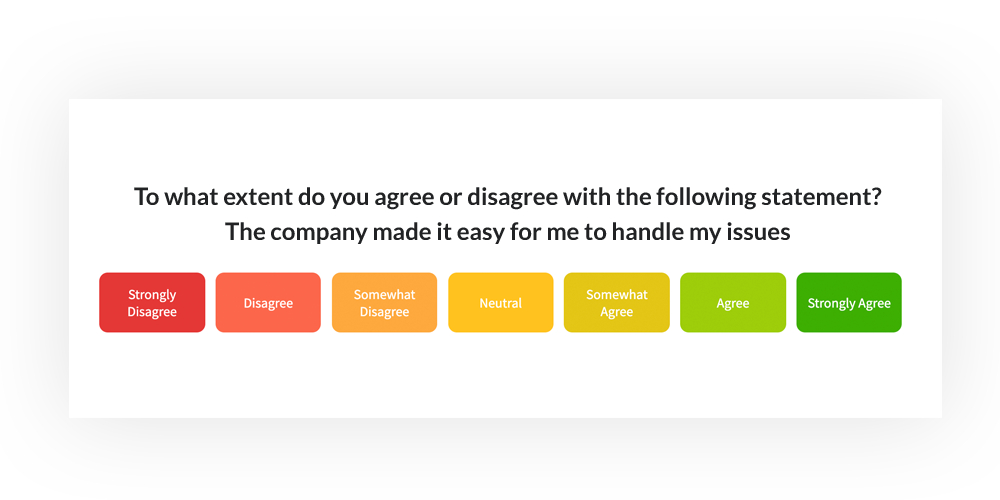
Customer Effort Score measures how easy or difficult an experience was. Research from CEB (now Gartner) published in the Harvard Business Review found that reducing effort is a stronger predictor of loyalty than increasing satisfaction.
Examples:
- How easy was it to complete [task] today? (1 = Very Difficult, 7 = Very Easy)
- To what extent do you agree: "[Company] made it easy for me to handle my issue." (Strongly Disagree to Strongly Agree)
- How much effort did you have to put forth to [complete action]?
When to use: After task completion, support interactions, or any workflow where friction matters. CES often predicts repeat behavior better than CSAT. See our CES guide for implementation details.
Multiple Choice Questions
Multiple choice is efficient for categorical data: reasons, preferences, and segments.
Examples:
- What brought you to our product today? (Options: Colleague recommendation, Search engine, Social media, Advertisement, Other)
- Which of these features do you use most often? (List of features)
- What's the main reason you're canceling? (List of common reasons)
When to use: When you want to categorize responses for easy analysis, or when you're validating hypotheses about user behavior. Always include "Other" with a text field for responses you didn't anticipate.
Open-Ended Questions
Open-ended questions capture qualitative insight that scales can't. They're where you learn what you didn't know to ask about.
Examples:
- What's one thing we could do to improve your experience?
- Describe a moment when the product didn't work the way you expected.
- If you could change one thing about this product, what would it be?
- What almost made you stop using the product?
When to use: After every scale question that matters (as a follow-up), during discovery phases, and anywhere you want to learn something genuinely new. Just don't stack five of them in a row. Response quality drops fast.
Which Channels Should You Use for Product Surveys?
Where you ask matters almost as much as what you ask. The same question deployed through email versus in-app will get wildly different response rates, and different kinds of respondents.
In-app and in-product surveys consistently outperform other channels. We've seen surveys triggered two minutes after feature use hit 40% response rates. Email surveys sent 24 hours later for the same audience? Closer to 12%. The difference is context: in-app catches users while the experience is still fresh.
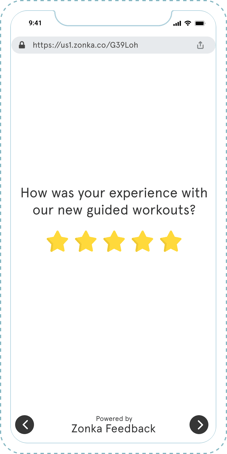
Email surveys work for relationship-level questions (NPS, periodic check-ins) where timing isn't as critical. They're also the only option for churned users who no longer log in. But expect lower response rates and self-selection bias. The people who respond to email surveys skew toward strong opinions.
Website surveys capture visitors who may not be logged-in users yet. Useful for pre-purchase feedback, visitor intent research, and exit-intent moments.
.svg)
For in-app implementation details, including SDK setup and timing best practices, our in-app surveys guide covers the technical and strategic layers.
| Channel | Best For | Typical Response Rate |
| In-app / In-product | Feature feedback, task completion, contextual moments | 30-45% |
| Relationship surveys (NPS), periodic check-ins, churned users | 10-20% | |
| Website | Visitor intent, pre-purchase research, exit intent | 5-15% |
| SMS | Time-sensitive feedback, mobile-first audiences | 35-50% |
Common Product Survey Mistakes (and How to Avoid Them)
Most survey programs fail the same ways. Recognizing the patterns helps you sidestep them.
1. Asking too many questions
Every question you add drops completion rates. Harvard Business Review research on customer effort found that shorter surveys consistently outperform longer ones. If you can't articulate what action you'll take based on a question, cut it.
2. Leading questions that bias responses
"How much do you love our new feature?" isn't a question. It's a trap. Write neutral language: "How would you rate the new feature?" or better, "Did the new feature help you accomplish [goal]?"
3. Surveying at the wrong moment
Sending NPS after a single support ticket conflates transaction satisfaction with relationship loyalty. Sending a detailed product feedback survey during a user's first session interrupts the experience you're trying to measure. Match the survey type to the moment.
4. Collecting data you never act on
Surveys without follow-through create cynicism. If users share feedback and nothing changes, they stop responding. Worse, they assume you're not listening. Close the loop: acknowledge feedback, communicate changes, and let respondents know their input mattered.
5. Ignoring qualitative responses
Teams obsess over NPS scores and ignore the open-text responses that explain them. A detractor score without context is just a number. The verbatim comments tell you what to fix.
Using AI to Analyze Product Survey Responses at Scale
Once you're running surveys across lifecycle stages and user segments, you'll have more qualitative feedback than any team can manually read. That's where AI analysis changes the game.
The challenge with open-ended responses is volume. A team collecting 2,000 survey responses a month might have 600 open-text comments. Manually reading and categorizing them takes hours. Most teams don't do it, which means the richest data in their surveys goes unanalyzed.
AI feedback analysis solves this by clustering comments into themes automatically. Instead of 600 individual responses, you see: "34% mention onboarding friction, 22% mention performance issues, 18% mention missing integrations." That's the kind of structured insight a product team can actually prioritize against.
What AI analysis typically surfaces:
- Thematic clustering: Groups related comments into topics without manual tagging
- Sentiment analysis: Detects tone and emotional valence beyond what scores show
- Entity mapping: Connects feedback to specific features, workflows, or touchpoints
- Trend detection: Flags emerging issues before they spike
Zonka Feedback's AI product feedback analytics layer does this automatically, mapping survey responses to themes and entities so product teams can see patterns across thousands of responses without manual review. The AI also surfaces which themes correlate with detractor scores, so you're not just counting complaints. You're identifying what actually drives churn.
If you're still exporting survey data to spreadsheets and manually coding responses, you're leaving signal on the table.
Conclusion
Product survey questions are only as useful as the decisions they inform. A perfect question asked at the wrong moment, in the wrong format, or without a plan for what happens next is just noise dressed up as data.
The teams that get real value from product surveys share a few habits. They match questions to lifecycle stage rather than sending the same survey to everyone. They keep surveys short and focused on decisions they need to make. They deploy in-app when possible because context beats convenience. And they close the loop, making sure responses lead to actions that users can see.
Start with the question you most need answered. Build the survey around that. Keep it short enough that users actually complete it. And make sure someone on your team owns what happens after the responses come in.