.svg)
 Healthcare
 Finance
 Retail
 SaaS & Digital
 eCommerce
 Education
 Salesforce
  HubSpot
 Pipedrive
 Mailchimp
 Zendesk
  Intercom
 Freshdesk
 HelpScout
  Front
Front Jira
Jira Slack
Slack  MS Teams
 Zoom
Zoom Google Sheets
  Zapier
  Integrately
 Make
Make  Webhooks




 MS Teams


TL;DR
- Product feedback questions are the survey prompts you use to understand how users perceive your product's usability, features, and value.
- Questions fall into two groups: questions for leads (attribution, demo feedback, free trial) and questions for customers (onboarding, NPS, CSAT, CES, feature requests, bug reports, churn).
- The best surveys mix closed-ended questions for measurable data with open-ended questions that reveal the "why" behind scores.
- Common mistakes that kill response quality: leading questions, double-barreled questions, and asking "why" too directly.
- For structured survey methodology (NPS, CSAT, CES), see our product survey questions guide.
You've sent the survey. Responses trickled in. And now you're staring at a spreadsheet full of 4s and 5s with comment fields that say "good" or "fine" or nothing at all.
The problem isn't your customers. It's not even your product. It's the questions you asked.
Product feedback surveys live or die by the questions inside them. Ask the wrong ones and you get polite non-answers. Ask the right ones and you get the kind of feedback that actually tells you what to build next, what to fix, and what's quietly driving people away.
This guide covers the product feedback questions that matter most, organized by who you're asking (leads vs. customers) and what you're trying to learn (onboarding, satisfaction, feature gaps, churn). You'll also find the question design mistakes that produce useless data and the techniques that get customers to write more than one word.
What Are Product Feedback Questions?
Product feedback questions are the specific prompts you include in surveys to understand how users experience your product. They gauge perceptions around usability, functionality, features, pricing, and overall satisfaction. The responses tell you whether your product is meeting user expectations and where the gaps are.
These questions serve different purposes depending on where users are in their journey. A question you'd ask a free trial user differs from one you'd ask a paying customer who's been with you for two years. And both differ from the questions you'd ask someone who just cancelled.
The goal isn't to collect feedback. It's to collect feedback you can act on. That distinction shapes everything: which questions you include, how you phrase them, and when you send them.
Here's an example of a product feedback form template you can use to get started. This works for both external customer feedback and internal product feedback from your team.
Product Feedback Questions You Should Ask
The questions below are organized by who you're surveying and what you need to learn. You don't need all of them in a single survey. In most cases, a focused microsurvey with 2-3 questions will outperform a long-form questionnaire. Pick the ones that match your objective and the touchpoint where your users currently are.
For Leads: Marketing Attribution, Demographic Questions, Post-Demo Feedback, Free Trial Feedback
For Customers: Onboarding, NPS, CSAT, CES, Product Review, Product-Market Fit, Feature Requests, Bug Reports, New Feature Feedback, Strengths/Weaknesses, Pricing, Churn, Open-ended
Questions for Leads
1. Marketing Attribution Questions
These questions help you understand how prospects discovered your product. The data tells marketing which channels actually drive qualified leads versus which ones just drive traffic.
How did you hear about our product? (Options: Friend or colleague, Internet search, Social media, Review site, Advertisement, Other)
You can also ask: "What were you searching for when you found us?" and "Which other products did you consider before reaching out to us?"
2. Demographic Questions
Demographic questions help you segment users and make targeting decisions. Keep these minimal. Every extra question reduces completion rates.
Key questions to consider: Are you evaluating this product for yourself or for a team? What is your role? How large is your organization? What's the primary goal you're trying to accomplish with a product like ours?
3. Post-Demo Feedback Questions
After a demo, you want to know whether the prospect understood the product and whether it addressed their specific use case.
Did the demo address the specific problem you're trying to solve?
Follow up with: "How would you rate the demo you just received?" and "What questions do you still have?" and "Based on what you saw, how likely are you to move forward with a trial?"
4. Free Trial Feedback Questions
Trial feedback tells you whether the product experience matches the expectations set during sales. Send these mid-trial or immediately after.
Were you able to accomplish what you wanted during the trial?
Other useful questions: "How would you rate your free trial experience so far?" and "What was the most confusing part of getting started?" and "Based on your trial experience, how likely are you to subscribe?"
For a ready-to-use survey, try this free trial feedback form.
Questions for Customers
1. Onboarding Feedback Questions
Onboarding feedback identifies friction in the first-use experience. Problems here compound quickly because users form lasting impressions in the first few sessions.
What would have made the onboarding process easier?
Also consider: "How would you rate your onboarding experience?" and "Did you face any difficulties while setting up the product?" and "How long did it take you to complete your first [key action]?"
2. Net Promoter Score (NPS) Survey Question
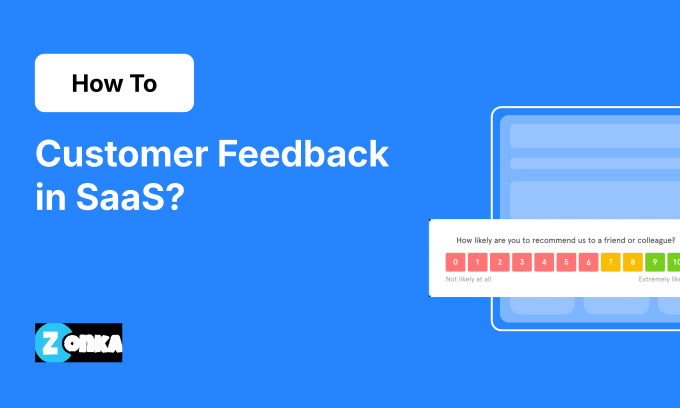
Our Net Promoter Score guide covers this metric in depth. NPS measures customer loyalty by asking how likely users are to recommend your product. Developed by Fred Reichheld at Bain & Company, NPS segments respondents into Promoters (9-10), Passives (7-8), and Detractors (0-6).
How likely are you to recommend this product to a friend or colleague? (0-10)
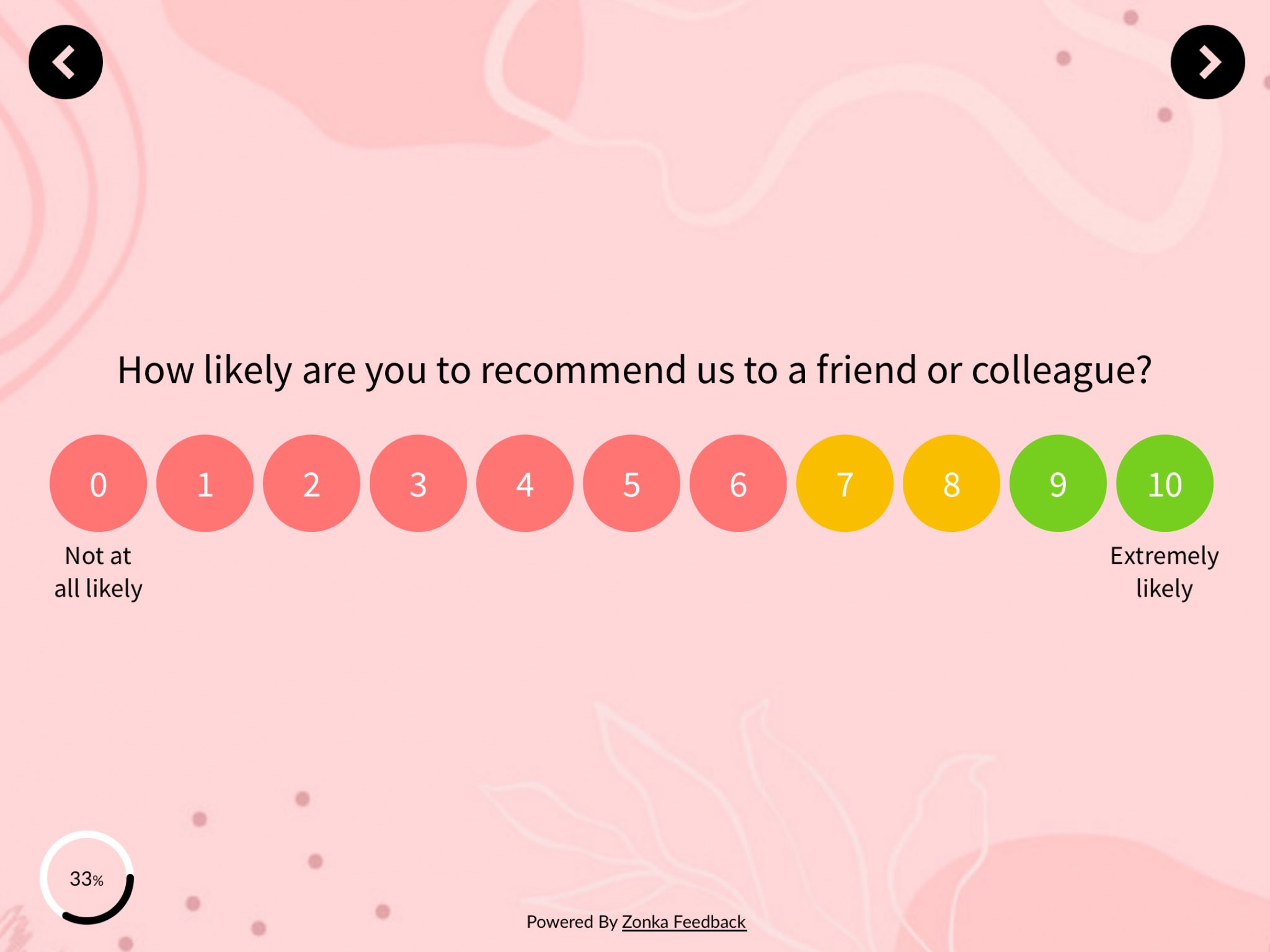
The follow-up question reveals the reasoning behind the score:
What's the primary reason for your rating?
NPS works best as a relationship metric sent at regular intervals (quarterly, post-onboarding, pre-renewal) rather than after individual transactions. For NPS methodology, benchmarks, and question design by lifecycle stage, see our product survey questions guide.
3. Customer Satisfaction (CSAT) Survey Question
Our CSAT guide walks through the full methodology. CSAT measures how happy users are with a specific experience or interaction. Unlike NPS, CSAT is transactional. You send it immediately after a support ticket closes, after a feature is used, or after a purchase.
How satisfied are you with your experience using our product?
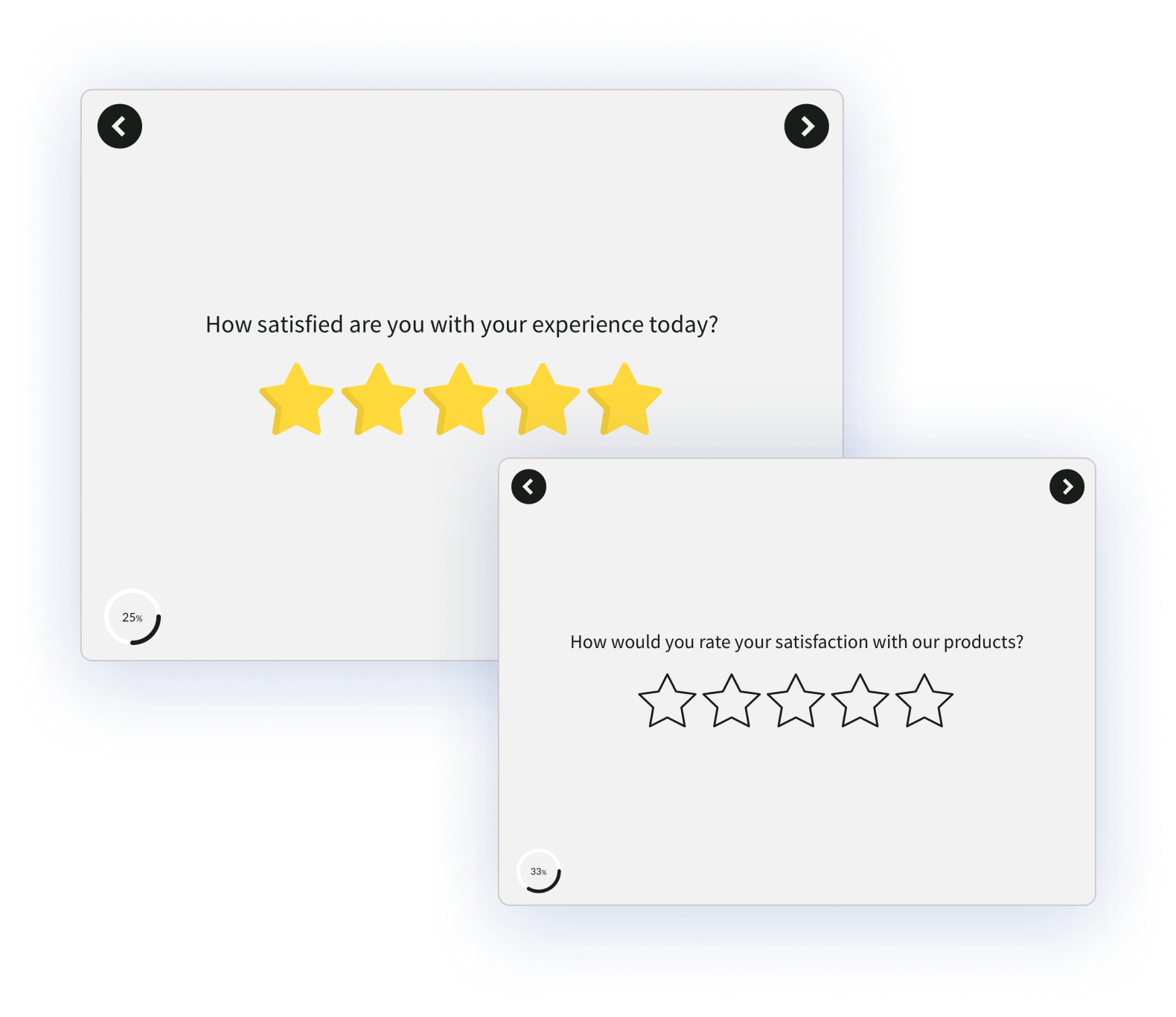
CSAT can use different scales: 1-5 stars, emoticons, or adjectives ranging from "Very Dissatisfied" to "Very Satisfied." The follow-up:
What's the main reason for your score?
Here's a ready-to-use CSAT survey for product purchase experience:
For context on what good CSAT scores look like across verticals, see our product feedback benchmarks.
4. Customer Effort Score (CES) Question
Our CES guide covers deployment details. CES measures how easy it was for users to accomplish what they needed. Research from CEB (now Gartner) published in the Harvard Business Review found that reducing customer effort is a stronger predictor of loyalty than delighting customers.
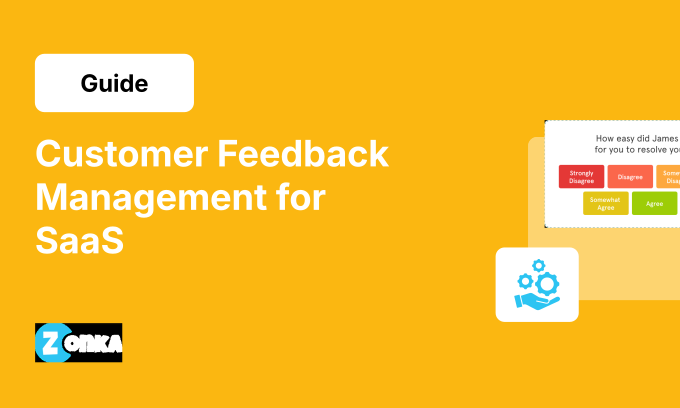
To what extent do you agree with the following statement: "This product made it easy for me to accomplish my goal."
- Strongly Disagree
- Disagree
- Somewhat Disagree
- Neutral
- Somewhat Agree
- Agree
- Strongly Agree
This agree/disagree format, known as a Likert scale, is standard for CES because it captures degrees of effort rather than a binary yes/no. CES is particularly useful after support interactions, feature completions, or any workflow that should be frictionless.
5. Product Review Questions
These questions assess the product across multiple dimensions.
How well does the product help you accomplish your goals?
Round out your review with: "How often do you use this product?" and "How would you rate ease of use?" and "How would you rate value relative to price?" and "What feature do you wish existed but doesn't?"
6. Product-Market Fit Question
The PMF question, popularized by Sean Ellis, identifies how essential your product is to users. If 40% or more of respondents say they'd be "very disappointed" without your product, you've likely achieved product-market fit.
How would you feel if you could no longer use this product?
- Very disappointed
- Somewhat disappointed
- Not disappointed
For a deeper dive on measuring PMF, see our product-market fit survey guide.
7. Product Feature Request Questions
Feature request questions help you understand what's missing from the product and what users would prioritize if they had influence over the roadmap.
What feature would make this product significantly more valuable to you?
Other angles to explore: "Is there anything you currently do outside the product that you wish you could do inside it?" and "If you could change one thing about how the product works, what would it be?" and "Which existing feature needs the most improvement?"
Use this feature request template to collect and organize requests. For strategies on collecting product feature requests and handling customer feature requests, see our guides. And if you're thinking about how feature requests connect to your product roadmap with customer feedback, that guide covers the prioritization layer.
8. Bug Report Questions
Bug reports need enough detail for your engineering team to reproduce and fix the issue. The questions should capture severity, steps to reproduce, and business impact.
What were you trying to do when the bug occurred?
Also capture: "Describe the issue you encountered" and "How much did this bug affect your work? (Blocked completely / Major disruption / Minor annoyance)" and "Were you able to find a workaround?"
For a structured approach, use this bug report form template. For question design, see our guide on bug report form questions.
9. New Feature Feedback Questions
After releasing a new feature, you need to know whether users found it, understood it, and got value from it.
Did the feature work as you expected?
Build out the picture with: "Have you tried the new [feature name]?" and "How would you rate your experience with it?" and "What would make this feature more useful?" and "Based on this feature, how likely are you to recommend our product?"
For more on how to measure product feature feedback, including CX metric applications, see our guide.
10. Product Strengths and Weaknesses Questions
These questions identify what you should protect (strengths users depend on) and what you should fix (weaknesses that create friction).
Which feature would you be most upset to lose?
Balance with: "What do you like most about this product?" and "What do you dislike most?" and "Which feature do you wish worked differently?"
11. Pricing Feedback Questions
Pricing questions help you understand perceived value and willingness to pay. Handle these carefully because customers rarely say "charge me more."
How would you rate the product's value relative to its price?
Dig deeper with: "Compared to alternatives you've used, how does the pricing feel?" and "If the price increased by 20%, would you continue using the product?"
12. Customer Churn Survey Questions
Churn surveys capture the reasons behind cancellation. This data is gold for product teams because it reveals problems serious enough to drive someone away.
What's the main reason you're cancelling?
- Too expensive
- Missing features I need
- Too difficult to use
- Found a better alternative
- No longer need this type of product
- Poor customer support
- Other
Follow up with: "Is there anything we could have done differently to keep you?" and "Would you consider coming back if we addressed [specific issue]?"
For a ready-to-use survey, try this product churn survey template. For a deeper exit question bank organized by churn reason, see our churn survey questions guide.
13. Open-Ended Questions
Open-ended questions let users express what matters most to them in their own words. The responses are harder to analyze at scale but often contain the most valuable insights.
If you could change one thing about your experience with us, what would it be?
Other options: "What would you tell a colleague who's considering this product?" and "Is there anything else you'd like us to know?"
For qualitative feedback at scale, Product Feedback Analytics can cluster themes across thousands of responses without manual tagging.
Question Mistakes That Kill Response Quality (And How to Fix Them)
You can ask the right topics and still get useless data if the questions themselves are poorly constructed. Here are the patterns that produce bad responses.
Leading Questions
A leading question contains the answer you want to hear.
Bad: "How much do you love our new dashboard?"
Better: "How would you describe your experience with the new dashboard?"
The word "love" presumes positive sentiment. Leading phrasing introduces response bias: respondents default toward the sentiment you've already suggested. The neutral phrasing lets them express whatever they actually feel.
Double-Barreled Questions
A double-barreled question asks two things at once, making the response uninterpretable.
Bad: "How satisfied are you with our product's features and pricing?"
Better: Ask two separate questions. One about features. One about pricing.
If someone answers "somewhat satisfied," you don't know whether that's about features, pricing, or some average of both.
Vague Questions
Vague questions produce vague answers.
Bad: "How do you feel about the product?"
Better: "How would you rate the product's ease of use?" or "How well does the product solve the problem you bought it for?"
Specificity creates clarity. The more precise your question, the more useful the response.
Jargon and Assumptions
Don't assume users know your internal terminology.
Bad: "How satisfied are you with our CDP integration capabilities?"
Better: "How satisfied are you with how well our product connects to your other tools?"
If even 20% of respondents don't understand the question, you've introduced noise into your data.
Too Many Options
Long multiple-choice lists cause satisficing. People pick the first reasonable option instead of finding the best one.
Bad: 15 reasons for cancellation
Better: 5-7 clear options plus "Other" with a text field
Asking "Why" Too Directly
"Why did you give us a low score?" puts people on the defensive. It sounds like an interrogation.
Better: "What happened that led to that experience?" You're asking them to describe events, not justify feelings. The subtle shift matters.
Opinion Questions Instead of Behavior Questions
Opinion questions ("Do you like our dashboard?") invite socially acceptable responses. Behavior questions ("How often do you check the dashboard?") invite truth.
The principle: ask what people do before asking what people think. Behavior is harder to fake and more useful for product decisions.
Getting More Than One-Word Answers
If your open-ended responses are full of "good," "fine," and "okay," the problem is how you're asking.
Ask about specific moments: "Think about the last time you used [feature]. What happened?" Specificity triggers memory and produces detail.
Use the contrast technique: "What's different about this product compared to what you used before?" Comparison prompts reflection.
Ask what almost happened: "Was there a point where you almost gave up?" Near-miss questions surface friction that satisfaction scales miss.
Give permission to be negative: "What's one thing that frustrated you?" Explicitly inviting criticism makes people feel safe sharing it.
Benefits of Product Feedback Surveys
Product feedback surveys deliver five core benefits: they measure satisfaction quantitatively so you can track trends, surface friction points you'd otherwise miss, keep you aligned with changing user preferences, reveal gaps before competitors exploit them, and catch problems while they're still fixable.
1. It Measures Customer Satisfaction
Product feedback gives you real data about whether customers are happy. Not assumptions. Not what sales thinks. Actual sentiment from actual users. This data guides decisions about what to build, what to fix, and what to leave alone.
2. It Improves Customer Experience
In-app feedback tools and product surveys show you what users struggle with. The feedback tells you where the friction is, which parts of the experience feel broken, and what would make users' lives easier. Acting on this feedback improves experience in ways that guessing never could.
3. It Keeps You Aligned With Changing Preferences
User priorities shift. The feature that mattered most during onboarding isn't the same feature that matters after a year of use. Regular in-app surveys keep you current with those shifting priorities instead of operating on outdated assumptions.
4. It Helps You Stay Ahead of Competition
SaaS is a competitive market. Products that stay static lose to products that evolve. Feedback tells you where to evolve. It shows you the gaps competitors might fill if you don't.
5. It Prevents Churn
When you collect feedback, act on it, and close the product feedback loop, customers feel heard. That feeling matters. People don't leave products that listen to them and respond. But collecting without acting creates survey fatigue and cynicism, which is worse than not asking at all.
Conclusion
Product feedback surveys only work when the questions inside them work. Ask the wrong questions and you get polite noise. Ask the right ones and you get signals you can actually use to improve the product.
The questions in this guide cover the full customer journey, from first-touch attribution through churn. Pick the ones that match what you're trying to learn. Avoid the mistakes that produce bad data. And remember: the goal isn't more feedback. It's better feedback that leads to better decisions.
If you're building a system around feedback rather than treating it as a one-off project, the product feedback strategy guide covers how to design cadence, ownership, and escalation paths. And for the complete picture of how product feedback connects to your broader CX program, see the product feedback guide.