.svg)
 Healthcare
 Finance
 Retail
 SaaS & Digital
 eCommerce
 Education
 Salesforce
  HubSpot
 Pipedrive
 Mailchimp
 Zendesk
  Intercom
 Freshdesk
 HelpScout
  Front
Front Jira
Jira Slack
Slack  MS Teams
 Zoom
Zoom Google Sheets
  Zapier
  Integrately
 Make
Make  Webhooks




 MS Teams
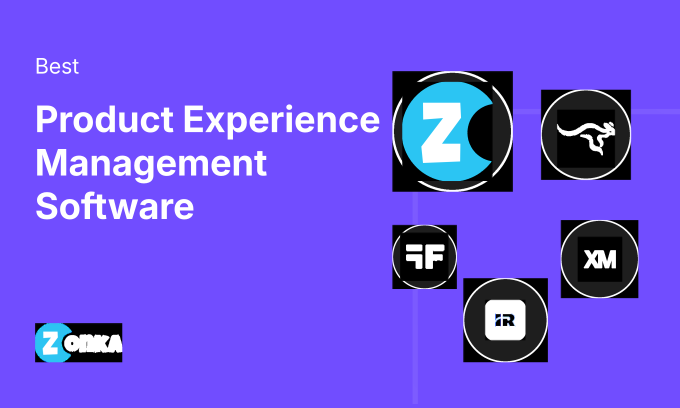


The 12 best product experience management tools in 2026 are Zonka Feedback, Sprig, Qualaroo, Survicate, Pendo, FullStory, Mixpanel, Contentsquare, Userpilot, Appcues, Gainsight PX, and Qualtrics. These tools span three categories: feedback collection, behavioral analytics, and product adoption. The right one depends on which of those three is your biggest blind spot.
TL;DR
- Product experience management software spans three distinct tool categories: feedback collection, behavioral analytics, and product adoption. Most guides lump them together. This one doesn't.
- The 12 best PX management tools in 2026: Zonka Feedback, Sprig, Qualaroo, Survicate, Pendo, FullStory, Mixpanel, Contentsquare, Userpilot, Appcues, Gainsight PX, and Qualtrics.
- If you don't know what users are doing inside your product, start with a behavioral analytics tool. If you know what they do but not how they feel, start with a feedback tool. If both are clear but adoption is still lagging, start with an onboarding platform.
- No single tool covers all three jobs well. Teams that try to force one tool to do everything end up with shallow coverage across all three.
- Delighted is sunsetting June 30, 2026. If you're currently on it, migration planning should start now.
Most product teams are measuring something. That's not the problem.
Some track NPS scores. Some watch session replays. Some A/B test onboarding flows. Some do all three and still can't explain why 35% of users churn before week four. The data exists. The dashboards are full. The answer isn't in any of them.
Here's why: product experience has three distinct measurement layers. Feedback tells you how users feel. Behavioral analytics shows you what they do. Adoption tools shape what they learn. Each layer answers a different question. None of them substitutes for the others. And most teams are covering one while calling it three.
That's the problem this guide is built to solve. It covers what PX management software actually is (and what it isn't), what features matter for each category, how to choose based on your actual blind spot, and which tools lead each category in 2026. For the broader framework on how product feedback connects to product decisions, the product feedback guide covers the strategic layer. If you're not sure what product experience means or how it differs from customer experience broadly, start with our what is product experience guide before reading on.
What Is Product Experience Management Software?
Product experience management (PXM) software is a category of tools that helps product teams measure, understand, and improve how users interact with their product, from first login through long-term retention.
That definition sounds simple. Here's where it gets complicated: PXM software isn't one category. It's three. Feedback tools capture what users say about their experience. Behavioral analytics tools capture what users do inside the product. Adoption platforms shape what users learn to do next. Each solves a different problem. None of them fully replaces the others.
What separates PX management tools from general survey platforms or CX tools is their product-centric scope. A general CX platform measures how customers feel about your brand across all touchpoints: support, marketing, sales. PX tools narrow that scope to the product itself: specific features, onboarding moments, in-app friction points, and usage patterns that only make sense in a product context. That tighter scope is also what makes them genuinely useful for product managers, who need to correlate user sentiment with product behavior, not just aggregate satisfaction scores. For a full breakdown of the concept, see our guide on types of product experience.
Why Do Product Teams Need a Dedicated PX Management Tool?
Most product teams already use some combination of Google Analytics, Mixpanel, or a basic survey tool and wonder if that's enough. Often it isn't.
General analytics tells you that 40% of users drop off at step three of your onboarding flow. It doesn't tell you whether they dropped off because the step is confusing, because it asks for information they don't have yet, or because a bug makes it impossible to complete. That distinction changes the fix entirely.
Three specific things PX tools do that general analytics or email survey platforms can't:
In-context feedback capture. A post-onboarding email survey sent three days later measures memory, not experience. In-app surveys triggered at the exact moment a user encounters friction capture what's actually happening, not a reconstruction of it.
Behavioral-sentiment correlation. Knowing that a user gave you a 4/10 NPS after spending 47 minutes in your settings panel, making 12 unsuccessful clicks, tells your product team something very specific. PX platforms that connect behavioral data with feedback responses make that correlation possible.
Feature-level measurement. NPS at the account level is useful for CS. NPS by feature, by user segment, by onboarding milestone: that's what product managers need to prioritize what to build next. Most general survey tools don't support that granularity natively.
Once you have that data, the real work is knowing what to do with it. Our guide on how to improve product experience covers the action layer.
What Features Should You Look for in PX Management Software?
The feature set that matters depends heavily on which category of PX tool you need. But across all three, here are the eight capabilities worth evaluating:
In-product feedback collection. Micro-surveys, NPS survey and CSAT survey widgets, feedback buttons triggered by specific user events, not generic pop-ups. The targeting precision here separates useful tools from annoying ones. For always-on feedback widgets, see in-app feedback tools.
Behavioral analytics. Session replays, heatmaps, funnel analysis, feature adoption tracking. How users move through your product, where they stop, what they ignore.
User segmentation and targeting. Showing the right survey to the right user at the right moment isn't just nice-to-have. It's the difference between a 4% response rate and a 35% response rate. Look for targeting based on events, user attributes, plan type, and behavioral triggers.
AI-powered analysis. Not just keyword counting: thematic clustering across open-text responses, sentiment detection, and the ability to ask natural language questions against your feedback data. This is where the gap between tools is widest right now.
Closed-loop workflows. Routing low NPS scores to the right team, creating Jira tickets from feature requests, triggering Slack alerts when CSAT drops below a threshold. If there's no way to act on feedback inside the tool, it becomes a reporting exercise. The product feedback loop covers how that routing works in practice.
Integrations. Your product stack matters here. Does it connect to your CRM (Salesforce, HubSpot), your helpdesk (Zendesk, Intercom), your project management tool (Jira)? Feedback data that sits in a silo helps nobody.
Onboarding and adoption tools. Tooltips, product tours, checklists, feature announcements. Relevant primarily for adoption platforms, but increasingly showing up in feedback tools too.
Reporting and dashboards. Role-based views matter. A PM needs feature-level data. A CX lead needs trend data across cohorts. Leadership needs the summary. Tools that force everyone into the same view waste time.
Coverage varies by category. Feedback tools tend to cover 1, 3, 4, 5, and 6. Behavioral tools cover 2, 3, and 8. Adoption tools cover 3, 7, and 8. Knowing your biggest gap tells you which coverage matters most. (For a breakdown of how NPS, CSAT, and CES each serve different measurement jobs, see NPS vs CSAT vs CES.) Our product experience strategy guide covers how these tools fit into a broader PX program.
How Do You Choose the Right Product Experience Management Tool?
The most useful question before picking a PX tool: what's your current biggest blind spot?
| If your biggest gap is... | You need... | Start with... |
|---|---|---|
| Understanding how users feel about specific features | Feedback-first PX tool | Zonka Feedback, Sprig, Qualaroo |
| Knowing what users actually do inside your product | Product analytics / behavioral tool | Pendo, FullStory, Mixpanel |
| Getting new users to discover and adopt key features | Product adoption platform | Userpilot, Appcues, Gainsight PX |
| Running large-scale concept testing or market research | Enterprise research platform | Qualtrics |
| Covering all three on a startup budget | Tools with free or light tiers | Pendo free, Mixpanel free, Sprig |
A few other factors that shape the decision:
Team size and maturity. A 20-person startup doesn't need Qualtrics conjoint analysis. A 500-person enterprise probably needs more than a $79/month micro-survey tool. Match the sophistication of the tool to the sophistication of your PX program; buying ahead of your maturity creates shelfware fast.
Mobile vs. web. Not all PX tools have strong native mobile SDKs. If your product is primarily a mobile app, check mobile SDK for in-app surveys support before shortlisting anything. For mobile app surveys specifically, that guide covers placement and timing considerations. Several tools on this list (Zonka Feedback, Pendo, Sprig, and Appcues) have dedicated mobile support. Others are primarily web-focused.
Integration requirements. If your product data lives in Salesforce, Amplitude, or a custom data warehouse, verify integration depth before committing. Connecting feedback responses to your existing customer data is where PX programs get their real value.
Free vs. paid. Pendo has a free plan for up to 500 MAUs. Mixpanel's free tier covers 1 million events per month. Several tools offer 14-day trials. For teams validating a PX approach before committing budget, starting with a free tier and expanding is usually smarter than buying enterprise from day one.
For PLG teams, there's a tighter connection between feedback collection and activation metrics than most tools expose. Our guide on product-led growth with customer feedback covers how that loop works.
How We Evaluated These Tools
We evaluated these 12 tools across five criteria:
- Product fit for PX use cases (not general survey or CX use cases)
- Verified G2 user ratings and review quality
- Pricing transparency
- Integration depth with common product stacks
- Active development status
We excluded tools that are sunsetting, have no external reviews, or are primarily PIM (product information management) catalog tools. Based on these criteria, the tools were listed.
If you need a ready-to-use starting point, the product experience survey template covers the core questions product teams need at key moments in the user journey. For guidance on what to ask, product feedback questions covers the question design side.
Full disclosure: we're the team at Zonka Feedback, so Zonka appears in this list. It's listed within its category (feedback-first PX tools), not ranked above tools in other categories it doesn't compete with. We based our assessment of competing tools on public documentation, verified G2 ratings, and direct testing.
What Are the Best Product Experience Management Software in 2026?
| Tool | Category | Best For | Free Plan | G2 Rating |
| Zonka Feedback | Feedback | Multichannel PX feedback + AI signals | No (14-day trial) | 4.7/5 |
| Sprig | Feedback | In-context micro-surveys + concept testing | Yes (limited) | 4.5/5 |
| Qualaroo | Feedback | In-product nudge surveys for user research | No (15-day trial) | 4.3/5 |
| Survicate | Feedback | PX feedback connected to CRM workflows | Yes (limited) | 4.6/5 |
| Pendo | Analytics | Product analytics + in-app surveys combined | Yes (500 MAU) | 4.4/5 |
| FullStory | Analytics | Session replay + experience analytics | No (14-day trial) | 4.5/5 |
| Mixpanel | Analytics | Product usage analytics + funnel tracking | Yes (1M events) | 4.6/5 |
| Contentsquare | Analytics | Enterprise-scale experience intelligence | No | 4.7/5 |
| Userpilot | Adoption | In-app onboarding + feature adoption | No (14-day trial) | 4.6/5 |
| Appcues | Adoption | No-code product tours + user activation | No (14-day trial) | 4.6/5 |
| Gainsight PX | Adoption | CS-led product adoption at scale | No | 4.4/5 |
| Qualtrics | Research | Enterprise PX research programs | No (free trial) | 4.4/5 |
Which Are the Best Feedback-First PX Tools?
Feedback-first tools are built for one job: capturing what users think and feel about their product experience, at the moment they're having it. Not days later via an email survey. Not aggregated into an annual NPS score. Right now, inside the product, triggered by the specific event you care about.
Choose this category when your primary question is "why do users feel this way about our product?", not "where do they click?" or "how do we teach them to use feature X?" For a broader comparison of feedback-specific platforms, see product feedback tools.
1. Zonka Feedback: Best for Multichannel PX Feedback with AI Signals
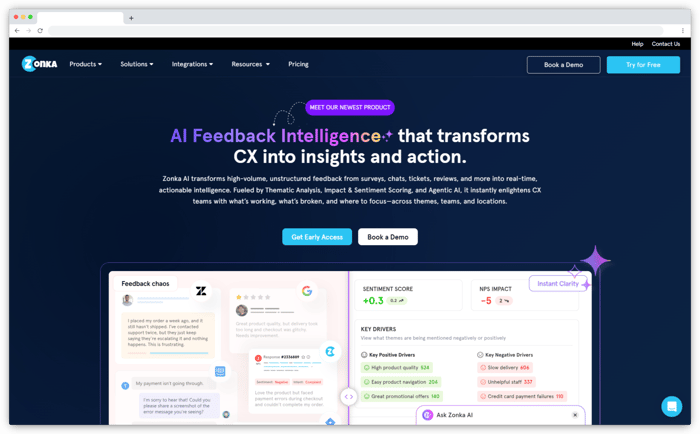
Zonka Feedback is an AI Customer Feedback & Intelligence Platform built for product and CX teams that need structured feedback collection connected to an intelligence layer that tells them what the responses actually mean.
For product teams specifically, Zonka's strength is in-product feedback triggered by user events: a feature interaction, a milestone completion, or an error state, paired with AI agents that cluster open-text responses into themes, map sentiment, and surface signals rather than leaving raw data for someone to manually sort through. The difference shows up at scale. Teams using Zonka's thematic analysis don't have to read every comment to understand what's driving a score shift. The patterns surface automatically.
The platform covers the full feedback loop: collection across email, SMS, WhatsApp, web, in-app, and mobile SDK channels, AI analysis across all response types, and closed-loop workflows that route low scores to the right team, create Jira tickets from feature requests, and send Slack alerts without manual intervention. For product managers who need feedback data tied to their existing CRM and helpdesk stack, the integrations with Salesforce, HubSpot, Zendesk, and Intercom are solid and well-documented.
Zonka supports in-product CES survey and product-market fit survey alongside NPS and CSAT, enabling measurement at every stage of the product journey. Teams can also trigger surveys from product feedback software workflows they already have in place.
Key Features
- Event-triggered in-product surveys for NPS, CSAT, CES, and PMF
- AI thematic analysis and sentiment detection across open-text responses
- AI agents that surface signals without requiring manual dashboard queries
- Multichannel product feedback collection: in-app, web, email, SMS, WhatsApp, mobile SDK
- Behavioral event- and segment-based survey targeting
- Closed-loop workflows with Jira, Slack, Salesforce, HubSpot, and Zendesk
- Role-based dashboards with feature-level and cohort-level reporting
Zonka Feedback Pros
- AI agents surface themes and signals without requiring manual dashboarding, which works especially well at scale when you can't read every response individually
- Full feedback loop in one platform: collection, AI analysis, and closed-loop workflows without a separate tool for each step
- Strong multichannel coverage including mobile SDK, which many feedback tools handle poorly
- In-product survey targeting is precise: event-based triggers, not just page-load pop-ups
- G2 reviewers consistently note fast onboarding and responsive support
Zonka Feedback Cons
- No native session replay or behavioral heatmaps. Pairs best with a behavioral analytics tool for complete PX coverage
- Advanced AI features are on higher paid plans; basic reporting is available at entry-level tiers
- Custom pricing model means you can't self-serve a quote; requires a sales conversation first
Zonka Feedback Pricing
- Custom pricing available based on business requirements
- Free trial for paid features available for 14 days
G2 Rating: 4.7/5 (79 reviews)
Best Use Case: SaaS and digital product teams that need structured in-product feedback, AI-powered theme analysis, and closed-loop workflows in one platform, without stitching together three separate tools.
2. Sprig: Best for In-Context Micro-Surveys and Concept Testing
Sprig is a product research platform that specializes in capturing user feedback and behavioral context at specific moments inside the product, not just on page load.
What sets Sprig apart is its behavioral targeting engine. You can trigger a two-question survey the moment a user encounters a specific feature, completes a critical action, or abandons a workflow, with conditions based on prior behavior, user attributes, and session context combined. That precision matters. A survey shown to users who just used a feature for the first time captures genuinely different signal than one shown to power users or users who haven't touched the feature in 30 days.
Sprig also handles concept testing directly: testing new feature designs, copy variants, or navigation patterns with real users through in-product prompts before build. For teams running continuous discovery, that capability reduces the gap between research and iteration without routing everything through a separate user testing platform. For teams validating features before a full rollout, a beta testing survey triggered through Sprig captures structured feedback from early access cohorts.
Key Features
- Behavioral targeting: trigger surveys based on events, user segments, and prior session actions
- In-product concept testing without external testing tools
- Video responses for qualitative user research at scale
- AI analysis that clusters themes and summarizes open-text responses automatically
- Session context alongside feedback responses (what the user just did before responding)
- Integrations with Amplitude, Mixpanel, Segment, and Salesforce
Sprig Pros
- Behavioral targeting precision is best-in-class among feedback tools: you control exactly which users see which survey and when
- Concept testing directly in-product means you don't need a separate user research tool for early-stage validation
- AI summary of open-text responses surfaces patterns without manual tagging or theme coding
Sprig Cons
- Pricing scales steeply as MAU count grows and can become expensive relative to simpler feedback tools for high-traffic products
- Concept testing and video response features require higher-tier plans
- Less strong on closed-loop workflow automation compared to feedback-first platforms with native CRM integrations
Sprig Pricing
- Free plan available with limited features
- Paid plans start at $175/month; pricing scales with MAU count
G2 Rating: 4.5/5 (105 reviews)
Best Use Case: Product teams running continuous discovery who want behavioral-event targeting and in-product concept testing, not just a survey widget sitting on a page.
3. Qualaroo: Best for Targeted In-Product User Research Nudges
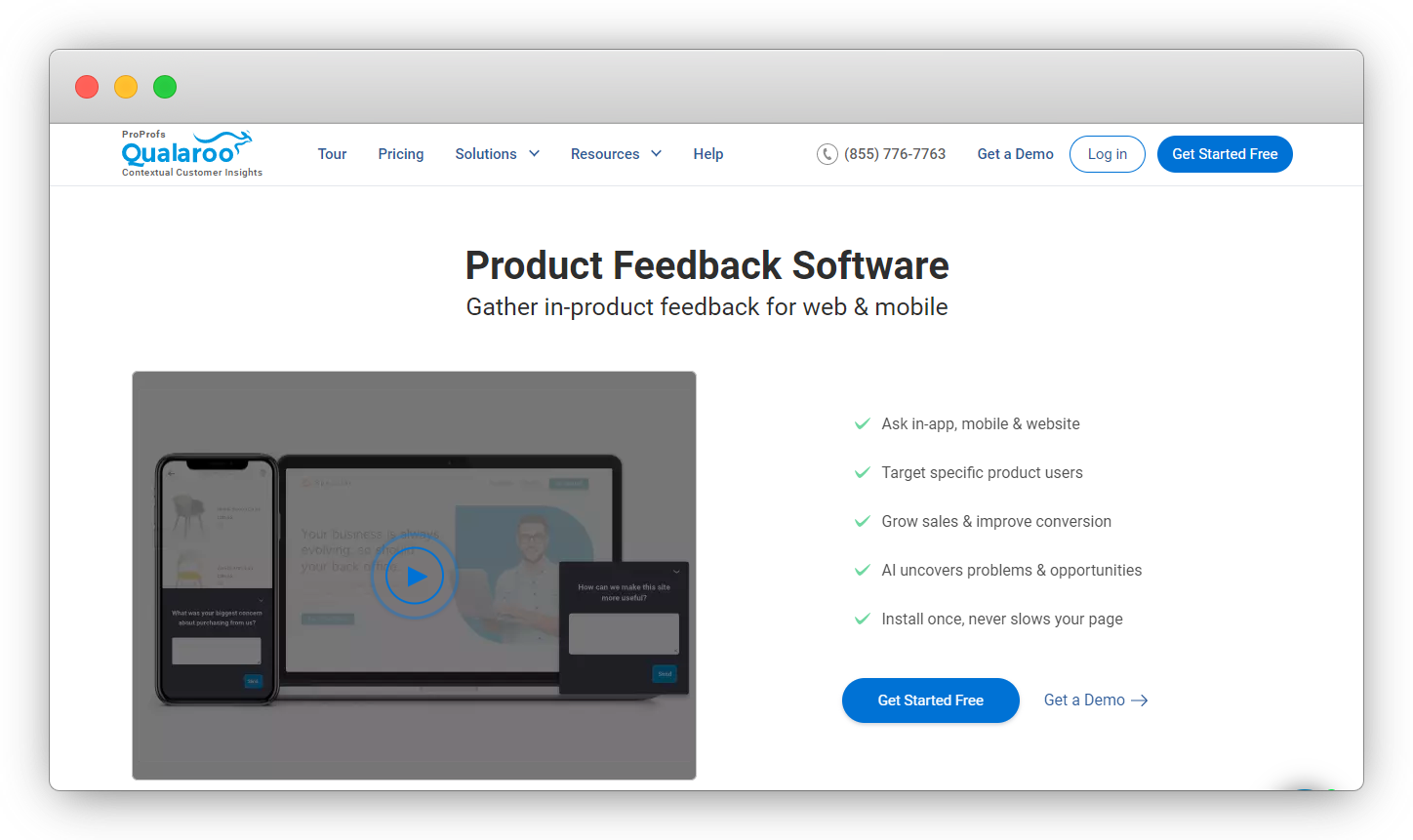
Qualaroo has been in the in-product survey space longer than most tools on this list, and its core format (the "Nudge," a small contextual survey widget triggered at a specific moment) is still genuinely effective for lightweight user research.
The format difference matters. Qualaroo's Nudge sits in the corner of the screen rather than appearing as a blocking modal. For users who are mid-task, that distinction affects response rates significantly. It works well for teams that want ongoing ambient feedback without disrupting the product experience. You can collect NPS, exit intent surveys, and feature feedback without users having to stop what they're doing.
The AI analysis layer (IBM Watson-powered) handles basic theme detection reliably. It's not as deep as Sprig's or Zonka's AI layers, but for teams that don't need advanced intelligence: just organized, searchable feedback, it's functional.
Key Features
- "Nudge" widget format: non-blocking, corner-positioned surveys that don't interrupt the user session
- Targeting by URL, device type, traffic source, cookies, and user behavior
- Exit-intent survey triggering
- A/B testing for survey copy and format variants
- IBM Watson-powered sentiment analysis on open-text responses
- Skip logic and branching for conditional survey flows
- Integrations with Slack, Salesforce, Zapier, HubSpot, and Tableau
Qualaroo Pros
- Non-blocking Nudge format generates higher response rates for mid-task users than modal surveys; the format itself reduces survey fatigue
- A/B testing on survey variants lets you optimize copy and timing, not just track responses
- Tableau integration is useful for teams that route feedback data into BI workflows rather than managing it in a separate dashboard
Qualaroo Cons
- Mobile SDK is less mature than its web product, not the strongest choice for mobile-first product teams
- AI analysis is functional but not as sophisticated as dedicated intelligence layers in Zonka Feedback or Sprig
- Closed-loop workflow automation has gaps: you'll need Zapier to build most routing scenarios
Qualaroo Pricing
- Forever Free plan: up to 50 responses/month with full feature access
- Paid plans: from $19.99/month per 100 responses
- Enterprise: custom pricing
- 14-day free trial available on paid plans
G2 Rating: 4.3/5 (48 reviews)
Best Use Case: Teams that want lightweight, non-disruptive in-product feedback, especially on web, without a complex setup or the cost of more advanced platforms.
4. Survicate: Best for Connecting PX Feedback to CRM Workflows
Survicate sits at the intersection of product feedback and CRM, making it particularly useful for teams where customer success and product are both trying to use the same feedback data.
The platform's standout capability is how tightly it connects survey responses to contact records in HubSpot and Intercom. When a user submits a product feedback survey in Survicate, that response flows directly into their HubSpot contact record, attached to their name, account tier, and recent support activity. For CS-led organizations where the same customer gives feedback AND has a renewal conversation happening in parallel, that connection matters. The PM sees the feature frustration. The CS team sees the account risk. Neither has to manually export anything.
Survicate supports in-product, website, email, and link-based feedback collection, with a survey builder that handles NPS, CSAT, CES, and custom question types cleanly. It's not the deepest tool on this list in terms of AI analysis, but it's one of the cleanest when the primary use case is connecting product feedback to existing CRM workflows.
Key Features
- Native HubSpot and Intercom integration: responses map directly to contact and company records
- In-product, website, email, and link-based survey distribution
- NPS, CSAT, CES, and PMF survey templates ready to deploy
- Feedback targeting based on user attributes and CRM properties
- Response notifications via Slack and email
- Zapier and Make integrations for custom routing scenarios
Survicate Pros
- HubSpot integration depth is best among feedback tools: responses attach to contacts, companies, and deals natively without a manual sync
- Clean survey builder with good template library, faster to deploy than many competitors at this price point
- Handles multi-channel feedback (in-product and email) from a single platform without stitching tools
Survicate Cons
- AI analysis layer is lighter than Zonka Feedback or Sprig: better for teams that want clean data piped to HubSpot than for teams needing native AI theme detection
- Mobile SDK support lags behind dedicated mobile feedback tools
- Less strong for large-scale behavioral event targeting: better suited to simpler trigger setups
Survicate Pricing
- Free plan available with limited responses per month
- Business plan starts at $99/month
- Enterprise: custom pricing
G2 Rating: 4.6/5 (200 reviews)
Best Use Case: Teams where CS and product share the same customer feedback data and need it to flow naturally into HubSpot or Intercom without manual export or middleware.
Which Are the Best Product Analytics & Behavioral Intelligence Tools?
Behavioral analytics tools answer a different question than feedback tools. Where feedback tools ask "how do users feel about this?", behavioral tools ask "what do users actually do?" Session replays show where users struggle without them having to say a word. Funnel analysis shows exactly where they drop off. Feature adoption data shows what they use, and what they ignore completely.
These tools aren't replacements for feedback. They're the "what" layer that makes the "why" interpretable.
5. Pendo: Best for Combining Product Analytics with In-App Surveys
Pendo is the closest thing to a unified feedback-plus-analytics platform on this list, which is why it dominates so many PX tool comparisons. It combines product usage analytics, in-app guides, and feedback collection in one platform. The combination is genuinely powerful when it works.
The key Pendo capability that other tools don't replicate well is the native correlation between feature usage data and survey responses. You can see that users who engage with a specific feature three or more times in their first week have an NPS score 22 points higher than users who don't, and that finding comes from data already in the platform, not a manual export and join. For product managers trying to understand which parts of the product drive retention, that correlation is the signal that prioritizes roadmap decisions.
Pendo's free plan (up to 500 MAUs) is one of the best entry points in the category. Early-stage teams can validate their PX measurement approach without a budget commitment, then scale the platform as their user base grows.
Key Features
- Product analytics: feature adoption tracking, session tracking, funnel analysis, path analysis
- In-app NPS and custom surveys with behavioral targeting
- In-app guides and onboarding flows (walkthroughs, tooltips, lightboxes)
- Native correlation between feature usage and satisfaction scores
- Segment-based analytics: cohort comparison, user segmentation by plan and behavior
- Retroactive analytics on historical session data without additional instrumentation
- Integrations with Salesforce, HubSpot, Amplitude, Zendesk, and Slack
Pendo Pros
- The only tool that natively correlates feature engagement with NPS and CSAT scores in the same platform, without exporting data to a separate system
- Free plan is genuinely functional for small products, not a crippled teaser
- Retroactive analytics means you don't lose historical data when you add new tracking events
Pendo Cons
- Pricing scales fast with MAU count; mid-market and enterprise pricing can be significantly higher than alternatives
- Survey and feedback capabilities are less deep than dedicated feedback tools; works best when behavioral data is the primary use case
- Full implementation requires engineering time; not a no-code setup for complex product tracking
Pendo Pricing
- Free plan: up to 500 MAUs
- Growth and Portfolio plans: custom pricing based on MAU count
G2 Rating: 4.4/5 (1,570 reviews)
Best Use Case: Product teams that want usage analytics and in-app surveys in one platform, particularly those trying to correlate feature engagement with satisfaction scores without building a custom data pipeline.
6. FullStory: Best for Session Replay and Experience Analytics
FullStory approaches product experience from the behavioral intelligence side: it records what users do inside your product and makes that data searchable, segmentable, and cross-referenceable in ways that traditional analytics don't support.
The standout capability is automatic error detection. FullStory doesn't just record sessions: it automatically flags rage-clicks (repeated frustrated clicks on an unresponsive element), dead clicks, error clicks, and form abandonment. Product teams surface friction they didn't know to look for, not just friction they thought to instrument. A user furiously clicking a button that appears interactive but isn't triggering anything will show up in FullStory's rage-click report without anyone writing a query for it. That's different from Mixpanel, where you'd need to have instrumented the failed interaction in advance to see it.
Key Features
- Full session replay with searchable, indexed behavioral data
- Automatic rage-click, dead click, and error click detection: no manual event setup required
- Funnel and conversion analysis with replay at the exact drop-off point
- Heatmaps and scroll tracking across product pages and flows
- Segment-based session analysis: filter replays by cohort, plan type, or behavioral event
- DX Data: structured behavioral metrics at scale for analyst and data team workflows
- Integrations with Segment, Amplitude, Optimizely, Zendesk, and Jira
FullStory Pros
- Automatic friction detection (rage-clicks, error clicks) surfaces issues you didn't know to instrument. Genuinely differentiating for teams debugging unexpected drop-off
- Session search is powerful: find all sessions where users hit a specific error or performed a specific sequence, then watch them, without pre-defining events
- DX Data gives you structured behavioral metrics that work alongside BI tools, not just as standalone session replays
FullStory Cons
- No native feedback collection. You'll need to pair FullStory with a feedback tool for the "why" layer; behavioral data alone doesn't explain user intent
- At high session volumes, storage costs can escalate; you'll need to implement session sampling above certain thresholds
- Privacy compliance setup requires dedicated configuration for products handling sensitive user data in regulated industries
FullStory Pricing
- Business and Enterprise plans: custom pricing based on session volume
- 14-day free trial available
G2 Rating: 4.5/5 (1,047 reviews)
Best Use Case: Product and UX teams that want to understand user behavior through session replay, particularly teams debugging funnel drop-off or diagnosing UX friction they can see in metrics but can't explain without watching what users actually do.
7. Mixpanel: Best for Product Usage Analytics and Funnel Tracking
Mixpanel is one of the most widely used product analytics platforms in SaaS, and for good reason: its event-based data model is flexible enough to track almost any user action, and its funnel, retention, and cohort reporting is best-in-class for teams that instrument their data well.
Where Mixpanel stands out is funnel analysis at the feature level. You can track exactly how users move through a specific workflow: how many complete it, at which step they drop, which user segments complete it at higher rates, and how that completion rate changes over time after a product update. For teams optimizing a specific user journey (activation, first feature usage, upgrade conversion), that granularity changes the quality of the decisions you make.
Mixpanel doesn't do feedback collection or session replay. It's a pure analytics tool, which means it works alongside a feedback tool rather than instead of one. But the free plan (1 million events per month) is one of the most generous in the category.
Key Features
- Event-based analytics: track any user action as a named event with custom properties
- Funnel analysis: conversion rates by step, user segment, and time period
- Retention analysis: cohort-based retention curves with event-level breakdown
- User flow visualization: how users navigate between features across a session
- A/B testing analysis: measure the impact of product changes on engagement and conversion
- Cohort-based segmentation across all reports
- Integrations with Segment, Amplitude, Salesforce, HubSpot, Intercom, and most BI tools
Mixpanel Pros
- Funnel and retention reporting is among the best in category: flexible, fast, and cohort-aware without writing SQL
- Free tier is genuinely substantial (1M events/month); most small products won't outgrow it quickly
- SQL-free querying still handles complex segmentation, accessible to PMs without a data analyst on the team
Mixpanel Cons
- No feedback collection, session replay, or in-app guides: analytics only; always needs a companion feedback or adoption tool
- Data quality is only as good as your event instrumentation; poorly named or inconsistent events make reporting unreliable fast
- Initial setup requires engineering involvement to implement event tracking correctly, not a self-serve tool on day one
Mixpanel Pricing
- Free plan: up to 1 million events per month
- Growth: starts at $28/month (scales with event volume)
- Enterprise: custom pricing
G2 Rating: 4.6/5 (1,276 reviews)
Best Use Case: SaaS product teams that want deep funnel and retention analytics, and are willing to invest in proper event instrumentation to get the full value out of it.
8. Contentsquare: Best for Enterprise-Scale Experience Intelligence
Contentsquare operates at a different scale than the other tools on this list. It's built for large digital products and websites where understanding user behavior across millions of sessions, surfacing the patterns that matter, requires a dedicated intelligence layer rather than self-serve analytics.
Its differentiation is in the analysis depth, not just the data collection. Zone-based heatmaps show engagement and contribution to conversion for every element on a page, not just clicks, but scroll depth, hover time, and whether interaction with a specific zone leads to downstream conversion. That's a fundamentally different signal than a standard click map. Journey Analysis visualizes how users actually move through your product's most important flows, with a click-through to session replays at the exact drop-off moment.
Key Features
- Zone-based heatmaps: engagement, conversion contribution, and scroll depth per UI element
- Journey Analysis: user flow visualization with session replay at drop-off moments
- AI-powered experience alerts: automatic anomaly detection on traffic and engagement patterns
- Error Analysis: impact sizing for bugs and broken experiences across user sessions
- Session replay with frustration signal overlays (rage-clicks, dead clicks, hesitation patterns)
- Enterprise-grade data governance, privacy controls, and SOC 2 compliance
Contentsquare Pros
- Zone-based heatmaps are more detailed than standard click maps; contribution-to-conversion data changes how teams prioritize UX changes
- AI experience alerts surface anomalies proactively; you don't need to monitor dashboards daily to catch problems
- Enterprise data governance and privacy compliance is well-built, important for teams in regulated industries or operating across multiple jurisdictions
Contentsquare Cons
- Enterprise pricing, not accessible for small or mid-market teams without a significant analytics budget
- Implementation typically requires a dedicated technical resource and longer onboarding than simpler tools on this list
- Depth becomes overhead for teams that don't have the traffic volume or analytical maturity to use it effectively
Contentsquare Pricing
- Enterprise pricing: custom based on session volume and product requirements
- Contact sales for a quote
G2 Rating: 4.7/5 (509 reviews)
Best Use Case: Enterprise product and UX teams with high traffic volumes that need experience intelligence at scale, not self-serve analytics for smaller or early-stage products.
Which Are the Best Product Adoption & Onboarding Tools?
Adoption platforms solve a different problem than feedback or behavioral tools: they help you fix the experience gap proactively, before users give up and churn. Where feedback tools tell you users find onboarding confusing, and behavioral tools show you where they drop off, adoption platforms let you redesign the onboarding experience directly, adding tooltips, product tours, checklists, and feature announcements without engineering sprints.
If you already know what's wrong with your onboarding from feedback and analytics data, this is the category where you execute the fix.
9. Userpilot: Best for In-App Onboarding and Feature Adoption
Userpilot is one of the most capable no-code adoption platforms in the market, built specifically for SaaS product teams that want to improve time-to-value and feature adoption without waiting on engineering bandwidth.
The platform's strength is in the range of onboarding patterns it supports. You're not limited to a linear product tour. Userpilot lets you combine tooltips, modals, slideouts, hotspots, banners, checklists, and NPS surveys in the same onboarding flow, targeting each element based on user segment, plan type, or behavioral event. That flexibility means you can build genuinely different onboarding tracks for trial users, paid users, admins, and end-users from the same platform, without duplicating work.
The A/B testing on onboarding flows is also worth calling out. Most adoption tools tell you how many users completed an onboarding step. Userpilot lets you test whether a shorter checklist outperforms a longer walkthrough for a specific user segment, connecting flow completion to downstream activation and retention data.
Key Features
- No-code onboarding flow builder: tooltips, modals, slideouts, hotspots, banners, checklists
- User segmentation for different onboarding tracks by plan, role, and behavioral event
- A/B testing on onboarding flows with activation and retention outcome tracking
- In-app NPS and micro-surveys embedded within onboarding flows
- Feature adoption analytics: track which users discovered and engaged with specific features post-onboarding
- Resource center: embedded help widget with articles, videos, and guided tours
- Integrations with Segment, Amplitude, HubSpot, Salesforce, Intercom, and Jira
Userpilot Pros
- Range of onboarding UI patterns is best on this list: you can mix and match formats in a single flow without writing code
- A/B testing on flows with downstream retention outcomes is genuinely rare among adoption tools at this price point
- Feature adoption analytics are built in: you don't need a separate analytics tool to see whether an onboarding change moved the needle
Userpilot Cons
- Mobile support is available but less mature than the web product, primarily designed for SaaS web apps
- Behavioral analytics depth falls short of dedicated tools like Pendo or Mixpanel
- Advanced multi-segment onboarding programs have a learning curve: simple setups are easy, complex ones take time
Userpilot Pricing
- Starter: $249/month (up to 2,500 MAUs)
- Growth: $749/month
- Enterprise: custom pricing
- 14-day free trial available
G2 Rating: 4.6/5
Best Use Case: SaaS product teams that want to improve trial-to-paid conversion and feature adoption through targeted, no-code onboarding flows, without engineering dependency on every change.
10. Appcues: Best for No-Code Product Tours and User Activation
Appcues built its reputation on making product tours accessible to non-technical PMs, and it still does that job as well as any tool on this list. The Chrome extension-based builder lets you point and click to create onboarding flows directly on top of your live product, with no staging environment, no developer handoff, no CSS selectors.
That accessibility is Appcues' core differentiator. For product teams where engineering bandwidth is tight and the PM owns onboarding end-to-end, the ability to ship a new onboarding flow in an afternoon (not a two-week sprint) fundamentally changes the velocity of PX improvement. It also makes iteration cheaper: test a new welcome modal, watch how it performs on real users, and adjust it the same day.
Key Features
- Chrome extension-based no-code builder: create flows directly on your live product without touching code
- Personalized welcome flows, onboarding checklists, banners, and modals
- Feature announcement flows for existing users, separate from new-user onboarding
- NPS and micro-surveys embedded in onboarding steps
- Segmentation by user attributes, plan type, and behavioral events
- Flow completion and activation tracking
- Integrations with HubSpot, Salesforce, Amplitude, Mixpanel, and Segment
Appcues Pros
- Chrome extension builder is the fastest way to build product tours without engineering: legitimately ship a flow in an afternoon, not a sprint
- Feature announcement flows for existing users are as well-built as the onboarding flows, not an afterthought
- Good HubSpot and Salesforce sync for teams that want onboarding completion data visible in their CRM alongside deal and account data
Appcues Cons
- Pricing scales based on MAU count and can become expensive for high-traffic products compared to Userpilot at similar feature depth
- Analytics are flow-focused. You'll need Mixpanel or Amplitude for broader product usage data beyond onboarding completion rates
- Mobile SDK support is available but less feature-complete than the web product
Appcues Pricing
- Essentials: starts at $249/month (up to 2,500 MAUs)
- Growth and Enterprise: custom pricing based on MAU volume
- 14-day free trial available
G2 Rating: 4.6/5
Best Use Case: Product teams that need to ship onboarding improvements fast without engineering dependency, particularly where the PM owns activation and the sprint cycle is the bottleneck.
11. Gainsight PX: Best for CS-Led Product Adoption at Scale
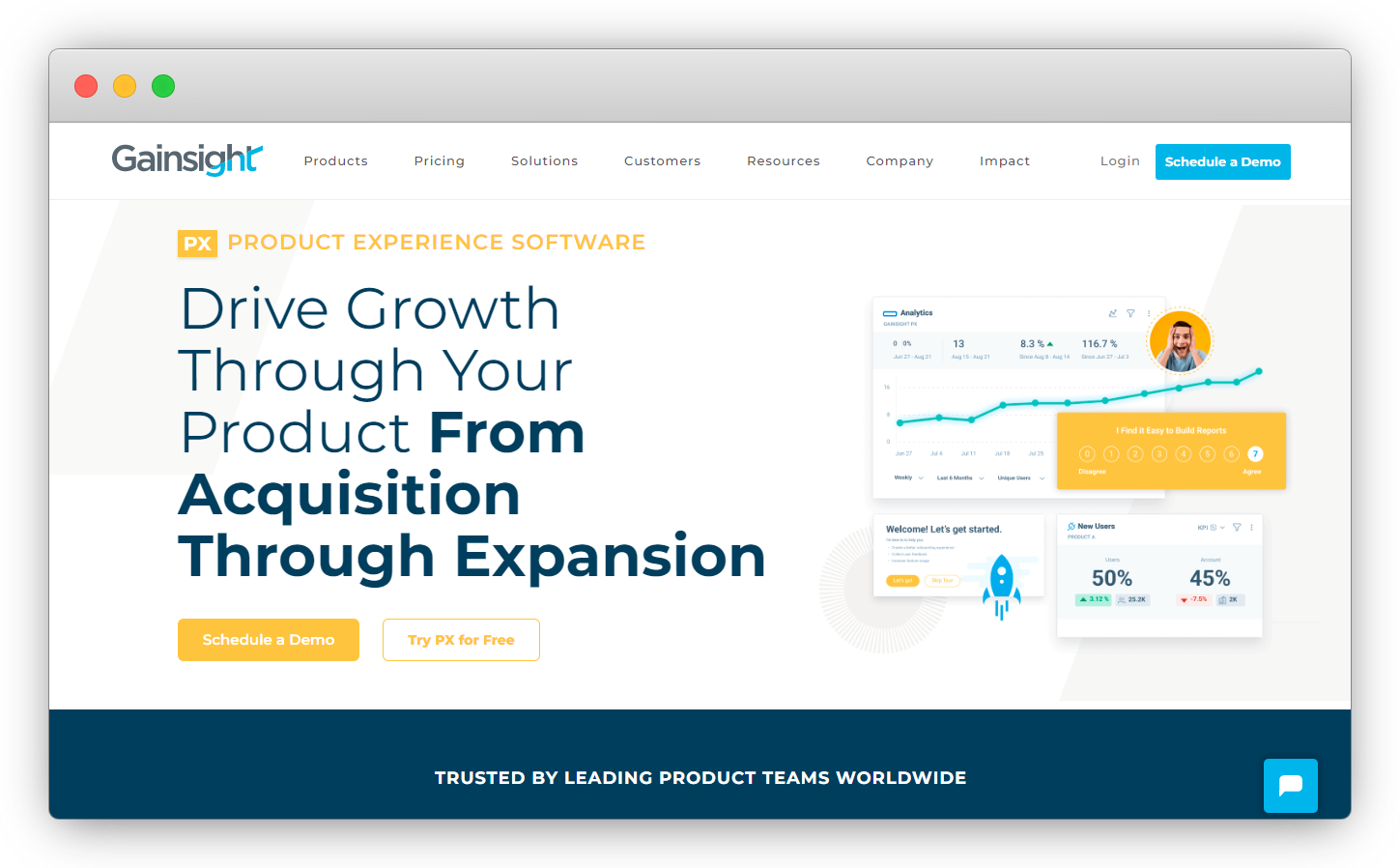
Gainsight PX is the adoption tool for organizations where customer success owns product adoption, not just the product team. It connects product engagement data to customer health scores, which means CS managers can see which accounts are actively using key features and which are at risk because they haven't discovered them yet.
That CS-product connection is what separates Gainsight PX from the other adoption tools on this list. Userpilot and Appcues are built for product managers. Gainsight PX is built for the system where CS, product operations, and customer success collaborate around adoption, and where a drop in feature engagement should trigger a CS reach-out, not just a product tour revision.
Key Features
- In-app guides, walkthroughs, and onboarding flows for new and returning users
- Feature adoption analytics: usage tracking, adoption risk scoring, account-level engagement visibility
- In-app NPS, CSAT, and custom surveys with segment-based targeting
- Account-level adoption health: visibility into which customers are underusing specific features
- CS health score integration: feature usage data connects to Gainsight CS account health scores
- Slack and email alerts for adoption drop-off at the individual account level
- Journey orchestration for multi-step, multi-audience onboarding programs
Gainsight PX Pros
- Adoption risk scoring at the account level: you see which customers are underusing key features, not just aggregate adoption percentages
- Connects product engagement to CS health scores natively when running the full Gainsight stack
- Handles complex enterprise segmentation (multiple products, account hierarchies) better than most adoption tools
Gainsight PX Cons
- Full value is dependent on running Gainsight CS: standalone PX is capable but loses its biggest differentiator without the CS platform
- Implementation is more complex and time-consuming than Userpilot or Appcues. Expect weeks, not days
- Pricing isn't transparent; you'll need a sales conversation before you can evaluate whether the cost makes sense for your team
Gainsight PX Pricing
- Custom pricing based on business requirements
- Free trial available; contact sales for full pricing details
G2 Rating: 4.4/5 (240 reviews)
Best Use Case: Enterprise SaaS companies where customer success and product share adoption responsibility, particularly those already running Gainsight CS for account health management.
Which Are the Best Enterprise PX Research Tools?
12. Qualtrics: Best for Enterprise Product Experience Research Programs
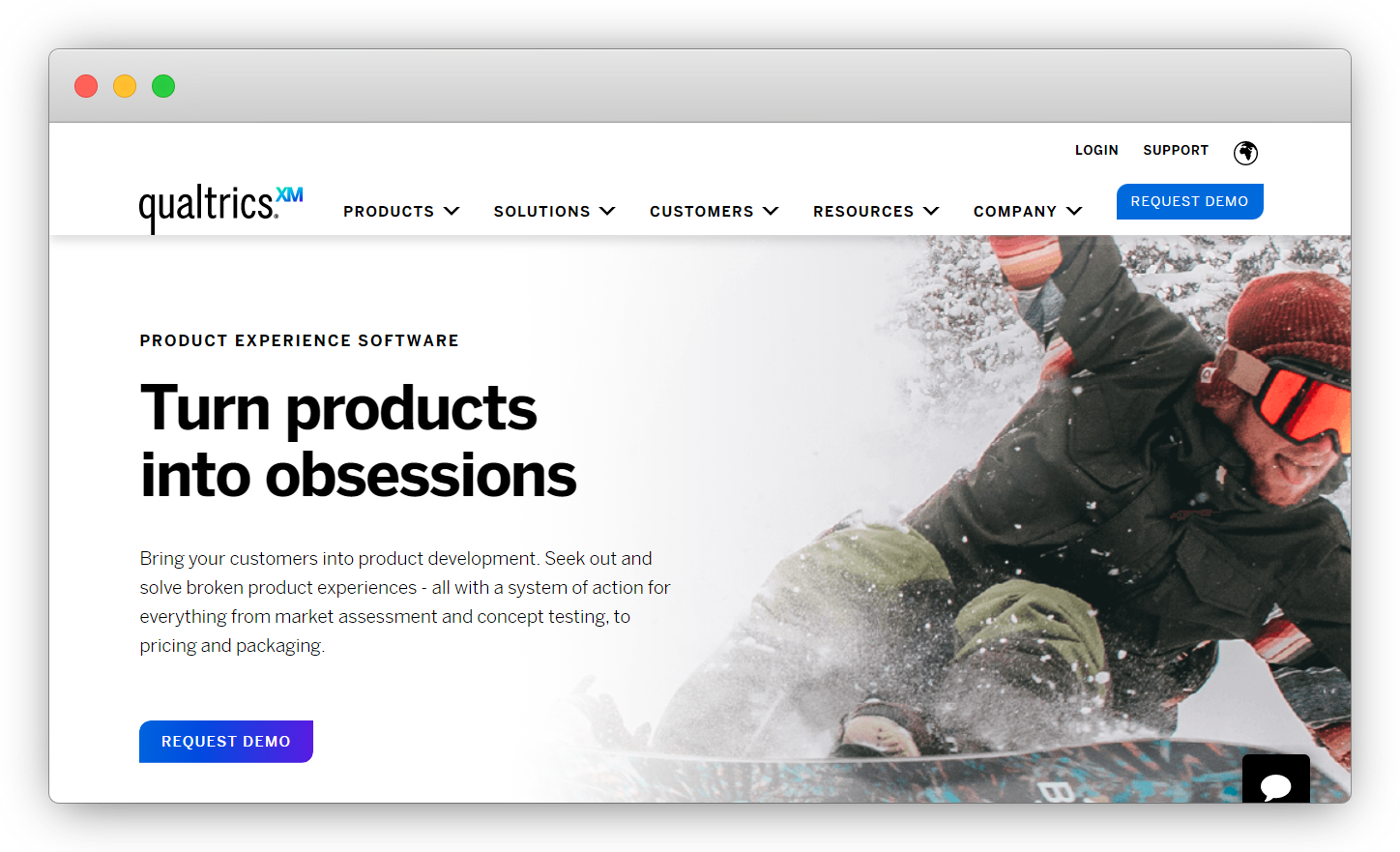
Qualtrics operates at a different scale and a different scope than everything else on this list. Where the other tools measure and improve the experience users are currently having with your product, Qualtrics is built for the research that shapes what you build before it ships: concept testing, conjoint analysis, panel management, market segmentation studies.
That distinction matters for understanding who should seriously evaluate Qualtrics. It's not the right tool for a PM who wants to add NPS to their onboarding flow. It's the right tool for a research team running a structured study to determine how to price a new product tier, which feature combination a target segment values most, or how market perception compares to three competitors. The analytical depth: conjoint studies, max-diff analysis, and statistical significance testing isn't available anywhere else on this list.
The tradeoff is cost and complexity. Pricing starts at approximately $1,500/year and scales steeply. For teams that don't run structured research programs, the depth becomes overhead fast.
Key Features
- Conjoint analysis and max-diff analysis for product and pricing research
- Panel management: build or integrate respondent panels for targeted research programs
- Concept testing: test feature designs, naming, and messaging before build
- 27+ survey distribution channels and 125+ data source integrations
- Advanced statistical analysis: regression, TURF analysis, and significance testing built in
- Closed-loop action routing based on survey responses and NPS scores
- Experience management workflows for routing feedback to product, support, and leadership
Qualtrics Pros
- Conjoint analysis and panel management capabilities have no equivalent on this list: purpose-built for structured product research that shapes build decisions before a line of code is written
- 27-channel distribution and 125+ data source integrations cover virtually any research methodology a team might need
- Statistical significance testing built in: research teams don't need a separate stats tool or analyst to validate findings
Qualtrics Cons
- Significant overkill for teams that just need in-product NPS or basic feature feedback: the complexity isn't justified without a structured research program
- Pricing starts at ~$1,500/year and scales steeply; not realistic for most startup or mid-market teams without a dedicated research budget
- Learning curve is real: this isn't a tool you stand up in an afternoon; expect a formal onboarding process
Qualtrics Pricing
- Subscription-based pricing starting at approximately $1,500/year
- Enterprise plans scale based on features, user seats, and respondent volume
- Free trial available; contact sales for full pricing
G2 Rating: 4.4/5 (2,970 reviews)
Best Use Case: Enterprise product, research, and UX teams running structured research programs (concept testing, pricing studies, or market segmentation), not teams looking for basic in-product feedback collection.
Why Most PX Tool Purchases Go Wrong (And How to Avoid It)
Here's something no vendor-produced comparison will tell you: most product teams buy PX software in the wrong category. Not because the tool is bad. Because the tool solves a different problem than the one the team actually has.
The pattern looks like this. A PM reads that Pendo is one of the best PX tools. They buy Pendo. Six months later they have detailed feature usage data and can tell you exactly how users navigate their product. But they still can't explain why 38% of users who complete onboarding never return after day seven. The usage data shows they hit the dashboard. It doesn't show whether they found it confusing, irrelevant, or just incomplete. That answer requires a feedback tool. The team bought an analytics tool instead.
The opposite version is equally common. A team deploys Zonka Feedback or Sprig and starts collecting excellent in-product NPS and open-text responses. They know users find the search function "frustrating" and the settings page "hard to navigate." But without behavioral data, they can't connect those responses to specific click patterns or session moments. The feedback points to a problem. Its exact location in the product requires session replay or behavioral analytics to find.
Neither situation means the tool was wrong. Both mean the wrong category was bought first.
Three questions worth answering before you choose:
What's your biggest blind spot right now? If you have no behavioral data, start with analytics. If you have no user sentiment data, start with feedback. If you have both but users still aren't adopting features, start with onboarding.
What question would change your roadmap if you could answer it? The answer almost always points to a specific category. "Why do users drop off at step three?" → behavioral analytics. "How do users feel about the new feature?" → feedback. "Why aren't users discovering the reporting module?" → adoption tools.
What can your team actually act on? A session replay library is only useful if someone watches sessions and synthesizes findings. AI-powered theme analysis from a feedback tool only moves the needle if a PM reads the summaries and acts on them. Match the tool's output format to how your team actually works, not how you aspire to work.
Building a complete PX program requires more than picking the right tool. Our guide on product feedback strategy covers the system layer.
Which Product Experience Management Tool Is Right for Your Team?
The three-category framework is the most important thing to take from this guide. Most PX tool decisions go wrong because teams compare tools across categories as if they're competing for the same job. They're not.
If your biggest gap is understanding how users feel about your product (in-product feedback collection, NPS by feature, AI analysis of open-text responses), start with a feedback-first tool. Zonka Feedback works well here for teams that need multichannel collection and an AI intelligence layer. Sprig is the right call if behavioral event targeting is the priority.
If your biggest gap is understanding what users actually do inside your product, start with behavioral analytics. Pendo is the natural starting point for teams that want analytics and in-app surveys together. Mixpanel if analytics depth is the priority and budget matters.
If you know both but adoption is still the problem, start with Userpilot or Appcues. Both are no-code, both deploy fast, and both give your PM real control over the onboarding experience without a sprint.
Want to see Zonka Feedback's in-product feedback and AI signals layer in action? Schedule a demo with our team and we'll walk through how it fits your specific product stack.