.svg)
 Healthcare
 Finance
 Retail
 SaaS & Digital
 eCommerce
 Education
 Salesforce
  HubSpot
 Pipedrive
 Mailchimp
 Zendesk
  Intercom
 Freshdesk
 HelpScout
  Front
Front Jira
Jira Slack
Slack  MS Teams
 Zoom
Zoom Google Sheets
  Zapier
  Integrately
 Make
Make  Webhooks




 MS Teams


TL;DR
- Delighted shut down on June 30, 2026 with no extensions—all data is permanently deleted after that date. If you were using Delighted for NPS, CSAT, or customer feedback, finding the right replacement is the utmost priority.
- Delighted's real appeal was never just the surveys — it was how fast you could go from signup to first NPS response, without training anyone. That bar matters when you're evaluating alternatives.
- From our conversations with teams actively migrating, four patterns emerged: teams wanting simplicity, those needing deeper integrations, those requiring HIPAA/BAA compliance, and those looking to upgrade beyond what Delighted offered
- Migration takes only 2-4days for most teams—the sooner you start, the sooner your feedback program is back up and running
- This guide covers 7 best Delighted alternatives: Zonka Feedback, Qualtrics, Refiner, Typeform, SurveySparrow, and SurveyMonkey — and for each tool, tells you honestly how close the setup experience is to Delighted's
- You can read more about Delighted's shutdown specifics, data retention policies, and no-extension policy in their official Sunset FAQ.
I've been on more than hundred calls with teams migrating from Delighted over the last six months. Two concerns come up consistently.
-
First, preserving historical NPS data. Teams need trend continuity—without it, years of customer sentiment tracking disappears.
-
Second, Qualtrics pricing. Multiple teams were quoted $400K+ annually by Qualtrics—significantly higher than Delighted's pricing range. Most mid-market teams started looking for alternatives immediately.
Delighted was easy. That was the whole point — clean interface, fast setup, NPS running in under an hour. What it wasn't: deep integrations, AI that handled open-ended responses, automation that closed the loop.
Most teams I spoke with didn't want a platform upgrade. They wanted Delighted's simplicity with the gaps filled in. That's the lens for this guide. For each of the alternatives, I've looked at two things: how close the setup experience is to what you already know, and what it actually adds beyond what Delighted offered. Zonka Feedback is one of them, it's our platform. I'll show you what each tool does best and when it makes sense. Delighted has now shut down, so my goal is to help you pick the right fit for your specific situation.
Quick Verdict: Best Delighted Alternatives by Use Case
Here's my verdict based on what each tool does best:
- For simple NPS/CSAT + closed-loop automation + AI analysis → Zonka Feedback
- For marketing-focused forms with beautiful design → Typeform
- For conversational surveys at accessible pricing → SurveySparrow
- For in-app surveys tied to product behavior → Refiner
- For general survey flexibility across departments → SurveyMonkey
- For enterprise-scale CX with complex hierarchies → Qualtrics
Four Types of Delighted Users Migrating
Every migration call revealed a different reason for leaving Delighted, but they clustered into 4 clear patterns. Here's what drives each group and what they're looking for in a replacement which might resonate with you as well:
- Simple keepers — You want the same simplicity Delighted had. You're not looking for a platform upgrade. You just need continuity at a similar price.
- Integration builders — You need deeper Salesforce or HubSpot integration. Delighted's basic sync wasn't enough. You need bidirectional data flow and CRM-triggered surveys.
- AI upgraders — You want to fix what Delighted couldn't completely address. Manual comment tagging, no automation, no way to route feedback. You're looking to upgrade, not just replace.
- Compliance focused teams — You're in healthcare or another regulated industry. You need HIPAA/BAA compliance and can't move forward without it.
Which Delighted Alternative Tool Fits Your Need?
Here's how the best Delighted alternatives map to the above mentioned migration patterns:
If you want simplicity:
- Zonka Feedback — simple setup with more power available when needed
- Refiner — clean in-app microsurveys for SaaS teams
- Typeform — beautiful one-question-at-a-time surveys
If you need simplicity + deeper integrations:
- SurveySparrow — conversational surveys with HubSpot, Salesforce integration
- SurveyMonkey — well-known tool with broad integration support
- Zonka Feedback - deeper integration with tools like Salesforce and HubSpot
If you need HIPAA/BAA compliance:
- Zonka Feedback — BAA included in enterprise plan, ISO 27001 certified
- Qualtrics — full compliance stack
If you want AI to stop manual tagging:
- Zonka Feedback — pre-trained AI, no setup required
- Qualtrics — research-grade AI
If you need all four (simplicity, integrations, compliance, AI):
- Zonka Feedback — covers all needs at mid-market pricing
- Qualtrics — covers all needs at enterprise pricing
What are the Best Delighted Alternatives in 2026?
For each tool below, I've covered three things: how the simplicity compares to Delighted, what the tool adds that Delighted never had, and when it actually makes sense for a migrating team. Let's look at it:
1. Zonka Feedback: Simplest Delighted Alternative for CX with Actionable AI Signals
We built Zonka Feedback as a customer experience platform that stays as simple as Delighted when your needs are basic, but scales to enterprise CX capabilities without Qualtrics-level pricing. For teams migrating from Delighted, we offer the ease of deployment you're used to, plus the features Delighted never added: AI feedback analysis, closed-loop automation, offline surveys, and bidirectional CRM sync.
Migration from Delighted typically takes 2-3 days. We can import your historical data and offer a two-month overlap period so there's no gap in your feedback collection during the transition.
How Zonka Feedback Compares to Delighted
Setup vs Delighted: Comparable
Learning curve: You can run your first NPS survey within an hour of signup — the interface is intentionally familiar for anyone coming from Delighted.
What it adds beyond Delighted's simplicity: AI that tags and themes open-ended responses automatically (no manual sorting), closed-loop automation that routes detractor alerts to the right person, and bidirectional CRM sync. The simple experience stays. What follows it changes.
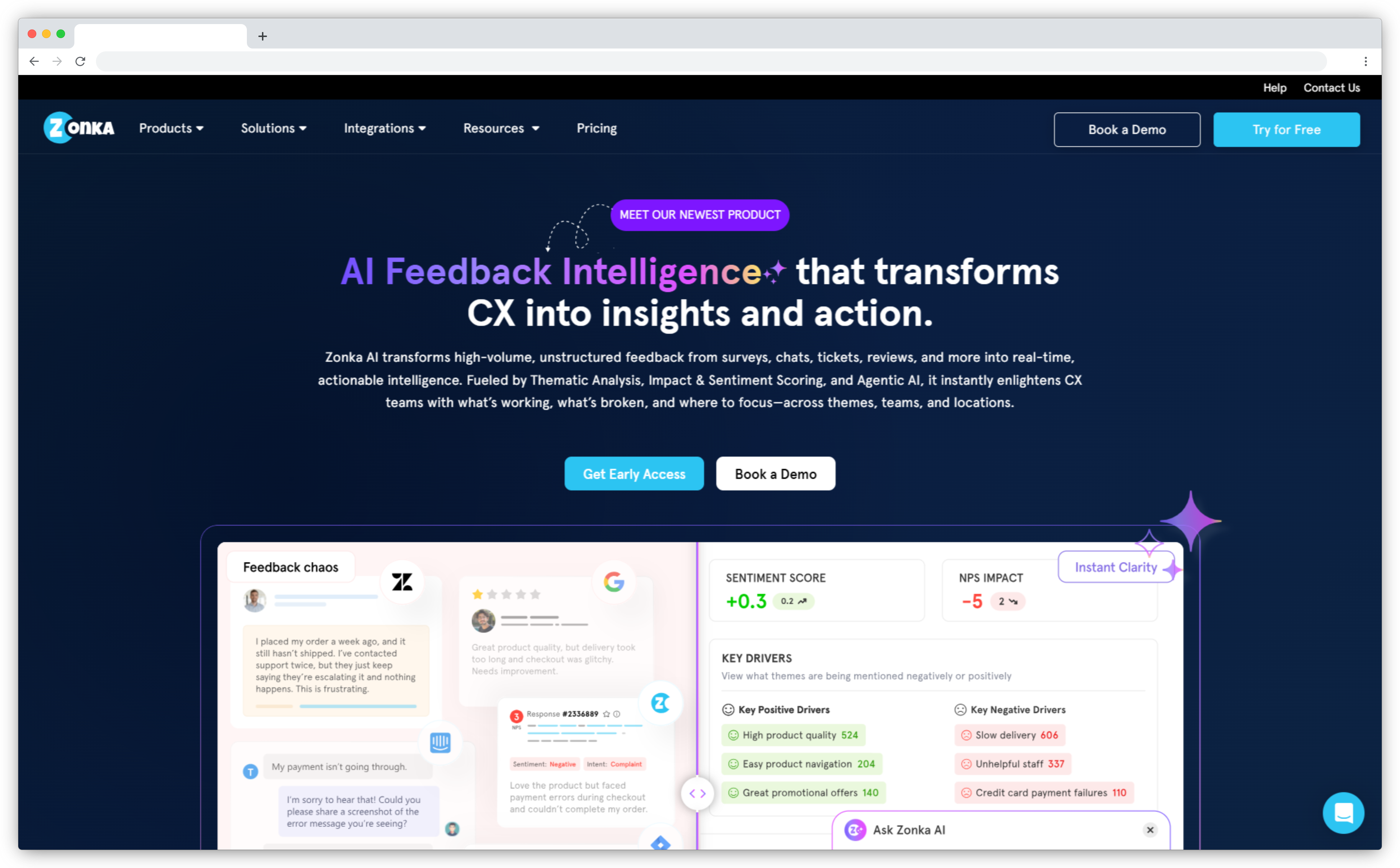
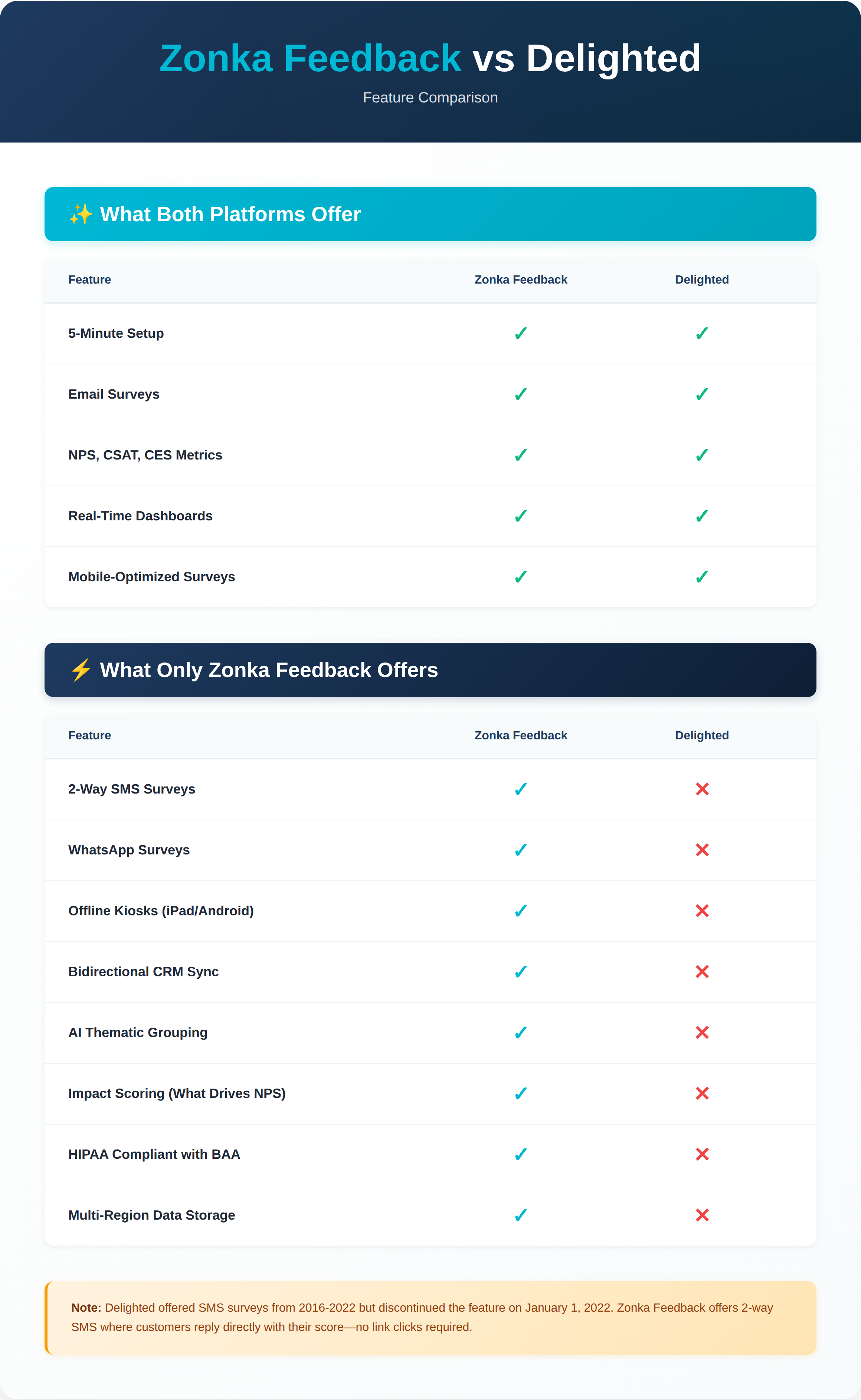
Zonka Feedback vs. Delighted: Feature Comparison
Below we compare Zonka Feedback and Delighted across four key areas:
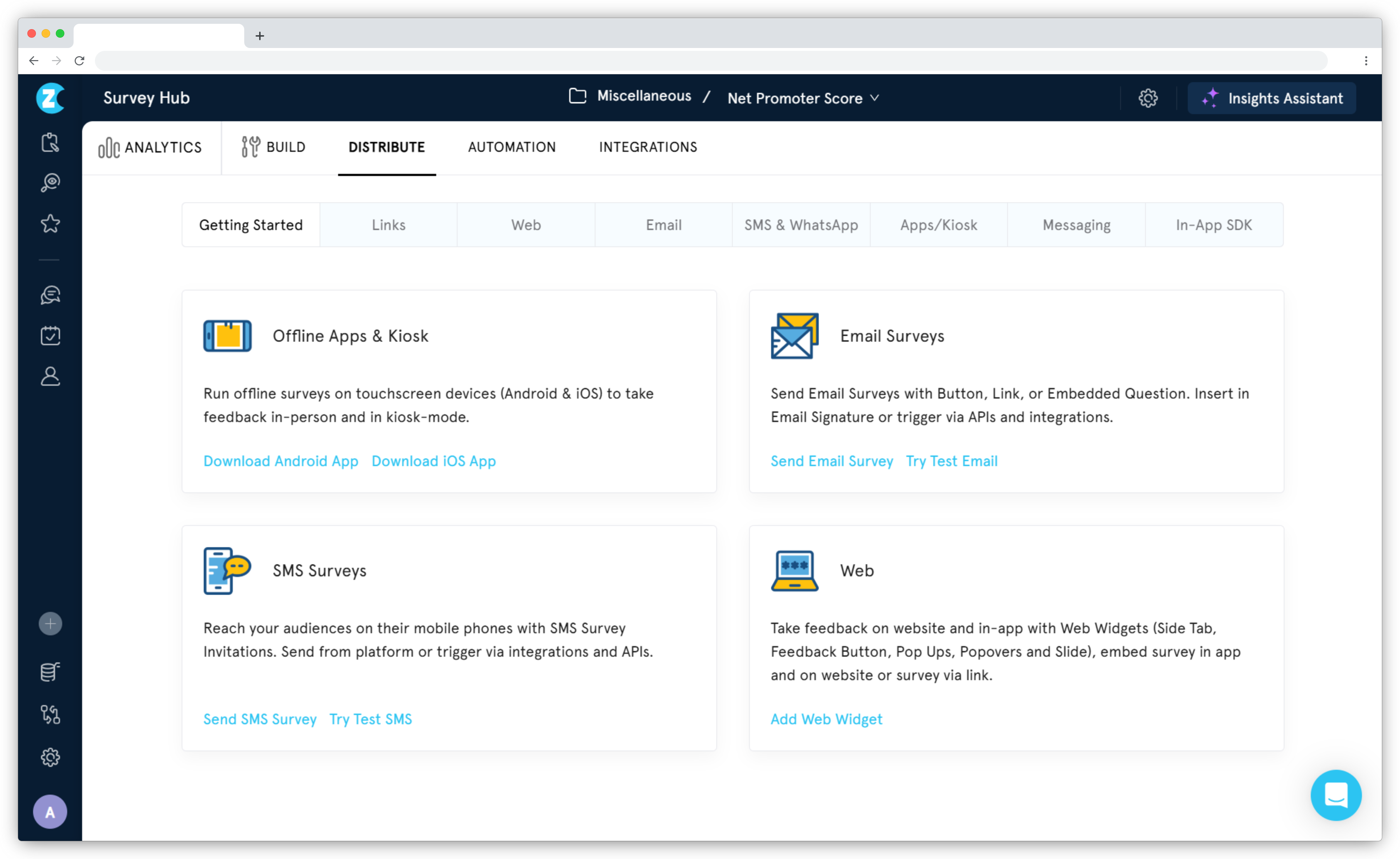
1. Channel Coverage
-
Delighted: Email and SMS were the primary channels until January 2022, when SMS was discontinued. When SMS was available, it supported two-way replies—customers could text back their score directly. Most teams used scheduled email NPS surveys as the core distribution method.
-
Zonka Feedback: Email and SMS (including two-way SMS where customers reply with a number instead of clicking a link), plus WhatsApp, in-app widgets, iPad/Android kiosks for retail and healthcare, offline mode for field teams without reliable internet, QR codes, and web embeds. Scheduled, recurring email surveys are live now. This was the one gap we flagged in earlier versions of this guide, and we shipped it before Delighted shut down. What we added on top: a custom recurrence limit. Delighted's Autopilot ran on fixed intervals. Ours lets you set the cadence yourself, every 45 days, every two months, whatever your feedback program actually needs.
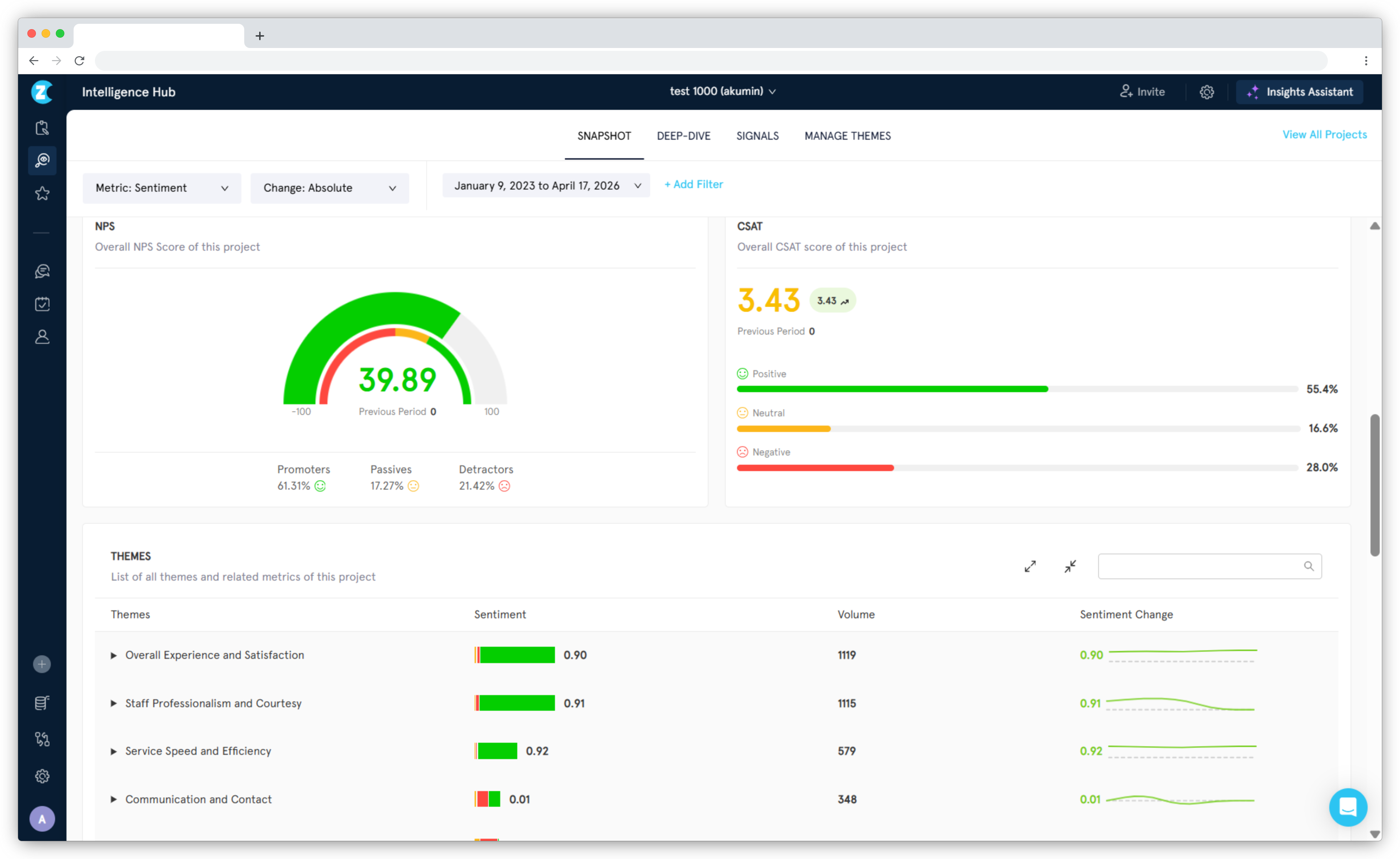
2. AI Feedback Intelligence
-
Delighted: Introduced Smart Trends in 2020 for basic text analysis. It could spot keyword patterns but didn't go deeper into sentiment classification, entity recognition, or impact scoring.
-
Zonka Feedback: Pre-trained AI provides sentiment analysis, thematic analysis, entity recognition (product names, team members, locations mentioned in comments), emotion detection, and impact scoring. No model training required—it works out of the box. AI features are available in Growth and higher plans.
3. Automation & Workflows
-
Delighted: The response inbox showed survey results, and the reporting was clean and genuinely easy to read. Delighted even pushed NPS digests into Slack, which teams loved for keeping scores visible without logging in every day. But it was limited to NPS only and follow-up on the feedback itself was still manual.
-
Zonka Feedback: Automated routing sends detractor feedback to the right person or team. You can create tickets automatically in Zendesk, Intercom, or Freshdesk. Slack alerts notify teams the moment scores drop below a threshold. And we kept the part of Delighted teams genuinely liked and carried it further: Zonka pushes scheduled Slack digests for all three CX metrics, NPS, CSAT, and CES, into the channel your team already works in. Beyond that, workflow triggers, case management, and task assignment let you close the loop without leaving the platform.
.png?width=3938&height=2416&name=Delighted%20alternatives%20-%20Zonka%20Feedback%20automation%20(2).png)
4. Integration Depth
-
Delighted: Basic integrations with HubSpot and Salesforce. One-way data push—survey responses flowed into your CRM, but you couldn't trigger surveys from CRM events or write scores back to contact records. Shopify integration required Zapier workarounds. Many migration teams told us this was limiting.
-
Zonka Feedback: Bidirectional sync with Salesforce, HubSpot, Zendesk, Intercom, Slack, and Freshdesk. Surveys trigger from CRM events (case closed, deal won, milestone reached). Scores and feedback write back to contact records automatically. Native Shopify integration triggers post-purchase surveys without Zapier—NPS/CSAT surveys send automatically after order completion. Some integrations like Gorgias are on our roadmap and not live yet, but we're adding those based on customer requests.
 Additional Capabilities of Zonka Feedback over Delighted
Zonka Feedback also provides additional powerful capabilities that gives it an edge over Delighted. Here are those:
- Multi-Location & Department Support:
Many Delighted customers told us they outgrew single-dashboard tracking. Zonka provides location-level dashboards, department-level reporting, and team member tracking. Role-based access means your retail managers see their store's feedback, support leads see their team's CSAT, and executives see consolidated views. - ISO Certification & HIPAA Compliance:
Healthcare customers migrating from Delighted frequently asked about compliance. Zonka is ISO 27001 certified and HIPAA compliant. Signed Business Associate Agreements (BAA) are included in enterprise plans. - Offline & Kiosk Mode:
iPad and Android kiosks with offline sync work for retail, healthcare, hospitality, and field service teams. Surveys collect responses even without internet, then sync when connectivity returns. - Live CRM Integration:
Customer lists stay current automatically through Salesforce or HubSpot sync. No more manual uploads or accidentally surveying churned customers. - Multi-Language Support:
Surveys available in 70+ languages with automatic language detection based on respondent location or browser settings. Delighted supported 37 languages—Zonka nearly doubles that coverage for global teams. - Role-Based Permissions & Team Collaboration:
Granular access control—restrict who can edit surveys, view responses, export data, or access specific locations. Team commenting on feedback responses, internal task assignment, and audit logs for compliance.
"For us, it's definitely how easy to use it is. Zonka Feedback helped us turn in different types of surveys with our organization's flavor, for different settings, all very easily. Can be used by anybody!" — Verified G2 Review
G2 Rating: 4.7/5 (80+ reviews)
For a complete feature-by-feature comparison, read our Zonka Feedback vs Delighted breakdown.
When Zonka Feedback Makes Sense
Zonka Feedback works best for mid-market and enterprise teams running CX programs who valued Delighted's simplicity but need more CX powers. If you need bidirectional CRM sync, AI analysis without training, closed-loop automation, and multi-channel distribution (including offline/kiosk modes), Zonka fits. If you're in healthcare or regulated industries requiring HIPAA/BAA compliance, Zonka includes that in enterprise plans.
Zonka Feedback Pros
- Ease of use and simplicity in running CX surveys
- AI-powered feedback analytics and automated workflows
- Omnichannel CX operations and team collaboration
- Customizable dashboards with role-based access
- Automation helps close the feedback loop faster
- Quick migration from Delighted with data import support
- Two-month overlap period available
Zonka Feedback Cons
- Voice feedback analysis not yet available
- Some integrations (Gorgias) are on roadmap, not live yet
Zonka Feedback Pricing
- Zonka's pricing is similar to Delighted's pricing range ($250-$500/month) with starting price of $167/month
- Custom pricing based on response volume, features needed, compliance requirements, and integration complexity
- Free plan available: No (14-day free trial available on request)

2. Qualtrics XM: Best Delighted Alternative for Enterprise-Scale CX
Qualtrics is Delighted's parent company, making it the official migration path. Qualtrics is an enterprise experience management platform designed for large organizations with dedicated CX teams, multi-brand programs, and enterprise budgets.
A mid-market SaaS company I spoke with was quoted $380,000 annually for Qualtrics CX Suite—compared to their $3,000/year Delighted spend. They moved to Zonka instead. For a detailed analysis of this transition and what it means for your data, see our Delighted vs Qualtrics guide.
How Qualtrics Compares to Delighted
Setup vs Delighted: Complex
Learning curve: Implementation typically takes months and requires consultants or dedicated CX analysts. This is not a tool you onboard in an afternoon.
What it adds beyond Delighted's simplicity: Research-grade analytics, predictive modeling, multi-department experience programs (CX + employee + brand + product), and a compliance stack that handles the most complex enterprise requirements. The power is real — but so is the overhead. If you loved Delighted's simplicity, Qualtrics will feel like a different category of software entirely.
Qualtrics vs. Delighted: What Changed
1. Scope & Complexity
Delighted's focus: Single-purpose tool for NPS, CSAT, and CES. Fast setup, minimal configuration, straightforward reporting.
Qualtrics' focus: Multi-module platform covering customer experience, employee experience, product research, and brand studies. Setup takes months. Implementation requires consultants.
2. Survey Capabilities
Delighted's approach: Simple surveys with minimal question types. Optimized for speed.
Qualtrics' approach: Research-grade survey design with 100+ question types, advanced logic, quota management, and multi-language support.
3. Analytics Depth
Delighted's approach: NPS trends, score distribution, basic segmentation. Reports designed for quick understanding.
Qualtrics' approach: Predictive analytics, driver analysis, text iQ for unstructured data, statistical modeling (StatsiQ), journey mapping, and executive dashboards.
4. Price Reality
Delighted's approach: With a few latest additions in their feature set, the pricing started around $224/month.
Qualtrics' approach: Custom pricing starting at $50,000-$100,000 annually for CX Suite. Multiple teams were quoted $400,000+ annually.
"The biggest strength of Qualtrics Customer Experience is how well it combines structured survey data with unstructured customer feedback at scale. The text analytics capabilities, especially Text iQ, make it possible to turn open-ended responses into meaningful insights rather than just anecdotal quotes." — G2 verified review
G2 Rating: 4.4/5 (10,000+ reviews)
When Qualtrics Makes Sense
Qualtrics fits if you operate at enterprise scale (1,000+ employees, multi-region), have dedicated CX analysts or research teams, need multi-department platform (CX + Employee + Product + Brand), and have budget around $400K annually.
Qualtrics Pros
- Analytics for enterprise CX programs
- AI for large-scale feedback processing
- Global, multi-channel programs
- Deep integrations with CRM, CS, and analytics platforms
- Complex B2B and long renewal cycles
Qualtrics Cons
- Pricing is significantly higher than Delighted
- Implementation takes months, not weeks
- Complexity requires dedicated CX team to manage
- May be more than needed for simple NPS programs
Qualtrics Pricing
- Our research suggests that the Strategic Research tier starts at $5,040/year ($420/month) for 1,000 responses annually
- Customer Experience (CX) Suite: Starts around $25,000-$100,000+ annually for enterprise deployments
- Free plan available: No
For a full list of enterprise CX platforms at different price points, read our Qualtrics alternatives guide.
3. Typeform: Best Delighted Alternative for Beautiful, Engaging Surveys
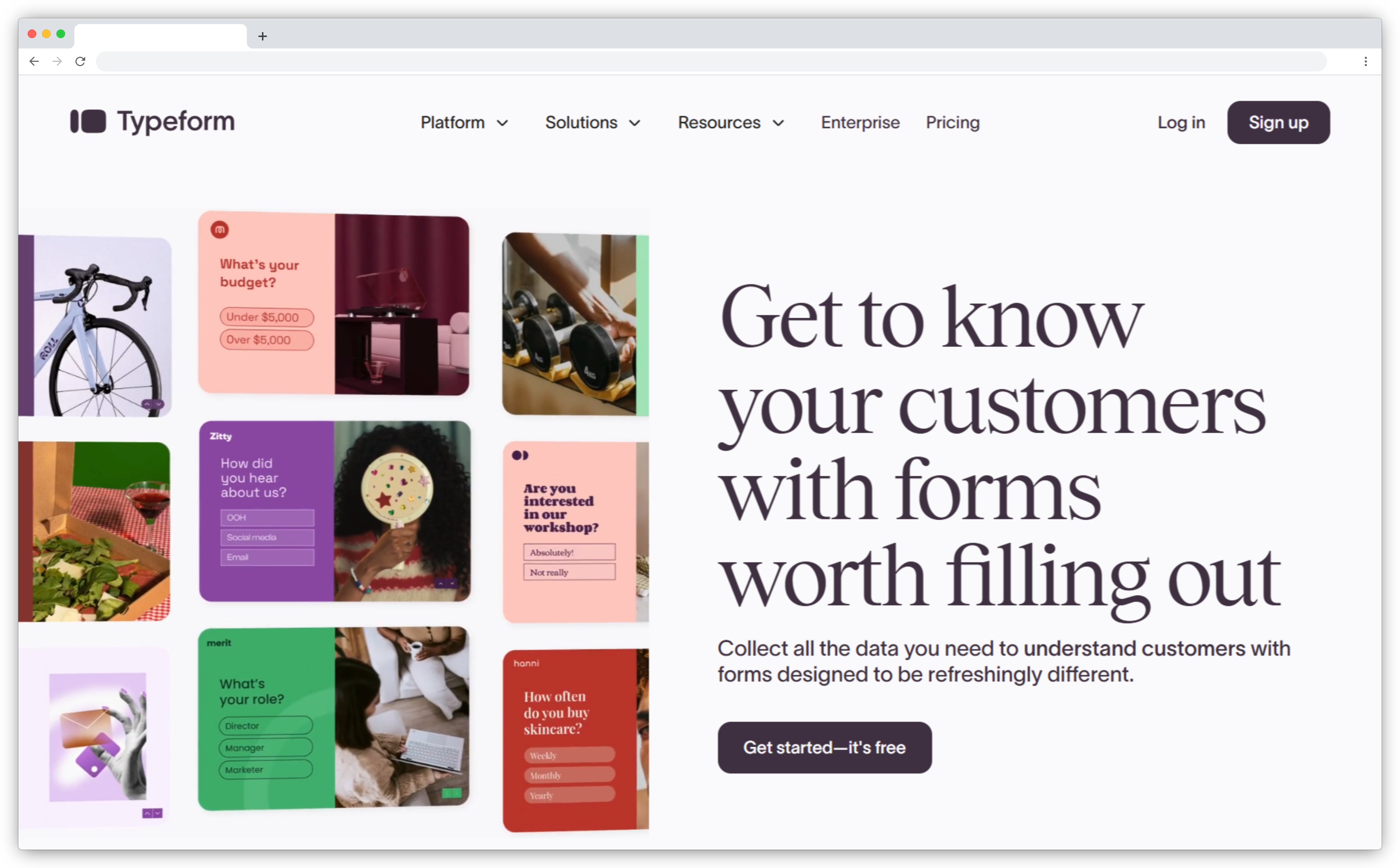
Typeform brings a design-forward approach to surveys with its signature "one question at a time" interface. The conversational flow creates a more engaging experience that consistently drives higher completion rates than traditional form-style surveys.
The platform prioritizes visual appeal and user experience. Every survey can be customized with custom themes, fonts, images, videos, and GIFs. For marketing teams, lead generation, and brand-conscious organizations, Typeform ensures surveys match brand identity while keeping respondents engaged throughout.
How Tyepform Compares to Delighted
Setup vs Delighted: Comparable
Learning curve: Building your first survey is fast — the drag-and-drop builder is intuitive and non-technical team members pick it up quickly. Comparable to Delighted's day-one experience.
What it adds beyond Delighted's simplicity: Design control — custom fonts, brand colors, images, GIFs. The conversational one-question-at-a-time format also tends to drive higher completion rates. The trade-off: Typeform is a general-purpose form builder, not a CX tool. If you need NPS trend dashboards, detractor routing, or closed-loop automation, you'll need to build those manually or bolt on other tools.
What Typeform Delivers
-
Conversational Interface: One question per screen with smooth animations and progress tracking. The pacing mimics natural conversation, reducing survey fatigue and increasing thoughtful responses.
-
Visual Customization: Full control over branding—custom themes, fonts, colors, background images, videos, and GIFs. Logic jumps create personalized paths based on answers. The result: surveys that look and feel like extensions of your brand.
-
Multi-Use Flexibility: Beyond NPS/CSAT collection, Typeform excels at lead qualification forms, event registrations, quizzes, market research, job applications, and customer onboarding. It's a general-purpose form builder, not a dedicated CX tool.
-
500+ Integrations: Connect with Google Sheets, HubSpot, Mailchimp, Salesforce, Slack, Zapier, and hundreds of other tools. Responses flow into your existing systems without manual exports.
-
AI Lead Scoring: AI-powered lead qualification describes ideal customer profiles and suggests qualifying questions—helping sales teams focus on high-intent prospects.
"The interface is incredibly user-friendly and visually appealing, which makes creating surveys simple. The conversational style of forms helps increase engagement, encouraging more customers to complete surveys." — G2 verified review
G2 Rating: 4.5/5 (700+ reviews)
When Typeform Works Best
Typeform excels for marketing teams who care about completion rates and brand experience. If you need operational CX workflows (automated ticket creation, detractor routing, NPS trend tracking), other tools fit better.
Typeform Pros
- Conversational interface drives measurably higher completion rates
- Visual customization creates on-brand survey experiences that reinforce brand identity
- Versatility beyond CX—handles lead gen, events, research, applications from one platform
- 500+ integrations connect responses to existing workflows
- Minimal learning curve; marketing and non-technical teams can build surveys independently
- AI lead scoring helps sales teams prioritize high-quality prospects
Typeform Cons
- Basic analytics insufficient for CX program management
- No automated ticket creation or detractor routing
- Response limits force quick upgrades (100/month at $25 tier)
- Limited layout flexibility despite visual strength
- Customer support historically slow
Typeform Pricing
- Starts around $25/month
- Free trial and free plan available with up to 10 responses/month
For more CX-focused alternatives, read this blog on Typeform competitors.
4. SurveySparrow: Best Delighted Alternative for Conversational Surveys
SurveySparrow combines chat-style surveys with CX program features at an accessible price point. The platform's conversational interface presents surveys as messaging conversations—questions appear as chat bubbles, creating a mobile-first experience that drives higher engagement than traditional form-based surveys.
Beyond the interface, SurveySparrow provides NPS, CSAT, and CES tracking with automation features, recurring surveys, and AI-powered analysis. It's positioned as an affordable middle ground: more engaging than basic survey tools, more accessible than enterprise platforms.
How SurveySparrow Compares to Delighted
Setup vs Delighted: Slightly more complex
Learning curve: Getting your first survey live is fast. Where it gets more involved is advanced branching logic, segmentation, and recurring automation — these require more configuration than Delighted's stripped-back interface.
What it adds beyond Delighted's simplicity: A genuinely different survey experience — chat-bubble format that respondents actually enjoy completing, especially on mobile. Plus NPS trend tracking, recurring survey automation, and AI-driven sentiment analysis in higher tiers. More engaging for your respondents; slightly more setup for you.
What SurveySparrow Delivers
- Chat-Style Surveys: Questions appear as chat bubbles with a conversational flow. The mobile-first design feels like messaging rather than filling out forms. This approach consistently improves completion rates, especially among mobile users.
- AI Features: AI Survey Builder generates surveys from prompts. AI Wings automates workflows. CogniVue analyzes sentiment and detects trends across open-ended responses. These features sit in higher-tier plans.
- Multi-Channel Distribution: Email, SMS, web links, QR codes, and social media sharing. The chat interface works across channels, though there's no offline kiosk support.
- CX Metrics Support: Built-in NPS, CSAT, and CES modules with trend tracking. Recurring surveys gauge customer pulse at regular intervals. Automation features help route feedback and trigger actions.
- Integrations: Connects with HubSpot, Salesforce, Zendesk, Slack, Mailchimp, and others. Zapier integration expands connectivity to 1,000+ apps.
"The setup process was very easy and low-friction, which is exactly what you want when rolling out a new tool in a busy B2B environment. The chat-based flow feels natural and engaging, allowing respondents to see only one question at a time — which drastically reduces drop-offs and gives us more complete feedback." — G2 verified review
G2 Rating: 4.4/5 (2,000+ reviews)
When SurveySparrow Works Best
SurveySparrow works well for teams that want conversational UX with CX program features at an accessible price. The chat-style interface drives higher completion rates, especially among mobile users.
SurveySparrow Pros
- Chat-style interface drives 40% higher completion rates
- AI features for survey creation and sentiment analysis
- Affordable pricing vs. enterprise alternatives
- 130+ languages support global programs
- Built-in NPS/CSAT/CES with automation and trend tracking
- Dedicated Delighted migration tool available
SurveySparrow Cons
- Email reminders and segmentation less robust than CX platforms
- Learning curve higher than Delighted's simplicity
- AI tools restricted to higher-tier plans
- Web surveys can slow page load times
- No offline kiosk support for retail/field teams
SurveySparrow Pricing
- Starts around $19/month (basic tier)
- NPS and automation features require higher tiers (~$99/month)
- Free plan available: Yes — limited responses and basic features only
For more robust features, read this blog on SurveySparrow competitors.
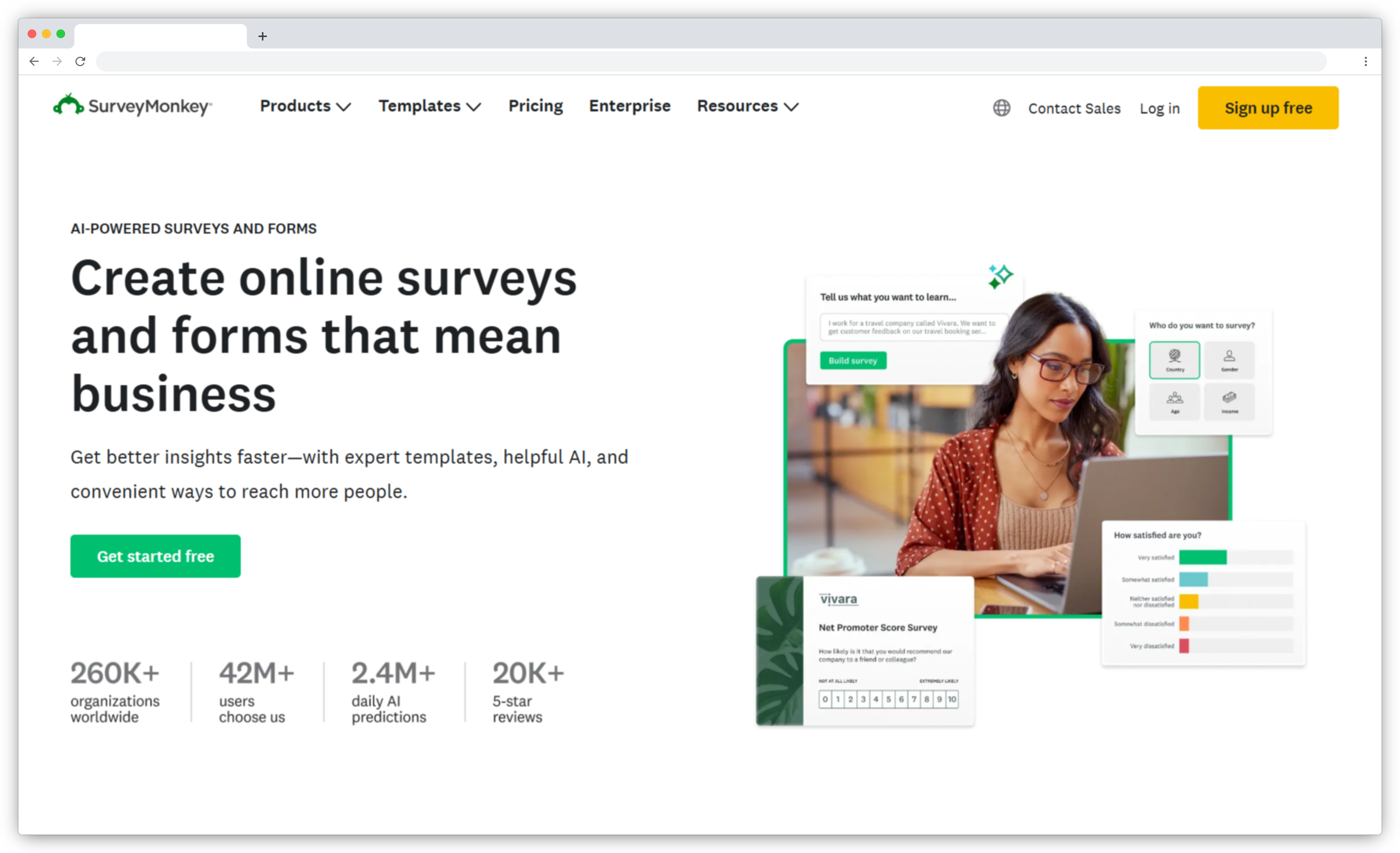
5. SurveyMonkey: Best Known Delighted Alternative for General Survey Needs
SurveyMonkey is one of the most recognized names in online survey tools, trusted by millions of users across 300,000+ organizations. It's a general-purpose survey platform that handles customer feedback, employee engagement, market research, event feedback, academic studies, and product testing—all from one interface.
The platform's strength lies in its versatility and brand recognition. With 250+ expert-designed templates, 15+ question types, and advanced logic capabilities, SurveyMonkey serves multiple departments and use cases. It's not purpose-built for CX programs, but it's flexible enough to support them alongside other survey needs.
Need help understanding SurveyMonkey fit as Delighted alternative? Read our Delighted vs SurveyMonkey comparison.
One thing worth knowing if SurveyMonkey is on your shortlist because of Salesforce: SurveyMonkey acquired GetFeedback, and GetFeedback Direct, the Salesforce-native CX product many teams relied on, is shutting down by the end of 2026. SurveyMonkey is pointing those users toward SurveyMonkey Enterprise, but its Salesforce integration is connector-based, not the deeply native setup GetFeedback had. If that native Salesforce experience is what you're after, it's worth reviewing the dedicated GetFeedback alternatives before defaulting to SurveyMonkey.
How SurveyMonkey Compares to Delighted
Setup vs Delighted: Comparable
Learning curve: Most people have used SurveyMonkey before — the interface is familiar, templates are ready to go, and your first survey takes minutes. Basic setup matches Delighted's day-one experience.
What it adds beyond Delighted's simplicity: Flexibility Delighted never had — 15+ question types, advanced branching logic, and 250+ templates across HR, research, marketing, and product. If your organization needs surveys that span multiple departments beyond CX, SurveyMonkey's breadth is genuinely useful. Just don't expect the CX-specific automation to be waiting for you out of the box.
What SurveyMonkey Delivers
-
Multi-Department Templates: 200+ templates covering HR surveys, academic research, market analysis, product feedback, event planning, and customer satisfaction. Each template includes recommended question types and logic branching.
-
Advanced Survey Logic: Complex branching, question piping, randomization, A/B testing, and quota controls. Create sophisticated survey flows that adapt based on previous answers—capabilities Delighted's simple NPS surveys never included.
-
AI Survey Builder: "Build with AI" generates complete surveys from natural language prompts in under 60 seconds. Describe your goal, and the AI creates questions, logic, and response options automatically.
-
Analytics & Reporting: Real-time dashboards, cross-tabulation, trend analysis, sentiment detection, and text analytics. Export to Excel, SPSS, Tableau, or Power BI. SurveyMonkey's reporting depth exceeds what Delighted offered for NPS tracking.
-
Distribution Flexibility: Email, web links, social media, QR codes, embedded surveys, and website popups. Integrations with Salesforce and HubSpot exist, though they're designed for general survey use rather than CX-specific closed-loop workflows. For a like-for-like look at native Salesforce CX, see our Zonka Feedback and GetFeedback comparison.
"What I like most about SurveyMonkey is how simple it makes creating, sharing, and analyzing surveys, even without technical expertise. The wide range of ready-made templates and question types helps you get started quickly." — G2 verified review
G2 Rating: 4.4/5 (20,000+ reviews)
When SurveyMonkey Works Best
SurveyMonkey makes sense if you need general-purpose surveys beyond just NPS/CSAT (employee engagement, market research, product testing), already have SurveyMonkey in your organization, or value brand familiarity.
SurveyMonkey Pros
- Serves multiple departments beyond just CX teams (HR, marketing, product, operations)
- 200+ templates reduce setup time for common use cases
- Advanced logic branching and question piping for sophisticated surveys
- AI-powered survey creation and sentiment analysis
- Brand recognition makes adoption easier across teams
- Extensive integration ecosystem (183 connections vs. Delighted's 22)
SurveyMonkey Cons
- Migrating users face longer setup time
- Not purpose-built for CX operations—lacks closed-loop automation depth
- Integration with Salesforce/HubSpot less native than dedicated CX tools
- Pricing per-user model increases cost for larger teams
- Can feel overwhelming for teams who only need simple NPS tracking
SurveyMonkey Pricing
- Starts around $25/month
- Free plan available: Yes — limited to 10 questions and 25 responses per survey
For better customization and CX-specific workflows, read this blog on SurveyMonkey competitors.
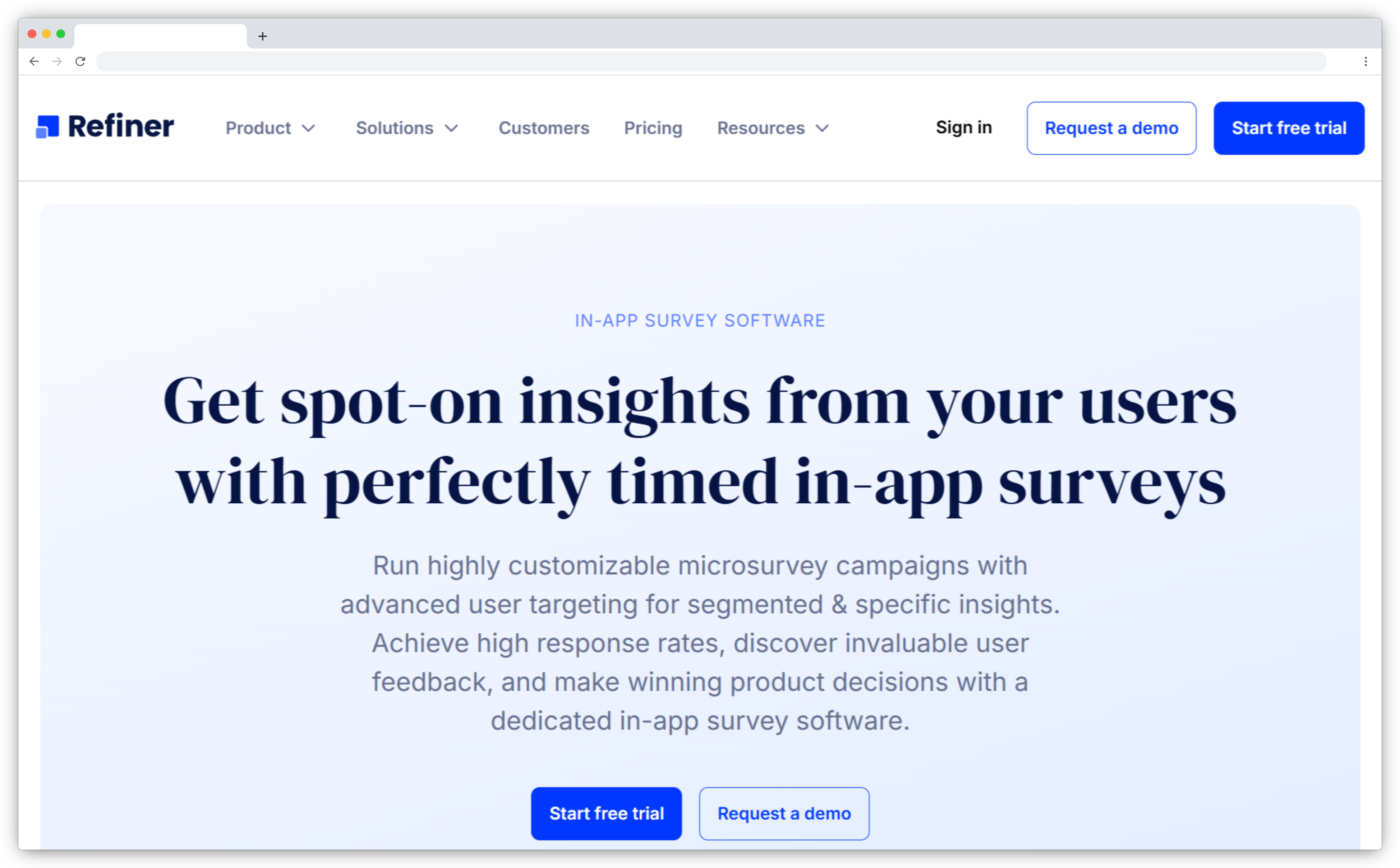
6. Refiner: Best Delighted Alternative for In-App SaaS Feedback
Refiner is a microsurvey platform built specifically for SaaS products. Where Delighted sent surveys via email after events, Refiner captures feedback inside your product while users are actively engaged—delivering higher response rates and more contextual insights tied to actual product behavior.
The platform's core strength is behavioral targeting: trigger surveys based on user actions, plan tier, lifecycle stage, feature usage, or any event you track. For product-led growth teams, this means measuring NPS at the moment users complete onboarding, asking for feedback right after someone uses a new feature, or catching churn signals before cancellation.
How Refiner Compares to Delighted
Setup vs Delighted: Comparable
Learning curve: Getting a basic in-app NPS survey live is straightforward — the survey creation experience is clean and minimal, very similar to Delighted's setup speed. Complexity only comes if you go deep into behavioral targeting, which requires dev involvement.
What it adds beyond Delighted's simplicity: Feedback captured in-context — while users are inside your product. The targeting precision means you're asking the right users at exactly the right moment. For SaaS teams, response rates and signal quality improve significantly.
What Refiner Delivers
-
In-App Microsurveys: Clean, customizable survey widgets appear inside web or mobile apps. Surveys feel native to your product—no external page redirects, no context loss. Support for slide-in, modal, and banner formats.
-
Behavioral Targeting: Segment users by traits (plan type, signup date, role), behaviors (feature usage, session count, time in product), and events (completed milestone, upgraded, invited teammate). Show surveys to exactly the right users at exactly the right moment.
-
Response Context: Users answer while the experience is fresh. You're asking about a feature they just used, not one they touched three days ago. Timing precision improves feedback quality significantly.
-
12 Question Types: NPS, CSAT, rating scales, multiple choice, CTAs, rating matrix, and more. Branching logic creates personalized paths based on previous answers. Custom CSS available for pixel-perfect brand matching.
-
Native Integrations: Deep integrations with Segment, Rudderstack, Amplitude, Mixpanel, Customer.io, Braze, Iterable, HubSpot, and Salesforce. Survey responses sync to customer profiles automatically. Use feedback data to branch marketing campaigns or trigger product analytics.
"I really appreciate that Refiner allows me to track a variety of crucial indicators specific to SaaS, which is invaluable for gaining detailed insights into our business metrics." — G2 verified review
G2 Rating: 4.6/5 (110+ reviews)
When Refiner Works Best
Refiner works best for PLG SaaS products where users spend most of their time inside the product. If you need multi-channel feedback (retail, field service, healthcare), Refiner won't cover those use cases.
Refiner Pros
- Behavioral targeting drives contextual, high-quality feedback
- Native Segment/Rudderstack integration syncs product data automatically
- Fast implementation for PLG and self-serve SaaS teams
- High response rates vs. email surveys (in-context timing)
- Clean microsurvey UI feels native to your product
Refiner Cons
- Limited to web/mobile app environments (no email backup surveys)
- No SMS, WhatsApp, kiosk, or offline channels
- Complex targeting rules have steep learning curve
- Mobile SDK integration requires developer involvement
Refiner Pricing
- Starts at $99/month
- Free plan available: No (14-day free trial available)
Exploring other in-app feedback tools? Read our Refiner alternatives guide.
Delighted Alternatives Compared
| Delighted Alternative Tool | Best For | Notable Strength | Key Limitation | Starting Price | Migration Timeline | G2 Rating (Out of 5) |
| Zonka Feedback | Mid-market & Enterprise CX programs | AI + automation + multi-channel | AI only in growth tier+ | ~$167/mo | 2 Days | 4.7 |
| Qualtrics | Enterprise-scale programs | Research-grade analytics | High cost, complex setup | ~400/mo | Months | 4.4 |
| Refiner | SaaS in-app feedback | Product behavior targeting | Web/mobile app only | $99/mo | 1-2 weeks | 4.6 |
| Typeform | Lead generation | Beautiful, engaging forms | No CX workflows | $25/mo | 1-2 weeks | 4.5 |
| SurveySparrow | Conversational surveys | Chat-style interface | Limited segmentation | $19/mo | 1-3 weeks | 4.4 |
| SurveyMonkey | General survey needs | Brand recognition | Not CX-specific | $25/mo | 2-4 weeks | 4.4 |
What to Watch For When Evaluating Delighted Alternatives?
Sales demos show you what works. Here's what to ask wrt Delighted migration about before signing, things I've seen teams discover only after they've migrated:
-
Qualtrics: Qualtrics is Delighted's parent company and the official migration path. However, pricing is significantly higher. Research shows mid-market Qualtrics deployments average $53,533 annually for SMB plans and $323,532 for enterprise plans. Delighted ranged from $224-$499/month ($2,688-$5,988/year). Verify that the pricing and complexity match your actual needs before committing.
-
SurveyMonkey: SurveyMonkey offers Salesforce integration through its GetFeedback acquisition with bidirectional sync and CRM-triggered surveys (Enterprise plan required). The integration works, but it's designed for general survey use—not purpose-built for CX programs. NPS trend tracking and closed-loop workflows require manual setup.
-
Refiner: Strong for product teams who need in-app surveys. If you also need email surveys or multi-channel feedback, you'll need a second tool. Refiner focuses on web/mobile app distribution only.
-
Typeform: Beautiful conversational forms with high completion rates. Not built for operational CX programs. No NPS trend dashboards, no detractor routing, no closed-loop automation. Works well for lead generation and marketing research.
-
SurveySparrow: Conversational survey interface with AI features in higher tiers. Email reminders and segmentation options are limited compared to purpose-built CX platforms. Good for accessibility and mobile-first design.
Why Teams Were Leaving Delighted (Beyond the Shutdown)
Even before the sunset announcement, teams were outgrowing Delighted. The gaps aren't surprising — they're patterns that showed up in G2 reviews and in our migration calls.
1. Reporting that couldn't hold up year over year
Delighted's dashboard was easy to read on day one. The problem came when leadership asked for year-over-year trend lines or deeper segmentation. A mid-market user described it plainly on G2: "There could be more features for reporting to help show us our results year over year." Most teams ended up exporting to spreadsheets and stitching reports together manually — which defeats the point.
2. Manual effort to get any real insight
Open-ended responses had no AI to process them. Smart Trends flagged keywords, but theme detection, sentiment, and impact scoring required manual work. As one G2 reviewer put it: "The absence of detailed reports and insights results in manual effort to obtain the necessary information." At scale, that's hours every week.
3. No way to close the loop inside the tool
Following up on detractor feedback required leaving Delighted entirely. There was no ticket creation, no routing, no task assignment. One user flagged it directly: "We cannot respond to the feedback directly from the tool." From the migration calls I've been on, this was the gap that frustrated teams the most — they were collecting feedback but couldn't act on it without cobbling together a separate workflow.
4. CRM integrations that only went one way
Delighted pushed data into Salesforce and HubSpot but couldn't pull from them. You couldn't trigger a survey when a deal closed, or write NPS scores back to contact records. Every team I spoke with who had a mature CRM setup hit this ceiling eventually.
5. No offline mode and no HIPAA compliance
Retail and healthcare teams were effectively locked out of two capabilities Delighted never built. Field teams collecting feedback without reliable internet had no kiosk option. Healthcare teams needed a BAA that Delighted couldn't provide. For those teams, the migration decision was already made — the shutdown just accelerated it.
The shutdown forces a decision. But many teams see it as an opportunity to upgrade, not just replace.
How to Choose the Right Delighted Alternative?
After watching teams migrate successfully, the difference comes down to three questions most teams skip. Here's what you should think about when choosing a Delighted alternative:
1. Who actually uses the feedback in your organization?
Most teams answer "our CX team." That's not specific enough.
Ask instead: Does your VP of Sales check NPS before renewal calls? Does your support manager review CSAT scores daily? Does finance track feedback against churn?
If no one looks at feedback regularly, you don't need a better tool. You need adoption first. Start with something light until you've proven people use it. If three different teams pull feedback for different reasons, you need a platform that serves multiple users.
2. What decisions actually change because of feedback?
I've seen teams spend $50K annually on tools and make no changes based on what they learn.
The test: Name the last three decisions that changed because of customer feedback. If your team can't name specific examples with dates, you're collecting scores that don't matter. If you're not acting on feedback today, automation won't help. You'll just automate inaction.
3. What's your feedback-to-action timeline?
This varies by industry and determines which features actually matter.
-
Same-day action required (hospitality, healthcare, retail): Real-time alerts, mobile dashboards, offline capability. Delighted alternative tools with kiosk mode or mobile app work here.
-
Week-to-week action (B2B SaaS, professional services): You review feedback in team meetings. Batch workflows work fine. Focus on integration depth, not real-time alerts.
-
Monthly or quarterly (enterprise sales, long cycles): You track trends, not individual responses. You don't need expensive automation. Simpler, lighter-weight tools can handle this.
The mismatch I see most: teams with same-day needs buying tools built for quarterly trends. Or teams doing quarterly reviews paying for real-time automation they'll never use.
The question you should ask
"What happens if we're wrong about this choice?"
Contracts lock you in for a year. Migration is painful. Pick wrong and you're stuck or migrating twice. Start with the tier that covers your known needs. Verify adoption for 90 days. Expand into AI or automation only after the foundation works.
Teams that buy everything on day one usually regret it. Teams that start focused and expand deliberately don't.
What to Do Next?
This guide walked through the best Delighted alternatives. Each fits different needs. Even Zonka Feedback doesn't fit every requirement. If you need research-grade statistical analysis or multi-department experience management programs, Qualtrics would be a better choice. If you only need in-app microsurveys for SaaS products, Refiner is purpose-built for that. And if you only need beautiful forms for lead generation, Typeform costs less.
But if you're running CX programs and need an easy-to-use platform that doesn't just collect feedback but analyzes it with AI, closes the loop with automation, scales from simple to complex as your needs grow, and migrates your Delighted data within a few days, not weeks, Zonka Feedback will definitely serve your use case.
Schedule a demo to see how it can work for your specific needs.
Delighted Has Shut Down.
Do You Have a Migration Plan? 📋
Now that Delighted has shut down, use our free Migration Evaluation Framework to shortlist the right alternative, compare features that matter, and move your surveys and data across without losing your history.
Download Now



.png)
_%20Benefits%2c%20Use%20Cases%2c%20Examples%20%26%20More.svg)