.svg)
 Healthcare
 Finance
 Retail
 SaaS & Digital
 eCommerce
 Education
 Salesforce
  HubSpot
 Pipedrive
 Mailchimp
 Zendesk
  Intercom
 Freshdesk
 HelpScout
  Front
Front Jira
Jira Slack
Slack  MS Teams
 Zoom
Zoom Google Sheets
  Zapier
  Integrately
 Make
Make  Webhooks




 MS Teams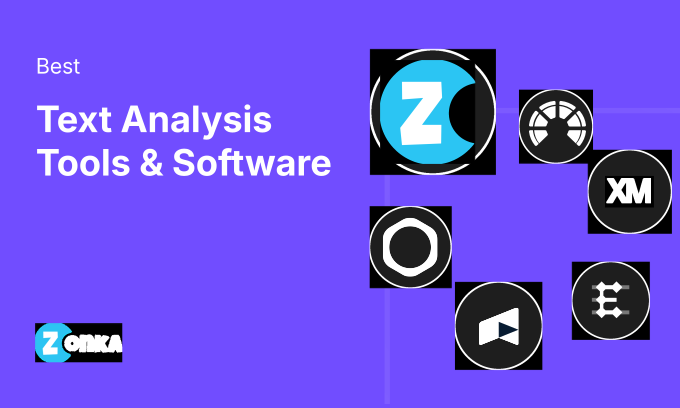


The best text analysis tools for customer feedback include Zonka Feedback, Chattermill, Thematic, Enterpret, and Scorebuddy. This guide reviews 16 platforms across CX and VoC, product feedback, and support QA, so your team picks the one that fits the actual problem.
TL;DR
- Text analysis tools read your open-ended feedback and surface what's driving scores, churn risk, and product friction. Ratings alone can't show this.
- For CX and VoC teams: Zonka Feedback (collection + AI analysis in one system), Chattermill (enterprise multi-source unification), or Thematic (links themes directly to NPS score movement).
- For product teams: Enterpret weights feedback by revenue impact. Anecdote AI layers competitive benchmarking on top of internal signals. Tagado fires proactive alerts before issues hit your NPS.
- For support and QA: Scorebuddy auto-scores 100% of conversations. Wizr AI routes signals into workflows without a human in the middle.
- Gartner estimates that 80–90% of enterprise data is unstructured. Text analysis is how teams stop leaving that data on the table.
Here's what prompted this guide. Most text analysis tool comparisons are either surface-level ("here are 30 tools with screenshots") or vendor-led ("here's why ours is best"). Neither helps a CX manager who needs to explain to their VP why the team can't act on 40,000 open-ended survey responses they've collected but never actually read. Or a product manager trying to prioritise a roadmap against five conflicting feedback sources. Or a QA lead who's manually reviewing 4% of conversations and calling it a quality program.
We've spoken to teams across healthcare, fintech, retail, and SaaS about what they actually needed from text analysis, and what they got instead. The gap is usually not the tool. It's that the tool didn't fit the team's use case, technical capacity, or workflow. A platform built for enterprise VoC researchers isn't the right answer for a two-person product ops team, no matter how many features it has.
16 tools. Three use cases. The goal is to get you to the right one faster.
16 Best Text Analysis Tools at a Glance
| Tool | Best For | Key Capability | Pricing |
| Zonka Feedback | AI feedback analysis & signals across every channel | Thematic analysis + entity mapping + role-based signals | Custom pricing |
| Chattermill | Unified CX intelligence at enterprise scale | Multi-source ingestion + impact analysis | Contact for pricing |
| Kapiche | Unsupervised theme discovery | Auto-clustering without predefined taxonomy | Contact for pricing |
| Thematic | Theme-to-score correlation | Links open-text themes to NPS/CSAT movement | Contact for pricing |
| Qualtrics Text iQ | Text analytics inside the Qualtrics ecosystem | NLU-based topic categorization + driver analysis | Enterprise pricing |
| Keatext | Mid-market plug-and-play analytics | Pre-trained CX model, no setup required | Contact for pricing |
| Medallia (MonkeyLearn) | No-code custom text classification | Drag-and-drop model builder | Contact for pricing |
| Enterpret | Product feedback intelligence | Adaptive taxonomy + revenue-weighted signal | Contact for pricing |
| Anecdote AI | Internal + competitive feedback intelligence | Benchmarks internal themes against competitor reviews | Contact for pricing |
| Tagado | Proactive risk and opportunity detection | Anomaly detection with root cause alerting | Contact for pricing |
| Relative Insight | Comparative language analysis | Statistical comparison between text datasets | Contact for pricing |
| Wizr AI | Agentic text analysis with workflow execution | Text signal → automated ticket/action routing | Contact for pricing |
| Scorebuddy | AI-powered QA scoring for support teams | Auto-scores 100% of conversations against QA rubric | Contact for pricing |
| Forsta | Complex VoC programs with case management | Multi-source VoC + native closed-loop infrastructure | Contact for pricing |
| SurveySensum | Industry-specific CX text analytics | SensAI engine with BFSI/automotive/SaaS NLP models | From $299/month |
| Blix | Open-ended survey coding for research | Near-human accuracy on messy real-world open-ends | Freemium |
How We Evaluated These 16 Text Analysis Tools
We evaluated each platform against five criteria: how accurately it processes messy real-world text (typos, sarcasm, mixed sentiment, multi-topic responses), how many feedback sources it ingests natively, whether output reaches the right person in a format they can act on without an analyst translating it first, how well it connects to tools teams already use, and whether accuracy holds at volume.
Zonka Feedback's own AI feedback analytics analysis of 1M+ open-ended responses found that the average response contains 4.2 distinct topics, all invisible when teams look only at scores. That finding shaped how hard we pushed on depth of analysis across every tool we reviewed.
Zonka Feedback affiliation disclosed. Zonka Feedback appears on this list and is evaluated against the same criteria as every other tool, with the same word count, same honesty about limitations.
What Are the Best Text Analysis Tools for Customer Feedback and VoC Programs?
These platforms are built for CX and insights teams that need to understand what's driving customer satisfaction scores, not just what the scores are. They're where most teams running NPS programs or CSAT tracking will start. The defining difference between good and average in this category isn't sentiment detection. Every tool does that. It's whether the platform connects themes to specific entities your business cares about (locations, agents, products, service lines) and whether it gets that output to the right person without a reporting step in between.
1. Zonka Feedback: Best for AI Feedback Analysis & Signals Across Every Channel
Zonka Feedback is built to do two things most feedback tools can't: collection and analysis in one system. That matters more than it sounds.
When you collect through Zonka (email, SMS, WhatsApp, web, in-app, kiosks, offline) and analyze through Zonka's AI Feedback Intelligence in the same platform, there's no export cycle, no pipeline to maintain, no lag between a response arriving and the AI engine reading it. The AI runs on the full picture from the moment it lands.
Thematic analysis, entity mapping, sentiment scoring, and impact scoring all run simultaneously inside the AI Feedback Intelligence module. Entity mapping is the part most CX teams underestimate until they see it work. The platform connects "long wait times" to the Mumbai branch, or "billing friction" to the enterprise segment, automatically. No tagging. No manual routing. The signal arrives where it belongs: a branch manager sees their location's themes, a support lead sees their team's patterns, the CCO sees the whole picture. Role-based signals, not a shared dashboard everyone has to filter for themselves.
Key Features
- Thematic analysis with AI clustering across survey open-ends, support tickets, reviews, and chat logs in one model
- Entity mapping that connects feedback to specific locations, agents, products, and departments automatically (see how entity tracking works)
- Sentence-level sentiment analysis including mixed-emotion detection
- Impact scoring that weights themes by business significance, not just mention frequency
- Ask AI chatbot to query your feedback data in natural language
- Role-based signal delivery per persona (agent, branch manager, CCO)
- Omnichannel collection: email, SMS, WhatsApp, web widgets, in-app SDK, kiosks, offline, QR codes
Pros
- The only platform in this list that handles collection AND AI analysis natively, with no integration required between survey tool and analytics layer
- Role-based signals are genuinely differentiated. Most platforms send everyone the same report and let them filter
- Live in under a week, no consulting engagement, no data pipeline to build first
- ISO 27001 certified, GDPR and HIPAA compliant
Cons
- Custom taxonomy configuration for complex multi-division businesses takes time to calibrate correctly
- Some deeper API integrations require technical resources to set up
Pricing
- Custom pricing based on response volume and use case. Contact Zonka Feedback for a quote.
G2 Rating: 4.7/5 on G2 (based on 100+ reviews)
Best Use Case: CX and VoC teams that want feedback collection and AI analysis in a single system, without stitching together a survey tool and a separate analytics platform. Particularly strong for multi-location businesses in healthcare, fintech, retail, and SaaS where entity mapping (location-level, agent-level) matters.
2. Chattermill: Best for Unified CX Intelligence at Enterprise Scale
If your feedback is fragmented across Qualtrics, Zendesk, Intercom, Trustpilot, and a dozen other tools. None of it is talking to the rest. Chattermill's core proposition is radical consolidation. One model reads all of it.
Their deep learning model, Lyra, is trained on CX-specific language across a reported 500M+ data points. That calibration matters most in the messy middle of customer language: sarcasm, mixed sentiment ("love the product, the pricing is a mess"), and the gap between what a customer says and what they mean. Standard NLP models handle clean text well. CX text isn't clean.
Where Chattermill earns its position at enterprise scale is impact analysis: connecting which text themes are statistically driving score movements. A CX director can see not just that "mobile app login" is the most-mentioned complaint, but that it correlates with 0.8 NPS drop among high-value accounts specifically. That's a boardroom conversation, not a weekly report.
Key Features
- 40+ native integrations for multi-source data ingestion
- Lyra AI model trained on 500M+ CX-specific data points
- Impact analysis linking text themes to NPS/CSAT movements
- Ask Lyra natural language query interface
- Observations feature that proactively surfaces emerging themes without manual query setup
- Role-specific dashboards for CX, product, and support teams
Pros
- Multi-source unification at enterprise scale is their core competency, consistently strong in real deployments
- Impact analysis is one of the better implementations in this category
- Observations (proactive surfacing) reduces the analysis burden on teams who can't run daily queries
- Strong enterprise security and SSO architecture
Cons
- Enterprise-tier pricing. Meaningful ROI evaluation requires operating at significant response volume
- Custom taxonomy requires working with their team, not self-serve configuration
- Initial data mapping can take longer than expected depending on source complexity
Pricing
- Contact for pricing. Enterprise contracts.
G2 Rating: 4.6/5 on G2 (based on 40+ reviews)
Best Use Case: Large enterprise CX teams (retail, financial services, travel) consolidating feedback from five or more sources who need to correlate text themes with score movement and route findings to multiple stakeholder teams.
3. Kapiche: Best for Unsupervised Theme Discovery at High Feedback Volumes
Kapiche inverts the standard approach. Most text analysis tools start with a question you've already formed: "How often do customers mention pricing?" You give it your data. it tells you what's in it.
That inversion matters when the insight you need is the one you didn't know to look for. Pre-defined taxonomies find what you were already thinking about. Kapiche's unsupervised clustering surfaces what your taxonomy hasn't named yet: the complaint category that's emerging but doesn't fit existing labels, the framing shift that started in one region and is spreading, the user segment that describes your product in a way your team has never heard internally.
Teams that use it well tend to run Kapiche alongside a more structured analytics platform. Periodic discovery passes quarterly, alongside continuous monitoring through something with a fixed taxonomy. The two use cases are complementary, not competing.
Key Features
- Unsupervised clustering without predefined taxonomy
- Statistical significance scoring to separate real patterns from noise
- Segment comparison to surface theme differences across customer groups
- Quantified impact of each theme on NPS and CSAT
- Native integrations with Qualtrics, Salesforce, Zendesk, and CSV
- Visual theme explorer for non-technical stakeholders
Pros
- Unsupervised discovery is the best implementation in this category, finding what you weren't looking for
- Handles high response volumes (100K+ responses) without performance degradation
- Impact quantification per theme makes prioritisation decisions defensible
- Clean enough for researchers to use without engineering support
Cons
- Strength is discovery, not continuous monitoring against a fixed taxonomy
- Needs meaningful volume (500+ responses minimum) for clusters to be statistically reliable
- No collection capabilities, purely an analytics layer
Pricing
- Contact for pricing. Volume-based.
G2 Rating: 4.6/5 on G2 (based on 30+ reviews)
Best Use Case: Research and insights teams running periodic text analysis programs at scale (10,000+ responses) where the goal is discovering emerging patterns, not tracking known categories.
4. Thematic: Best for Theme-to-Score Correlation in CX Programs
"4.7 stars, and the phrase 'finally understand what's driving our NPS' appears across reviews more than almost any other." That's what Thematic has actually shipped for CX analytics teams, and it's specific enough to be meaningful.
What makes Thematic different is the connection it draws between what customers write and why scores moved. When NPS drops six points in March, Thematic lets you trace which themes intensified in March and quantify each theme's contribution to the drop. Frequency analysis tells you what customers mentioned. Thematic's driver analysis tells you which mentions actually moved the metric.
The other thing worth flagging: Thematic treats AI output as a draft, not a verdict. Analysts can edit, merge, split, and rename the system's theme suggestions. For teams that need to defend their analytical methodology (and in regulated industries, they often do), that auditability matters.
Key Features
- Theme-to-metric driver analysis (links open-text patterns to NPS/CSAT movement)
- Human-in-the-loop theme editing: AI suggestions are refinable, not locked
- Multi-source ingestion including Qualtrics, SurveyMonkey, Zendesk, and Salesforce
- Aspect-based sentiment at theme level (not just overall response sentiment)
- Longitudinal trend analysis tracking theme performance over time
- Automated insight reports for stakeholder distribution
Pros
- Driver analysis is best-in-class for VoC programs where metric movement needs explaining
- AI transparency: analysts edit themes rather than receiving opaque output
- Strong Qualtrics and SurveyMonkey integration for teams already in those ecosystems
- Regular product updates, and a responsive product team based on G2 review patterns
Cons
- Primarily an analytics layer with no collection capabilities
- Volume-based pricing can scale quickly for large programs
- Initial theme calibration takes iteration before accuracy stabilises
Pricing
- Contact for pricing. Tiered by response volume.
G2 Rating: 4.7/5 on G2 (based on 80+ reviews)
Best Use Case: CX analytics teams in structured VoC programs who need to connect text themes to metric movements and prove causally, not just describe what customers said, but demonstrate which topics moved the score.
5. Qualtrics Text iQ: Best for Text Analytics Inside the Qualtrics Research Ecosystem
If your organisation runs surveys in Qualtrics and wants text analysis on those responses, Text iQ is the path of least resistance. No new vendor. No export cycle. No integration to maintain. Text analysis happens on the data where it already lives.
The capability itself is solid: NLU-based topic categorisation, five-level sentiment scoring (including mixed sentiment), driver analysis linking text themes to structured survey responses in the same view. For teams running regular CSAT or NPS programs at scale through Qualtrics, it replaces manual text review entirely.
Worth being honest about: Text iQ only reads data collected within Qualtrics. It doesn't ingest Zendesk tickets or Intercom conversations or Google reviews. If your feedback lives in multiple systems, you need a platform that handles multi-source ingestion. Chattermill or Zonka Feedback are the cleaner answer. But if your program lives entirely within Qualtrics, adding another tool to solve a problem Text iQ already covers is unnecessary complexity.
Key Features
- Native open-text analysis within Qualtrics, no export needed
- NLU-based topic categorisation with automatic and manual tagging
- Five-level sentiment scoring (very positive, positive, mixed, negative, very negative)
- Driver analysis linking text themes to structured survey scores in the same interface
- Integration with XM Discover (Clarabridge) for advanced linguistic analysis
- Enterprise SSO, compliance, and security built in
Pros
- Zero integration friction for existing Qualtrics users, the only no-setup option in this category
- Five-level sentiment is more granular than most binary or three-point implementations
- Driver analysis across structured and unstructured data simultaneously
- No separate vendor contract for teams already under enterprise Qualtrics agreements
Cons
- Only reads Qualtrics-collected data, not a multi-source platform
- Enterprise pricing that's opaque without a direct conversation
- Less taxonomy customisation than dedicated analytics platforms like Kapiche or Thematic
Pricing
- Included in Qualtrics XM subscriptions. Contact for enterprise pricing.
G2 Rating: 4.4/5 on G2 (based on 40+ reviews)
Best Use Case: Organisations already on enterprise Qualtrics licenses running structured research at scale where the feedback program lives entirely within Qualtrics.
6. Keatext: Best for Mid-Market Teams That Need Analysis Running This Week
"We needed text analysis up in three days, not three months." That framing appears repeatedly in Keatext's G2 reviews, and it points at something real about where this tool sits in the market.
Pre-built connectors to Zendesk, Salesforce, Medallia, and SurveyMonkey. A pre-trained CX language model that produces reasonable baseline accuracy without custom training. An interface built for analysts, not data scientists. And a recommendation layer that doesn't just show theme frequencies. It surfaces specific improvement areas based on the pattern of feedback, which cuts the analyst's reporting prep time substantially.
There is a tradeoff, and it's control. Teams that need precise taxonomy management, industry-specific fine-tuning, or deep custom model training will hit Keatext's ceiling faster than they would with Kapiche or Thematic. But teams that need to start understanding their feedback this week, with the tools they already have connected, will get there faster with Keatext than with almost anything else on this list.
Key Features
- Pre-built connectors for Zendesk, Salesforce, Medallia, SurveyMonkey, and CSV
- Pre-trained CX language model, no custom training required to start
- Automated recommendation layer alongside theme and sentiment analysis
- Employee and customer feedback analysis in the same interface
- Multilingual support across English, French, Spanish, and other major languages
- Exportable reports and dashboards for stakeholder distribution
Pros
- Fastest time to first insight in this category, viable same-day setup in some configurations
- Recommendation output reduces analyst time translating data into action items
- Handles both customer and employee feedback, useful for teams running both programs
- Interface accessible to non-technical CX analysts without a learning curve
Cons
- Less customisable than Kapiche or Thematic for teams needing precise taxonomy control
- Pre-trained model accuracy may need supplementing for highly specialised industries
- Multi-source correlation is limited compared to platforms built specifically for it
Pricing
- Contact for pricing.
G2 Rating: 4.5/5 on G2 (based on 30+ reviews)
Best Use Case: Mid-market CX teams at 50–500 person companies that need text analytics running quickly, don't have data science support, and primarily analyze feedback from 2–4 main sources.
7. Medallia (MonkeyLearn): Best for No-Code Custom Text Classification Models
MonkeyLearn, acquired by Medallia in 2022, had a specific capability that made it stand out: you could build custom text classification models without writing a line of code. Upload labelled examples, drag and drop, train a classifier that reflects your specific taxonomy rather than a generic pre-trained one. That capability still works.
For teams with specific internal categories that off-the-shelf models don't handle (product names, support issue types, internal segment labels), that self-service training workflow is genuinely useful. A pre-trained sentiment model that's never seen your product terminology will mislabel things a custom model trained on 200 of your own examples won't.
One flag worth naming: MonkeyLearn as a standalone product has been deemphasised since the Medallia acquisition. The core functionality persists, but teams evaluating this seriously should confirm roadmap commitments with Medallia's team before committing budget.
Key Features
- Drag-and-drop model builder for custom text classifiers and sentiment models
- Pre-built models for sentiment, topic, intent, and urgency classification
- API access for embedding classification in existing workflows
- Keyword extraction and named entity recognition
- CSV and API input for flexible data ingestion
- Visualisation dashboard for analysis results
Pros
- No-code custom model training is genuinely accessible for non-technical analysts
- Pre-built models give immediate baseline accuracy
- API access makes it viable as a classification layer embedded in broader data workflows
- More affordable entry point than full enterprise CX platforms
Cons
- Roadmap uncertainty following Medallia acquisition. Confirm product direction before committing.
- Not a full VoC platform, primarily a classification layer that needs to feed somewhere
- Dashboard capabilities lighter than dedicated CX analytics platforms
Pricing
- Contact Medallia for current pricing.
G2 Rating: 4.4/5 on G2 (based on 60+ reviews)
Best Use Case: CX and ops teams that need custom text classification models without engineering resources, particularly as a preprocessing layer or for teams building a text analysis workflow around existing infrastructure.
What Are the Best Text Analysis Tools for Product Feedback and Feature Intelligence?
Product teams have a specific version of the text analysis problem. Feedback arrives from everywhere: in-app surveys, app store reviews, Slack communities, support tickets, sales call notes, CSM check-ins. None of it uses consistent language. "Slow" in a support ticket. "Performance issues" in an NPS open-end. "Takes forever to load" in a G2 review. Same problem. Product teams need a platform that recognises that, maps it to a taxonomy that survives across sources, and weights each signal by the revenue or risk attached to the account behind it. Teams collecting that feedback through in-app surveys or post-interaction emails will find the Category B platforms below process it well.
8. Enterpret: Best for Revenue-Weighted Product Feedback Intelligence
Say your product team is working from a mix of Zendesk tickets, Intercom conversations, app store reviews, G2 feedback, and NPS open-ends, spending two days before every planning cycle trying to synthesize it manually. Enterpret is built for exactly that problem.
Enterpret ingests all of it, normalises it against a unified taxonomy, and then does the thing that separates it from generic analytics tools: it connects each piece of feedback to the account behind it via CRM data. An enterprise account mentioning billing friction fourteen times gets weighted differently than a free-tier user mentioning the same thing once. Most product feedback tools show you frequency. Enterpret shows you revenue-weighted frequency.
Adaptive taxonomy is the other differentiator. Most platforms require you to pre-define categories and then search for them. Enterpret learns the way your customers describe your specific features (the internal terms, the abbreviations, the version-specific references) and improves its model as your team confirms or corrects its classifications.
Key Features
- Unified ingestion from Zendesk, Intercom, Salesforce, app stores, G2, and CSV
- Adaptive AI taxonomy that learns your product-specific language over time
- CRM integration to weight feedback by account revenue and tier
- Auto-generated feature request summaries grouped by cluster
- Jira and Linear integration for direct roadmap routing
- Customer-level drill-down to see which accounts mentioned what
Pros
- Revenue weighting is the most operationally useful product feedback capability in this category
- Adaptive model improves over time without manual retraining cycles
- Jira and Linear integration means product signal flows directly into sprint planning without a handoff
- Best at surfacing enterprise account feedback specifically, the signal product teams most need to act on
Cons
- Implementation requires dedicated time from product ops or CS team to configure correctly
- Pricing reflects the enterprise buyer, less accessible for early-stage companies
- Heavy focus on product intelligence, less suited for CX-led or support-led programs
Pricing
- Contact for pricing.
G2 Rating: 4.6/5 on G2 (based on 40+ reviews)
Best Use Case: Growth-stage to enterprise SaaS product teams receiving feedback from five or more sources who need to connect user signal to roadmap decisions with revenue impact weighting.
9. Anecdote AI: Best for Product and CX Teams That Also Want Competitive Intelligence
Here's a question most feedback platforms don't let you ask: Is this a us problem or an industry problem?
Anecdote AI makes that question answerable. Alongside your internal feedback (tickets, surveys, reviews, NPS open-ends), the platform pulls and analyses public competitor reviews and surfaces how your customers' language and pain points compare to what's showing up in their data. When "export functionality" is a growing complaint in both your feedback and your competitor's reviews, it signals an industry gap. When it appears in yours but not theirs, it's a differentiation risk.
The core feedback analysis is solid: automatic theme clustering, sentiment analysis, Zendesk and Intercom integration. But the competitive layer is the reason to choose Anecdote AI over tools with similar analytics depth. For product teams also running competitive research, having both in one platform saves a workflow step that most teams currently solve by toggling between four tools.
Key Features
- Internal feedback analysis across surveys, tickets, and reviews
- Public competitor review analysis for benchmarking
- Automated weekly digest surfacing new themes and score changes
- Slack integration for real-time feedback alerting
- Source attribution so each insight is traceable to its origin
- Custom taxonomy building with AI-assisted categorisation
Pros
- Competitive benchmarking is genuinely unique: no other platform in this category does this natively
- Signal-to-noise ratio on automated digests is good, doesn't drown teams in alerts
- Slack-native alerting means the signal reaches people where they already work
- Clean product-manager-facing interface
Cons
- Competitive analysis quality depends on review platform availability and update cadence
- Less deep on impact scoring than Enterpret or Thematic
- Better suited for 1,000–50,000 feedback units per month than high-volume enterprise VoC
Pricing
- Contact for pricing.
G2 Rating: 4.5/5 on G2 (based on 20+ reviews)
Best Use Case: Product and growth teams that want to understand their own feedback and benchmark against competitor sentiment simultaneously, particularly for feature prioritisation and competitive positioning decisions.
10. Tagado: Best for Teams That Need to Know Before the Score Drops
Retrospective analysis is how most text analysis tools work. You pull last month's data, find the patterns, and report to leadership. By the time the insight reaches anyone who can act on it, the customer who triggered it has already churned or escalated.
Tagado is built around a different model. The platform establishes baselines for each theme (expected volume, sentiment trajectory) and alerts when something deviates. A support queue that normally sees five mentions of "login failure" per week and suddenly sees forty over three days triggers an alert, before that pattern shows up in the end-of-month NPS survey. The root cause analysis arrives alongside the alert, so the team knows what changed, not just that something changed.
That proactive orientation makes Tagado most useful for teams at scale where a product regression or a regional issue can affect thousands of users quickly enough that a monthly report cycle misses the window entirely.
Key Features
- Anomaly detection with configurable sensitivity thresholds
- Baseline trend modelling per theme and sentiment trajectory
- Real-time alert routing to Slack, email, and project management tools
- Root cause clustering alongside each alert
- Multi-source monitoring across surveys, reviews, tickets, and social
- Opportunity tagging alongside risk detection
Pros
- Proactive alerting with root cause included is the strongest early-warning implementation in this category
- Configurable sensitivity means teams can tune alert volume rather than drowning in noise
- Good at high-velocity feedback environments where daily monitoring matters
- Opportunity detection runs alongside risk detection, not purely defensive
Cons
- Needs historical data to establish reliable baselines, less useful in new or early-stage programs
- Alert threshold tuning takes experimentation in the first few weeks
- Optimised for pattern monitoring, not deep qualitative discovery
Pricing
- Contact for pricing.
G2 Rating: 4.4/5 on G2 (based on 20+ reviews)
Best Use Case: Product and CX teams at growth-stage companies with 10,000+ monthly feedback units who need live monitoring that fires before a score drops, not quarterly reports.
11. Relative Insight: Best for Teams Asking "How Does Our Language Compare?"
Relative Insight answers a different question than most text analysis tools. Not what do our customers say? but how does what our customers say compare to what someone else's customers say, and is that difference statistically meaningful?
That's a different question, and it's useful for a different set of problems. A churned customer cohort that uses "confusing" 3.2x more often than retained customers (statistically significant at p<0.01) is an onboarding UX signal, not a product signal. A customer segment that describes your product with aspirational language while another uses purely functional language is a positioning finding. Neither comes from frequency analysis of a single dataset.
Primary use cases cluster around messaging research, audience segmentation, and market analysis. Periodic strategic work rather than continuous monitoring.. It's a research instrument, not a monitoring platform.
Key Features
- Statistical language comparison between two text datasets
- Significance scoring to distinguish meaningful language differences from noise
- Sentiment and topic extraction within and across datasets
- Audience comparison for segmentation research
- Survey platform and CSV integration
- Language divergence visualisation for stakeholder reporting
Pros
- Comparative statistical analysis is genuinely unique: no other tool in this list does this natively
- Rigorous statistical framework makes findings defensible in strategic conversations
- Strong for messaging strategy and segmentation research use cases
- Appropriate for episodic deep-dive analysis rather than continuous monitoring
Cons
- Not a real-time monitoring tool, best for periodic research, not daily operations
- Statistical framing requires some analytical literacy to interpret and present correctly
- Limited CRM and helpdesk integrations compared to CX-focused platforms
Pricing
- Contact for pricing.
G2 Rating: 4.3/5 on G2 (based on 15+ reviews)
Best Use Case: Marketing, insights, and strategy teams comparing language patterns across customer segments, brand audiences, or competitive datasets, for positioning research, messaging development, and segmentation strategy.
What Are the Best Text Analysis Tools for Agent Performance, Support QA, and Conversation Analysis?
Support teams have a text analysis problem that's different from CX and product teams. The feedback is conversational, written in real time, often under stress, sometimes incoherent. It arrives at high volume. The output needs to be operationally useful fast. Not a monthly report. A coaching flag today.
The platforms in this category are built for that operational tempo.
12. Wizr AI: Best for Support Teams That Want Text Signals to Trigger Actions Automatically
Most text analysis tools produce insight. Wizr AI produces action.
Wizr's agentic architecture means it doesn't surface a pattern and wait for a human to decide what to do. It executes. A customer message flagged as high churn risk gets routed to the retention workflow. A ticket cluster indicating a product bug creates a Jira task. A conversation flagged for compliance review gets escalated without anyone reviewing a dashboard. The text analysis is the trigger. the automation is the output.
In high-volume support organisations where a human manually triaging every signal is the bottleneck, that execution layer is where the ROI lives. The NLP underneath (theme extraction, sentiment analysis, intent detection) is solid and built on modern LLM-based models. But the capability that makes Wizr worth evaluating over standard analytics tools is the agentic routing layer on top.
Key Features
- LLM-based text analysis for ticket and conversation content
- Agentic workflow execution triggered by text signal
- Intent detection including churn risk, escalation likelihood, and upgrade interest
- Integration with Zendesk, Salesforce, Intercom, and major ticketing systems
- Real-time alert routing and case creation
- Team-level trend analytics on text signal patterns
Pros
- Agentic execution is the strongest text-to-action implementation in this category
- Reduces manual triage significantly for high-volume support organisations
- Intent detection accuracy is strong for escalation and churn signal use cases
- Good enterprise security and compliance architecture
Cons
- Agentic capabilities require careful configuration. Wrong thresholds generate automation errors.
- Best suited for high-volume support (500+ tickets/day), lower ROI for smaller teams
- Newer platform with fewer third-party integrations than mature players
Pricing
- Contact for pricing.
G2 Rating: 4.5/5 on G2 (based on 25+ reviews)
Best Use Case: High-volume support organisations that want text-to-workflow routing for escalation, churn detection, and case prioritisation without manual review as the bottleneck.
13. Scorebuddy: Best for QA Teams That Need to Score Every Conversation, Not Just a Sample
Here's the reality of most QA programs: manual reviewers cover 3–5% of conversations. The other 95% are invisible. A coaching issue, a compliance gap, a pattern of agent behaviour. If it doesn't land in the sampled 5%, it doesn't get caught.
Scorebuddy's auto-scoring changes that math. The platform uses NLP and speech analytics to evaluate conversations against QA rubrics automatically (empathy markers, required language, compliance script adherence, resolution quality) and produces a score. Not a sampled score. Every conversation, scored. Manual review gets reserved for conversations that fall below threshold or trip compliance flags.
QA workflow and text analytics live in the same system: scorecards, calibration tools, coaching workflows, agent self-assessment, performance dashboards. Teams that currently run QA in one tool and analytics in another are paying twice for infrastructure that Scorebuddy consolidates.
Key Features
- Automated conversation scoring using NLP and speech analytics
- Customisable QA scorecards by team, channel, and issue type
- Auto-detection of key phrases, empathy markers, and compliance scripts
- Agent self-assessment and coaching workflow tools
- Team and individual performance dashboards
- Root cause analysis linking low-scoring conversations to specific patterns
Pros
- 100% conversation coverage through auto-scoring, eliminating the 95% blind spot of manual QA
- QA workflow and text analytics in one system, no separate platforms required
- Calibration tools reduce scoring inconsistency across evaluators
- Agent self-review features improve ownership of quality metrics
Cons
- Primarily built for inbound support contexts, less suited for outbound sales QA
- Scorecard configuration and auto-scoring calibration require setup investment
- Limited VoC capabilities outside of support quality analysis
Pricing
- Contact for pricing.
G2 Rating: 4.7/5 on G2 (based on 100+ reviews)
Best Use Case: Customer support QA teams wanting to move from 3–5% manual sampling to 100% auto-scored conversation coverage, with agent-level coaching workflows built in.
14. Forsta: Best for Enterprise VoC Programs That Need Closed-Loop Infrastructure Built In
Forsta is one of the more mature platforms on this list, formed from the Confirmit and FocusVision merger, with the deployment history and compliance architecture that comes with that lineage.
Text analytics capability is strong: NLP-driven theme extraction, sentiment analysis, verbatim coding across multi-touchpoint programs. But the differentiator for enterprise VoC teams is what happens when the text analysis flags something. Forsta's case management infrastructure is native, not bolted on. When a customer's open-text response triggers a flag, the platform routes it to the appropriate team, creates a case, tracks resolution, and confirms the loop was closed. That closed-loop workflow is built into the same system as the analytics, not a Zapier integration holding two platforms together.
In regulated industries where audit trails matter and data governance requirements are strict, the compliance architecture is also meaningfully different from newer SaaS-native platforms.
Key Features
- Multi-source VoC data collection and analysis
- NLP-based verbatim coding and theme extraction
- Native case management and closed-loop workflow
- Visualisation and reporting for executive and operational audiences
- CRM and helpdesk integration
- Compliant data handling for regulated industries with audit trail support
Pros
- Closed-loop infrastructure native to the platform, the most complete implementation in this list
- Strong for complex multi-touchpoint VoC programs with dedicated research staff
- Compliance and security architecture appropriate for regulated industries
- Full research platform capability including survey design and fielding
Cons
- Interface is heavier than newer SaaS-native analytics platforms
- Setup complexity requires dedicated research resources, not a self-serve tool
- Pricing reflects enterprise positioning
Pricing
- Contact for pricing.
G2 Rating: 4.3/5 on G2 (based on 50+ reviews)
Best Use Case: Established enterprise organisations in regulated industries running formal VoC programs with research staff who need text analysis and closed-loop case management in one compliant system.
15. SurveySensum: Best for Industry-Specific CX Text Analytics Without Custom Setup
SurveySensum's SensAI engine doesn't start from a generic model. It starts from industry-specific NLP models calibrated for how customers in BFSI, automotive, and B2B SaaS actually describe their experiences.
A bank running post-branch CSAT surveys finds that SensAI already knows that "long wait time," "the queue was terrible," and "spent 40 minutes before anyone saw me" are the same complaint, expressed the way banking customers actually write rather than the way a generic NLP training dataset expects. That specificity reduces the calibration work that every other platform requires before its models become accurate for your industry.
Beyond text analysis, SurveySensum layers in a CX consulting component: access to analysts who help design feedback programs, interpret results, and build action workflows. For mid-market teams without an in-house analytics function, that support layer is the difference between a tool that produces output and a program that produces change.
Key Features
- SensAI text analytics with industry-specific NLP models for BFSI, automotive, and SaaS
- Automated tagging, sentiment analysis, and intent detection
- NPS, CSAT, and CES survey software built into the same platform
- Real-time ticketing for closed-loop follow-up
- CX consulting support for program design and result interpretation
- Zendesk, Freshdesk, and CRM integrations
Pros
- Industry-specific models reduce time-to-accuracy for BFSI and automotive teams significantly
- CX consulting support differentiates it for teams without in-house analytics expertise
- Survey collection and text analysis in one platform
- Free plan available with meaningful feature access
Cons
- Custom taxonomy flexibility is more limited than Kapiche or Thematic
- Less suited for aggressive multi-source integration beyond survey data
- Some advanced reporting requires higher pricing tiers
Pricing
- Free plan available. Paid plans from $299/month.
G2 Rating: 4.7/5 on G2 (based on 50+ reviews)
Best Use Case: Mid-market CX teams in BFSI, automotive, or B2B SaaS that need text analytics configured for their industry language out of the box, particularly teams without dedicated data science resources.
16. Blix: Best for Research Teams That Need Open-Ends Coded Fast and Accurately
Blix exists to solve one specific, painful problem: you've run a tracker study, an ad test, or a segmentation survey, and you have 2,000 open-ended responses that need to be coded against a codebook before the client presentation on Thursday. Manual coding takes days. AI coding that produces inconsistent output requires a manual cleaning pass that takes almost as long.
Blix's model does meaning-based coding (semantic, not keyword matching), which means "the app keeps crashing," "crashes every time I use it," and "unstable, freezes constantly" all map to the same code correctly. Real survey respondents write in fragments, abbreviations, and mobile-keyboard shorthand. Blix handles that. most enterprise platforms don't.
Pay-as-you-go pricing makes it accessible for agencies that need accurate coding on specific projects without a platform subscription. For ongoing programs, subscription pricing is available.
Key Features
- AI-powered open-end coding with near-human accuracy
- Semantic (meaning-based) coding rather than keyword matching
- Multilingual support for global tracker studies
- Flexible codebook import and export
- Pay-as-you-go or subscription pricing options
- Fast turnaround: minutes for batches that previously took days
Pros
- Accuracy on messy real-world open-ends is the best in this specific use case
- Flexible pricing, accessible for agencies without long-term platform commitments
- Fast enough to use mid-project, not just post-fieldwork
- Strong multilingual performance for global research programs
Cons
- Purpose-built for discrete coding batches, not a continuous monitoring platform
- Limited integration ecosystem compared to enterprise CX platforms
- Less suited for CX teams that need ongoing theme tracking
Pricing
- Freemium model with pay-as-you-go options. Contact for subscription pricing.
G2 Rating: 4.5/5 on G2 (based on 20+ reviews)
Best Use Case: Market research agencies and brand insights teams needing fast, accurate open-end coding for tracker studies, segmentation research, and ad testing, particularly for global studies requiring multilingual accuracy.
5 Questions to Ask in Any Text Analysis Tool Demo
Standard demos show you the clean scenario. These questions get at the messier reality. (If you haven't yet built your open-ended survey questions, that's the step before this one.)
"Show me what happens to a response that's 40% positive and 40% negative with 20% that's irrelevant."
Every platform handles obviously positive text. Mixed-emotion responses are where implementations diverge. Those are exactly the ones customers actually write. A platform that collapses "the product is great, the billing process is a disaster" into "neutral" is hiding signal. Watch for it.
"Walk me through what happens between a response coming in and the right person seeing it."
Not the integrations page. The actual path. How many clicks, how much manual intervention, how much time between signal and action? Most platforms have integrations. fewer have workflows that teams keep running after the first month.
"How does the taxonomy handle language it hasn't seen before?"
A new product bug described in terminology your taxonomy doesn't include yet. A regional expression the model wasn't trained on. Watch what happens to out-of-vocabulary text. Does it get uncategorised, miscategorised, or surface in an anomaly cluster?
"What does the output look like for someone who checks it once a week vs. someone who checks it three times a day?"
Good platforms have multiple output modes for multiple audiences. If the answer is "everyone sees the same dashboard," that's a signal that role-based delivery wasn't designed in. Reports end up made manually before every meeting..
"How does the model perform six months from now when your taxonomy has shifted and new issues have emerged?"
Every demo is calibrated on clean data. The real question is maintenance. Does the taxonomy adapt automatically? Do you configure it manually? What happens when a major product release generates feedback patterns the model hasn't encountered?
What Is the Difference Between Text Analysis and Sentiment Analysis?
Not the same thing. Sentiment analysis is one output of text analysis. Not the same thing.
Text analysis extracts structured information from unstructured text across multiple dimensions: what topics appear (theme identification), which parts of your business are mentioned (entity recognition), what the customer wanted to happen (intent detection), and yes, what the emotional tone is (sentiment classification).
Sentiment analysis answers one question only: is this text positive, negative, or neutral? Good sentiment analysis adds nuance: mixed emotion, sentence-level scoring, sarcasm detection. But it tells you nothing about what the feedback is about, which part of the business it relates to, or what the customer actually wanted differently.
A text analysis tool that only does sentiment analysis is like a doctor who can tell a patient is in pain but can't run a diagnosis. The score tells you something is wrong. The text tells you what.
Which Text Analysis Tool Is Right for Your Team?
Honest version: most teams don't need the most sophisticated tool. They need the most appropriate one. If you're building a customer feedback analytics program from scratch, the decision tree below is the fastest path to the right tool.
CX and VoC teams collecting and analyzing feedback across multiple channels belong at Zonka Feedback (collection and AI analysis in one system), Chattermill (enterprise multi-source unification at scale), or Thematic (theme-to-metric driver analysis for structured VoC programs).
Product teams prioritising the roadmap from user signals belong at Enterpret. It's purpose-built for that problem and does it better than CX platforms adapted to fit.
QA managers scoring agent conversations at scale belong at Scorebuddy. Teams that need text signals to route into automated workflows belong at Wizr AI.
Mid-market teams without data science resources, who need industry-calibrated models and don't want to spend weeks configuring a taxonomy: SurveySensum.
Unanalyzed customer feedback isn't sitting unused because analysis is impossible. It's sitting unused because the tool didn't fit the team, or the output didn't reach the right person. Pick the tool that closes that specific gap.
See how Zonka Feedback's AI analysis works on your feedback →